Tap Forms 5.3.43
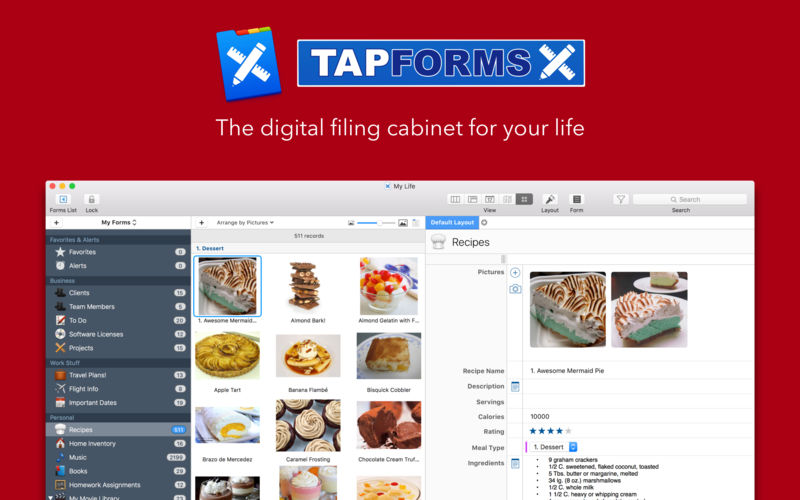

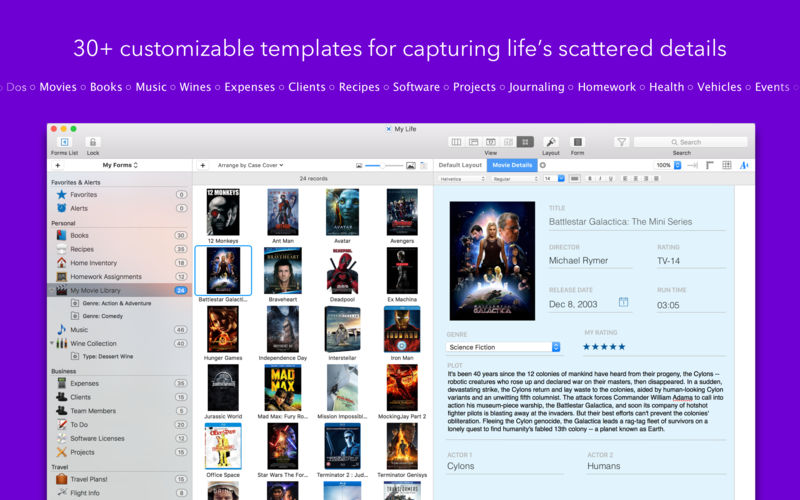
Tap Forms helps you organize all kinds of things in one place - secure, searchable, and accessible on your Mac (iOS + Apple Watch app sold separately). How can one app organize everything? Because not only can you use and customize the 33 built-in templates but you can create your own "forms" for inputting any kind of information, even if that information includes pictures, doodles, audio recordings, calculations, file attachments, ratings, or even links to other forms. This makes it almost like building your very own customized organization app.
Features
- Capture your way: add a picture, type some text, attach a file - there are 23 different types of information that can be captured with Tap Forms.
- Organize your way: Create and design custom forms exactly how you want to for optimal organization. Get started with one of our ready-to-go form templates, or easily make a custom one from scratch with our integrated form building tools.
- Store confidential data with confidence: Tap Forms' security settings let you optionally require a password, and even auto-lock when idle for a custom period of time. Using AES encryption, you can rest easy knowing your data is safe and secure.
- Import, export, share: It’s easy to import your data from existing files, so getting started is a breeze. Import your data from text, CSV, Bento and more. Exporting allows you to share with Mac, Windows, and Linux users.
Advanced Features
- Layout designer for creating custom form layouts
- Sync with Tap Forms for iOS and Mac with or without the cloud
- Advanced search rules with multi-field record filtering
- Lightning-fast search
- Share form templates with friends, family, and co-workers
- Import and export standard text, CSV and XLSX files from Excel, Numbers, or other systems
- Print 24 different types of barcodes including ISBN, UPC, Code 39, QR code, EAN, and more!
- Label printing engine includes over 1,000 Avery label templates
- Print record details
Version 5.3.43
- Removed Upgrade to Tap Forms Pro function and splash screen for those macOS verions that are too old to run it.
Frequently asked questions
How do I install the app?
Mount the image, drag the app into the "Applications" folder and launch it. If the system blocks the launch, allow it in "System Settings → Privacy & Security".
The app is damaged or won't launch
Reinstalling from a fresh image usually helps. Make sure your macOS version matches the one listed in the compatibility specs.
How do I update?
Download the new version from the site and install it over the current one — your settings will be preserved.
The download link doesn't work
Try a mirror or a download manager. For large files the browser often drops the connection.
How do I completely remove the app?
Use an uninstaller utility — it cleans up the service files that remain after moving the app to the trash.



Choose a download source
Tap Forms 5.3.43 · 33.79 MB
Previous versions
Tap Forms 5.3.43
Previous versions are available to registered users.