PDF Paper Renamer 1.53
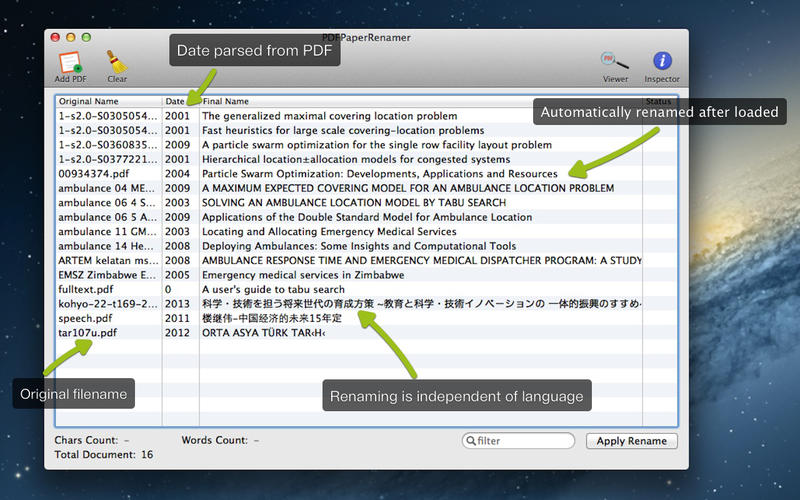
Batch rename pdf documents quickly. PDF Paper Renamer automatically rename filenames by obtaining the correct titles from metadata or from PDF contents. Variety of different options can be applied to rename the files.
Usually scientific papers or academic papers downloaded from internet have bogus name. It would be difficult to manage without expensive management software. Manual renaming is tedious and a waste of time. PDF Paper Renamer automatically rename pdf/epub documents to correct title with high efficiency.
Features
- Easy to use yet powerful, load PDF and it will be renamed automatically
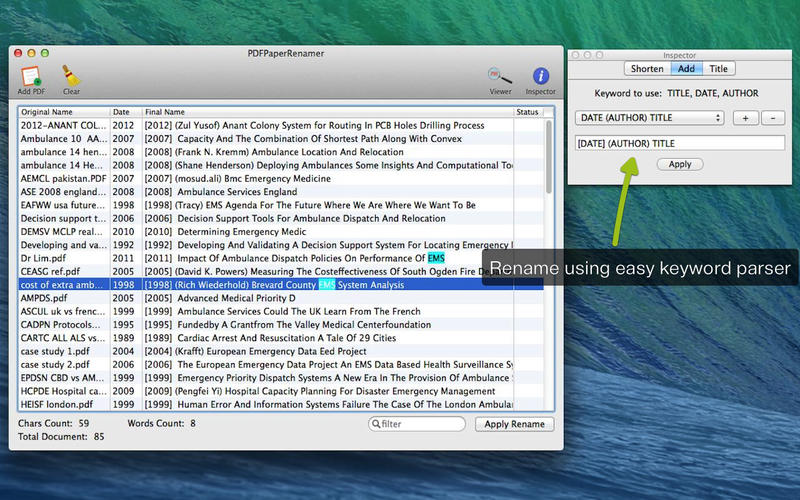
- Use simple keyword parser to rename using title, date and author to your needs
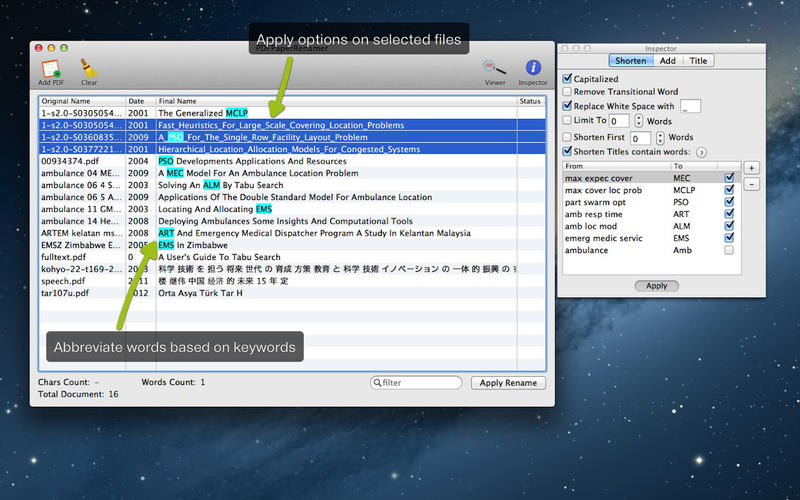
- Variety of options to rename PDF documents
- Abbreviate words based on keywords defined
- Replace whitespace with desired word
- Use title selected from manually from viewer (for PDF documents only)
- Optional: Choose title between original filename, metadata or suggested title from PDF content
WHAT’S NEW
Version 1.53
- Auto rename illegal character '/' to '-' when renaming
SCREENSHOTS
Frequently asked questions
How do I install the app?
Mount the image, drag the app into the "Applications" folder and launch it. If the system blocks the launch, allow it in "System Settings → Privacy & Security".
The app is damaged or won't launch
Reinstalling from a fresh image usually helps. Make sure your macOS version matches the one listed in the compatibility specs.
How do I update?
Download the new version from the site and install it over the current one — your settings will be preserved.
The download link doesn't work
Try a mirror or a download manager. For large files the browser often drops the connection.
How do I completely remove the app?
Use an uninstaller utility — it cleans up the service files that remain after moving the app to the trash.
VersionPDF Paper Renamer 1.53
DeveloperWAN LUTFI WAN MD HATTA
CompatibilityOS X 10.7 or later, 64-bit processor
LanguageMultilangual
IncludesPre-K'ed



Information
Visitors in the group Guests cannot leave comments on this publication.
Choose a download source
PDF Paper Renamer 1.53 · 2.38 MB