

Quick File Renamer 4.7
Screenshots
Click to enlarge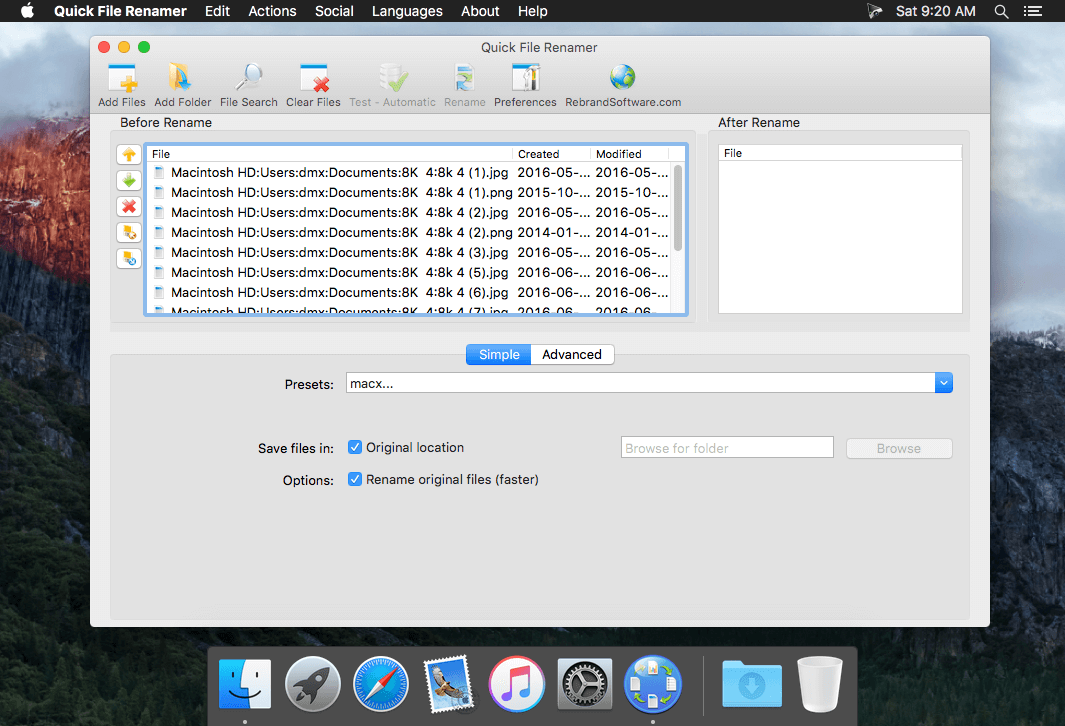
A simple and safe file renaming solution for everyone, with a beautiful Retina interface!
Rename your photo collection using meaningful names. Organize your MP3 or iTunes music library with artist, song, album and track numbers. Access the EXIF metadata in your digital photography and use it to name your files.
Simply browse for files, use our wildcard search, or drag and drop them into the app!
Renaming is fast and you see your changes as you type. "Simple Mode" allows you to use easy presets to change the file name, rename music files, rename with EXIF photo data and more. "Advanced Mode" gives you precise control with the following actions:
- Change file name
- Remove file name
- Add sequential numbers with zero padding
- Replace text
- Change case
- Add prefixes
- Add suffixes
- Insert dates (file creation, file modification, custom)
- Change extension
- Insert Audio Metadata (MP3 and AAC)
- Insert Photo Metadata (Exif)
- Make uppercase
- Make lowercase
- Make titlecase
- Regular Expression (RegEx) search and replace
Version 4.7
- Fixed a bug that sometimes prevented adding a prefix
Comments
No comments yet. Be the first.
Information
Visitors in the group Guests cannot leave comments on this publication.