
World Clock 1.4.1
World Clock is a simple and powerful world clock.
Features
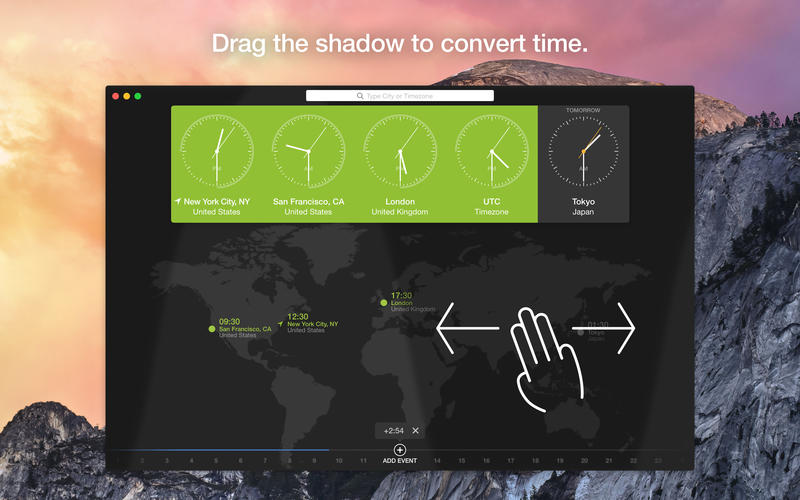
- Add cities and timezones like GMT and UTC with a few key strokes
- Convert international time with a drag of a cursor
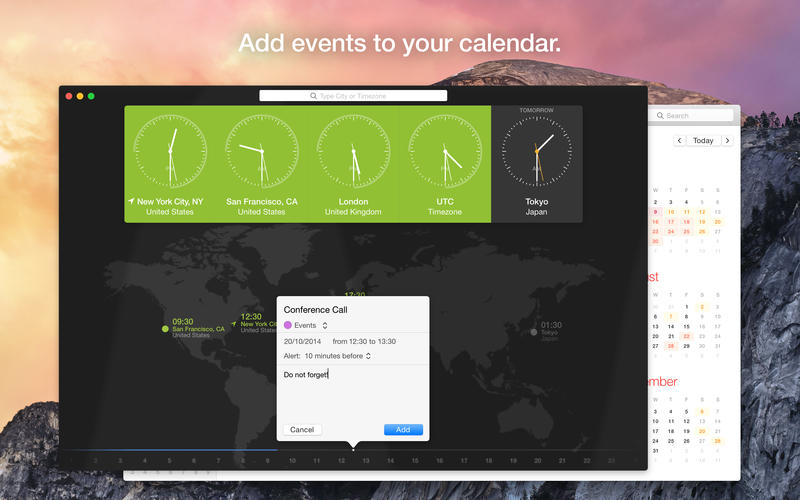
- Schedule international calls and meetings and add them to your calendar
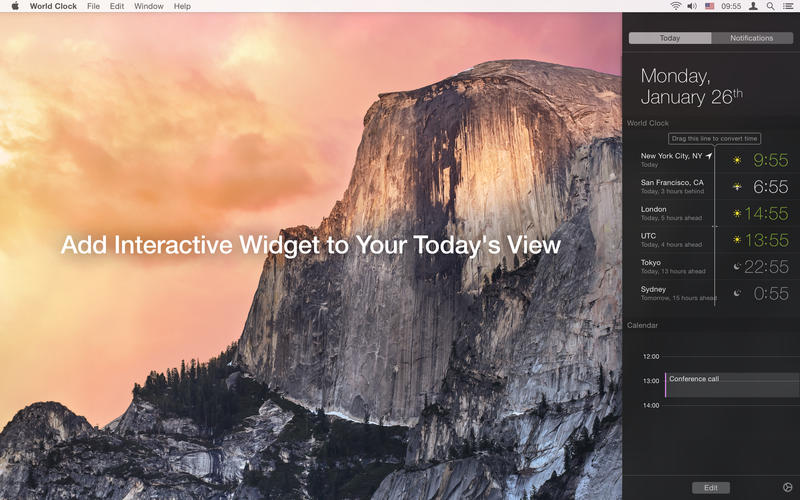
- Add Interactive Widget to your Today's View (OS X 10.10 Yosemite only): quickly peek and see what time it is in the other location, drag the line to convert time, so you can find a time that suits quick, without getting distracted from whatever you were doing
Easily tell what time it is with clocks that change color with time of day:
- black for evening and night
- white for morning
- green for working hours
WHAT’S NEW
Version 1.4
- macOS Sierra Support.
SCREENSHOTS
Frequently asked questions
How do I install the app?
Mount the image, drag the app into the "Applications" folder and launch it. If the system blocks the launch, allow it in "System Settings → Privacy & Security".
The app is damaged or won't launch
Reinstalling from a fresh image usually helps. Make sure your macOS version matches the one listed in the compatibility specs.
How do I update?
Download the new version from the site and install it over the current one — your settings will be preserved.
The download link doesn't work
Try a mirror or a download manager. For large files the browser often drops the connection.
How do I completely remove the app?
Use an uninstaller utility — it cleans up the service files that remain after moving the app to the trash.
VersionWorld Clock 1.4.1
DeveloperAlex Komarov Inc.
CompatibilityOS X 10.9 or later, 64-bit processor
LanguageEnglish
IncludesPre-K'ed

Information
Visitors in the group Guests cannot leave comments on this publication.
Choose a download source
World Clock 1.4.1 · 36.21 MB