
Claquette Pro 1.5.8
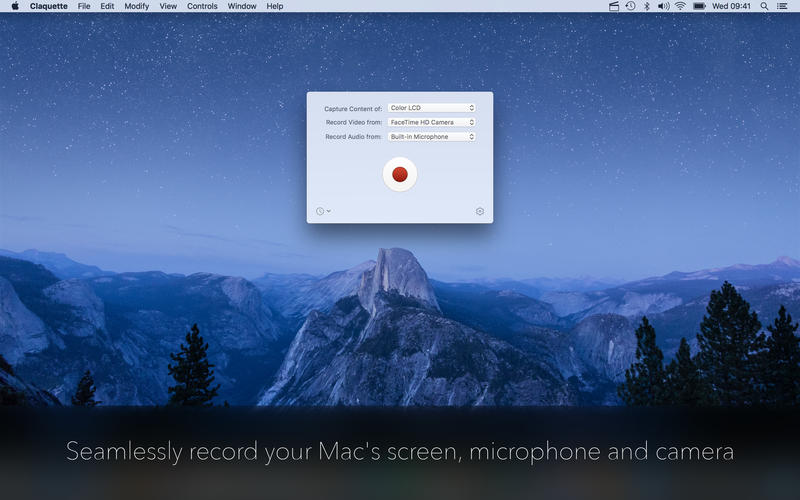
Seamlessly record your Mac's screen, microphone and camera. Edit your recordings and share them as Animated GIF/PNG or as movie.
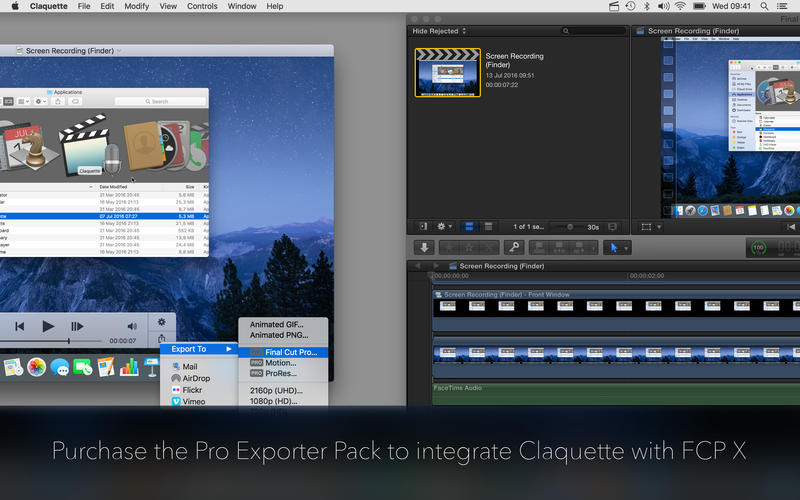
By purchasing the Pro Exporter Pack, you can also integrate Claquette into your Final Cut Pro X workflow.
- Lossless & color managed screen recording
- Record camera video & microphone input
- Fast, lossless compressor that utilizes all CPU cores
- Built-In player app to preview your recording
- Trim unwanted parts of the recording
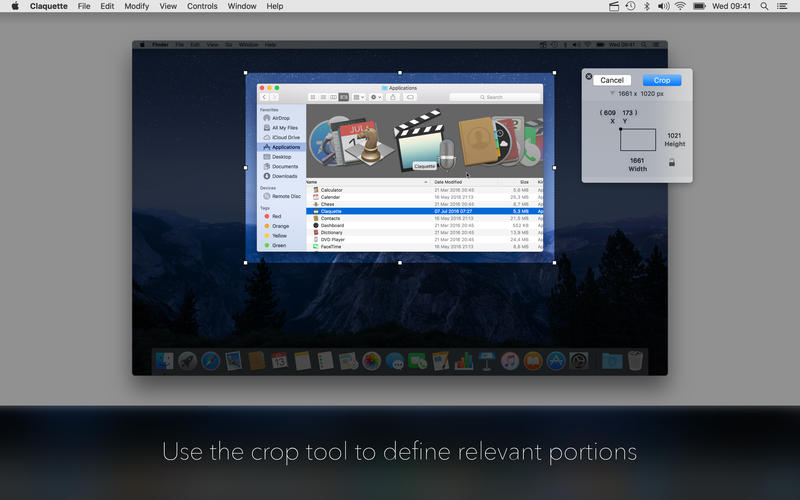
- Crop the recording to only show relevant portions
- Camera video layer can be freely positioned
- Create an animated screenshot in Animated GIF or PNG format
- Create a movie file using one of the included presets
- Use sharing services to share your recording via Mail, AirDrop, Flickr or Vimeo
- Send a layered export to Final Cut Pro X or Motion 5 (available via In-App Purchase)
- Animated GIF
- Animated PNG
- 480p (H.264 SD)
- 720p (H.264 HD)
- 1080p (H.264 HD)
- 2160p (H.264 UHD)
- iPod (H.264)
- Apple TV (H.264)
- ProRes (available via In-App Purchase)
- Final Cut Pro X (available via In-App Purchase)
- Motion 5 (available via In-App Purchase)
The Final Cut Pro X, Motion 5 and ProRes exporters are available via In-App Purchase.
To directly open & edit exported Final Cut Pro X and Motion 5 projects, those applications have to be installed on your Mac.
Version 1.5.8
- Adds aspect ratio presets to the crop UI
- Improves Undo/Redo
- Improves compatibility with new versions of Final Cut Pro X
- Improves compatibility with new versions of Motion 5
- Improves memory consumption and overall performance
- Fixes capturing of iOS Simulator windows
- Fixes drawing artifacts in the trim UI
Frequently asked questions
How do I install the app?
Mount the image, drag the app into the "Applications" folder and launch it. If the system blocks the launch, allow it in "System Settings → Privacy & Security".
The app is damaged or won't launch
Reinstalling from a fresh image usually helps. Make sure your macOS version matches the one listed in the compatibility specs.
How do I update?
Download the new version from the site and install it over the current one — your settings will be preserved.
The download link doesn't work
Try a mirror or a download manager. For large files the browser often drops the connection.
How do I completely remove the app?
Use an uninstaller utility — it cleans up the service files that remain after moving the app to the trash.
VersionClaquette Pro 1.5.8
DeveloperThomas Zoechling © 2016 Peakstep
CompatibilityOS X 10.10 or later, 64-bit processor
LanguageEnglish
IncludesK'ed by TNT




Information
Visitors in the group Guests cannot leave comments on this publication.
Choose a download source
Claquette Pro 1.5.8 · 7.12 MB