PDFify Pro 5.2

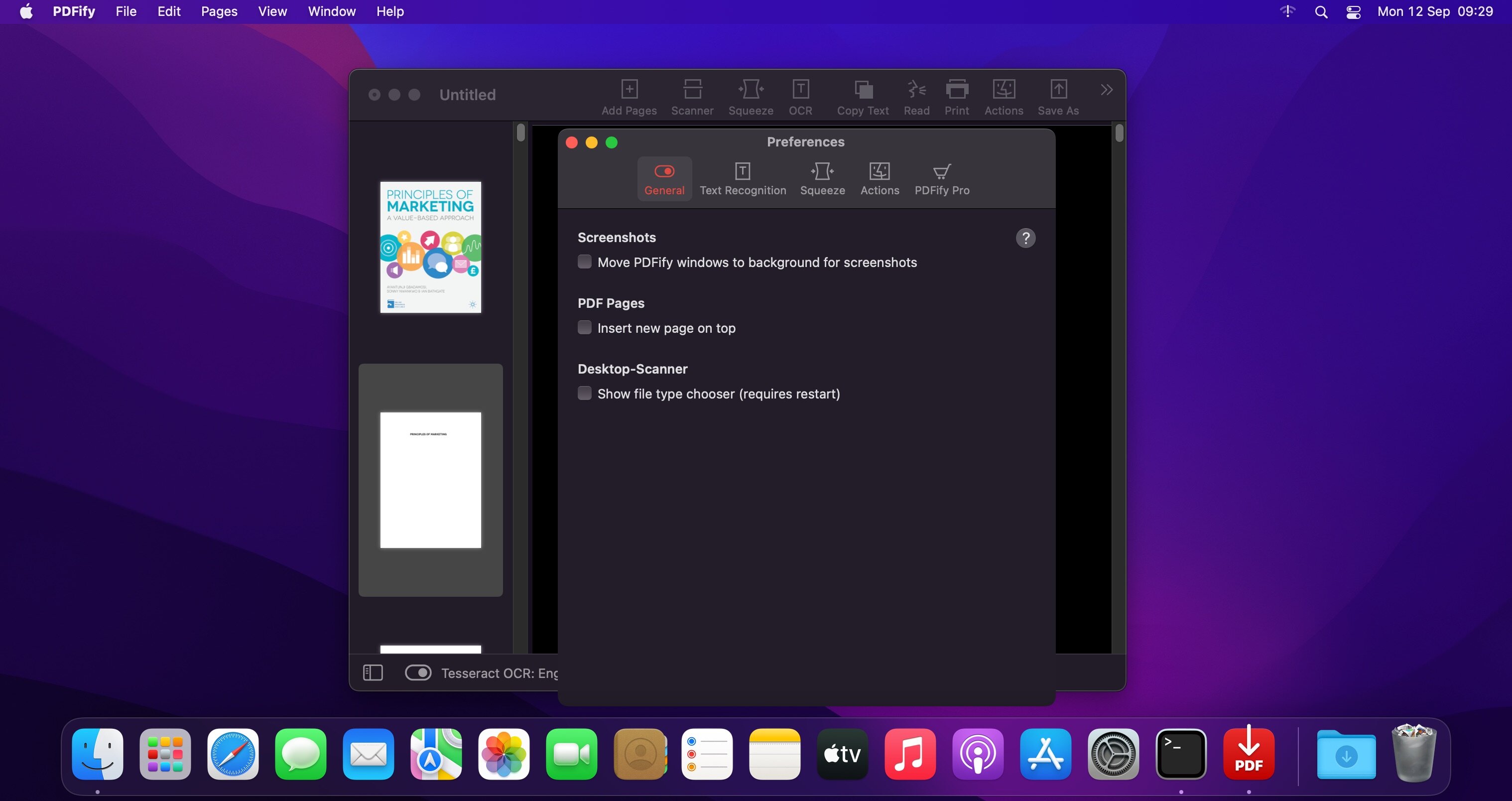
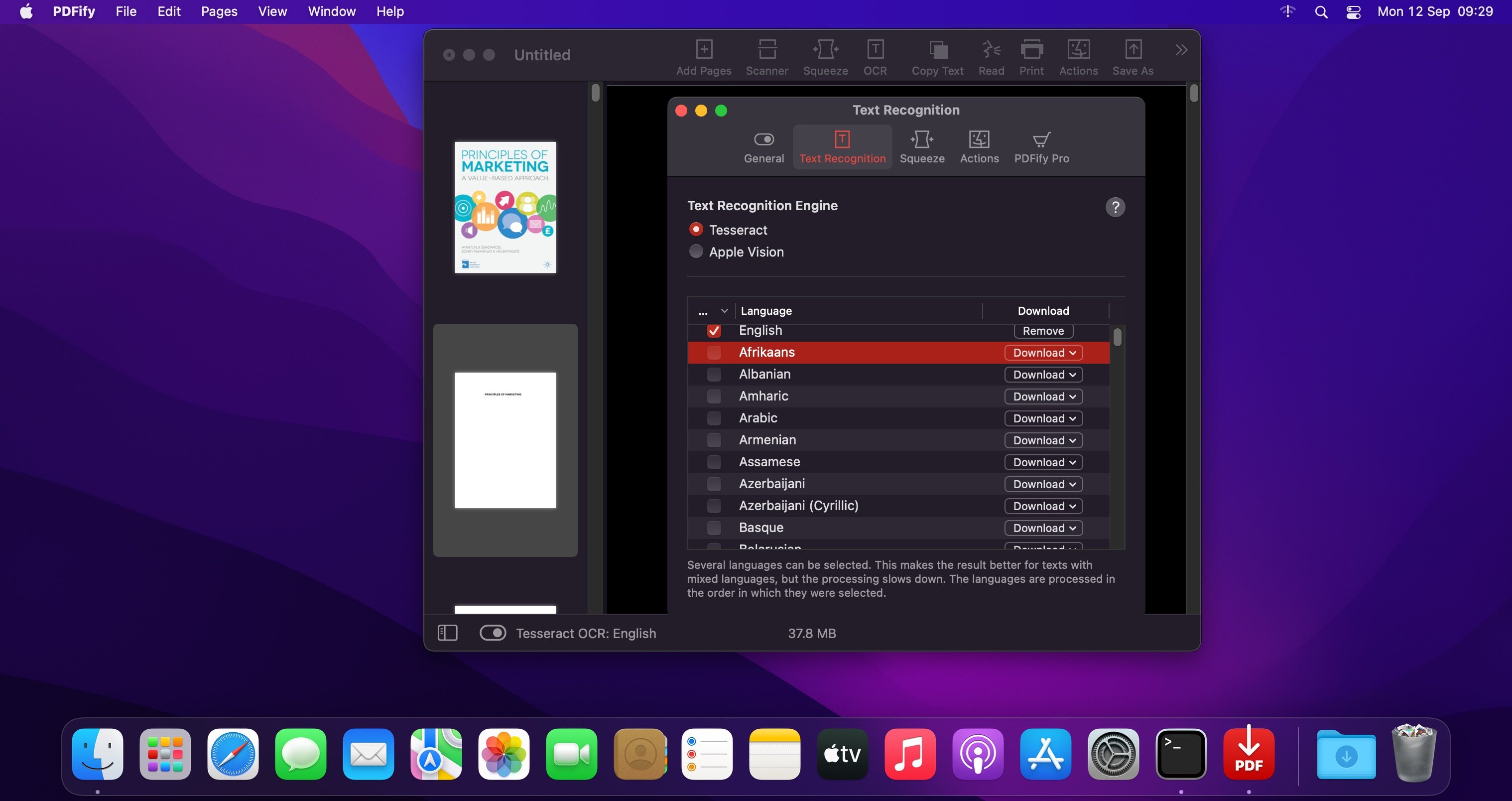
PDFify creates searchable PDF for more than 100 languages! Reduce file size at the same time! Not only existing PDF can be processed, but also images, scans, screenshots, emails, web pages and more. Just drag your files to PDFify and the rest happens automatically.
In addition to Apple's integrated text recognition, the proven alternative "Tesseract" is also supported. Find your personal favorite. Finder Quick Actions allow you to quickly edit multiple files in one go.
Powerful functions make it easy to add new pages to the PDF
- Take screenshots directly from the app.
- Use your iPhone camera as a scanner.
- The app offers its own great scanner dialog.
- Choose PDFify as the destination for your ScanSnap scans.
- Paste pages directly from the clipboard.
Other useful features make PDF handling better
- Have the computer read content aloud.
- Reduce the size of the PDF file.
- Copy all text content with one click.
- Share, save or print the finished PDF.
And if you make a mistake, UNDO has you covered.
Version 5.2:
- Completely redesigned scanner dialog (macOS 14 and later): Pick source, color mode, resolution, and duplex right in the window, run a preview, and drag to select the scan area. A compact view gets you scanning fast; a detailed view shows the preview and all settings side by side. Older systems keep the classic macOS scan interface. Choose where each scan goes with a single checkbox: Keep it off for a new document every time, or turn it on to append to the document you're working on. Set the scan area exactly: Drag in the preview, enter precise measurements in millimeters or inches, or pick a preset like DIN A4 or US Letter - remembered per scanner.
- Automate PDFify with App Shortcuts: Compress a PDF, make it searchable with OCR, convert it to PDFIA, get its text, or export text as JSON - straight from Spotlight, the Shortcuts app,
or Siri, without opening the app. - See PDF/A status at a glance: The status bar shows right away whether the open document is PDF/A (for example "PDF/A-1b").
- Fit imported images into more page sizes: Now also A3, A5, US Legal, and Tabloid, in addition to A4 and US Letter.
Frequently asked questions
How do I install the app?
Mount the image, drag the app into the "Applications" folder and launch it. If the system blocks the launch, allow it in "System Settings → Privacy & Security".
The app is damaged or won't launch
Reinstalling from a fresh image usually helps. Make sure your macOS version matches the one listed in the compatibility specs.
How do I update?
Download the new version from the site and install it over the current one — your settings will be preserved.
The download link doesn't work
Try a mirror or a download manager. For large files the browser often drops the connection.
How do I completely remove the app?
Use an uninstaller utility — it cleans up the service files that remain after moving the app to the trash.

Choose a download source
PDFify Pro 5.2 · 31.26 MB
Previous versions
PDFify Pro 5.2
Previous versions are available to registered users.