
Speech 2.2.0
Text to speech for Mac that reads any text aloud
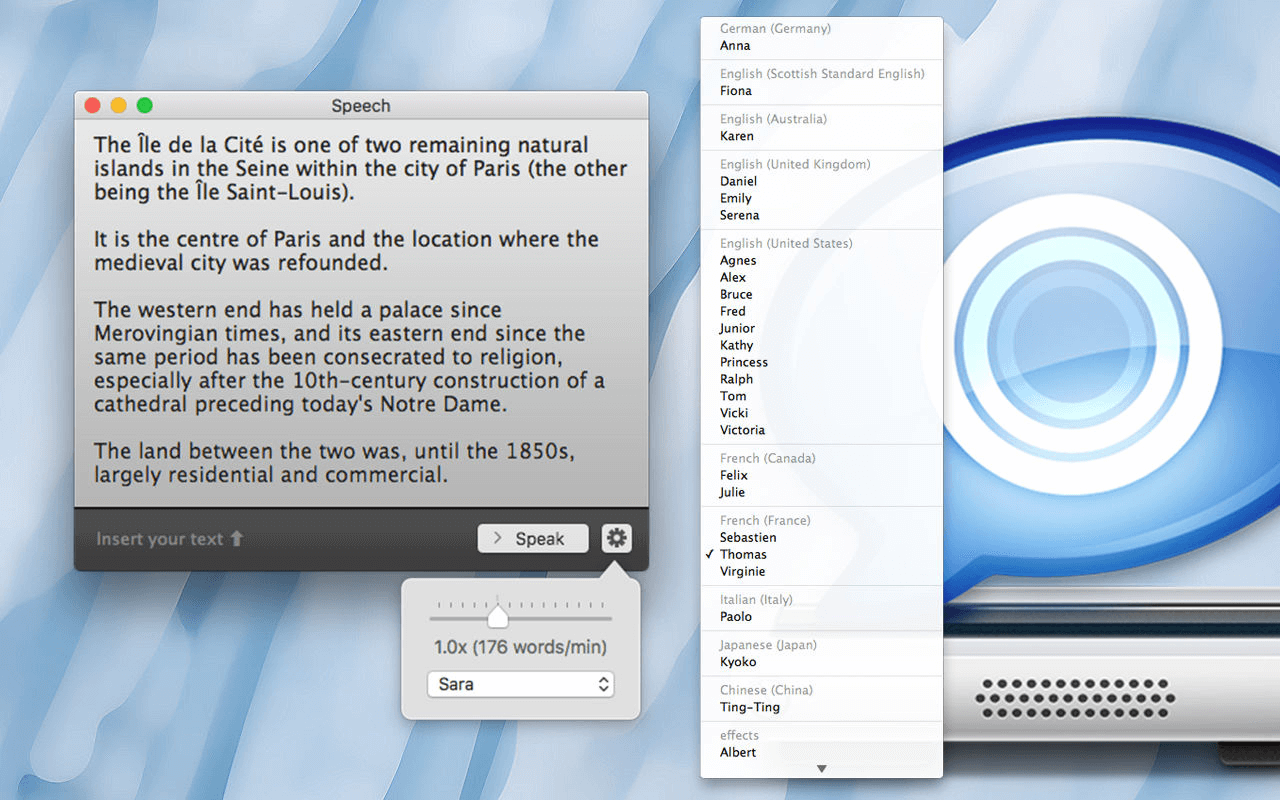

Speech reads text aloud on your Mac through the macOS speech synthesizer, with everything in one simple window. Paste in an article, a draft or a page of study notes and listen while you do something else, or have a piece read back to you to catch what your eyes skip over.
What you can do
Drop text into the window or paste it in, press play, and change the voice or speech rate whenever you like, even mid-playback.
- Drag and paste: add text by dragging it into Speech or pasting it, then start playback right away.
- Voices and languages: choose from more than 40 voices and languages, and switch between them at any time.
- Click to resume: click any word in the text and playback continues from that word.
- Audio files: convert a text into an audio file that you can share or play on a portable music player.
- Keyboard shortcuts: ⌘S speaks or pauses, ⌘E lets you edit the text, and ⌘R restarts playback.
Where it helps
Listening to a long text instead of reading it frees up your eyes and your time. Hearing a word spoken also settles any doubt about how it's pronounced.
Version 2.2.0:
- Stability improvements and bug fixes.
Frequently asked questions
How do I install the app?
Mount the image, drag the app into the "Applications" folder and launch it. If the system blocks the launch, allow it in "System Settings → Privacy & Security".
The app is damaged or won't launch
Reinstalling from a fresh image usually helps. Make sure your macOS version matches the one listed in the compatibility specs.
How do I update?
Download the new version from the site and install it over the current one — your settings will be preserved.
The download link doesn't work
Try a mirror or a download manager. For large files the browser often drops the connection.
How do I completely remove the app?
Use an uninstaller utility — it cleans up the service files that remain after moving the app to the trash.




Choose a download source
Speech 2.2.0 · 8.5 MB
Previous versions
Speech 2.2.0
Previous versions are available to registered users.