Space Drop 2.9
Drag and Drop Files on Mac with a Temporary Dock

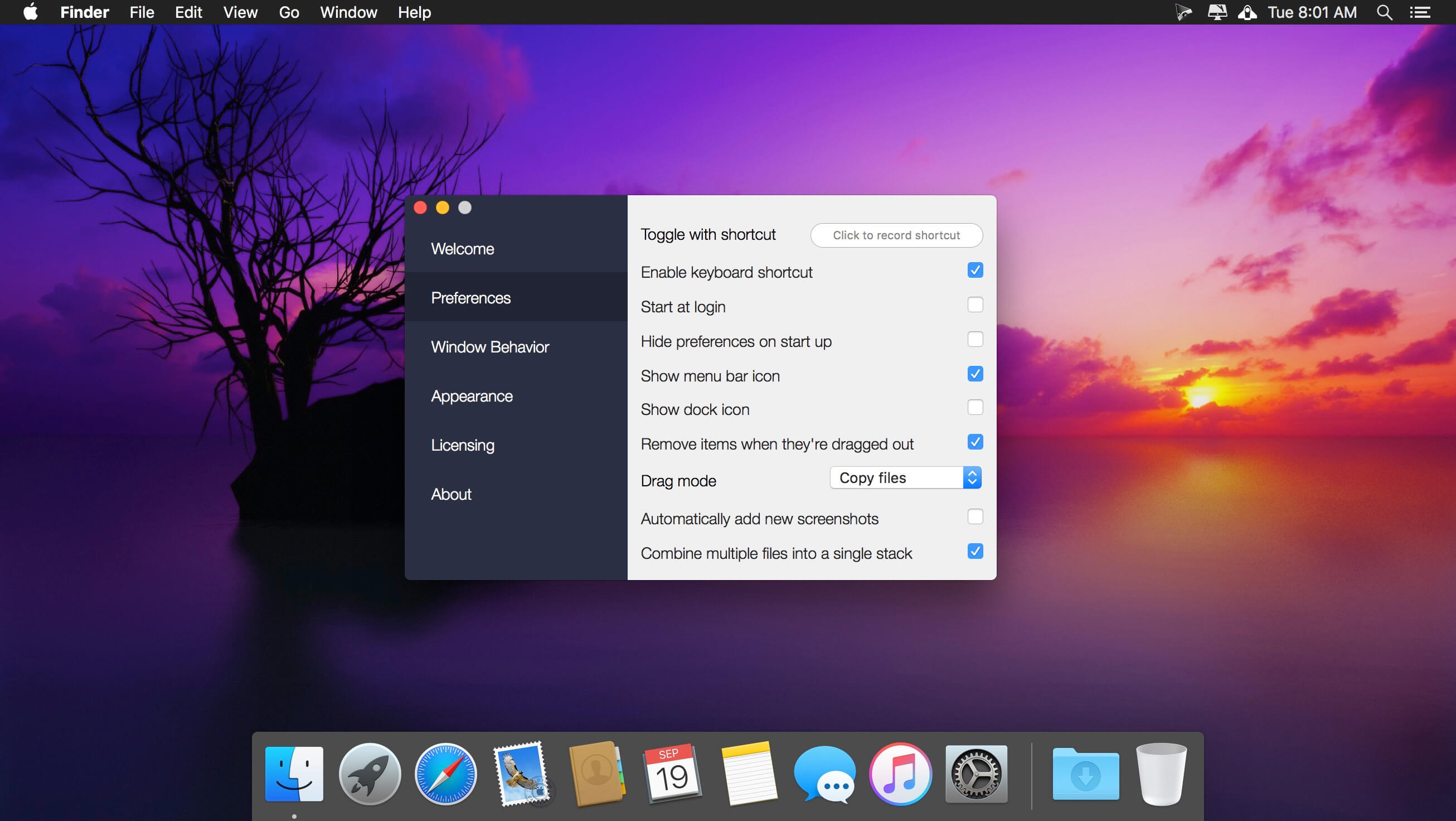

Space Drop makes dragging and dropping files on your Mac much easier. A handy dock appears the moment you start dragging a file and gives you a temporary place to keep it while you navigate to the folder where it needs to go.
The missing link in drag and drop
Instead of holding a file while you search for its destination, drop it onto the dock and carry on. Your files wait there until you are ready to place them.
Free up your mouse
The dock frees your mouse between drag and drop operations. Collect files from multiple locations, then drop them all in one go where you want them.
Supercharge your workflow
Moving files from various sources into a new location takes far less time. Space Drop can also add your screenshots to the dock automatically, so they are easy to share.
Key features
- Instant dock: appears as soon as you start dragging a file
- Temporary storage: holds your files while you navigate to the destination
- Multi-location collecting: gather files from different places and drop them together
- Screenshot support: automatically adds screenshots to the dock for easy sharing
Customize your experience
Make the dock your own. Set its position on your screen, its color and its opacity. Download Space Drop and try it for yourself.
Version 2.9:
- Release notes were unavailable when this listing was updated.
Frequently asked questions
How do I install the app?
Mount the image, drag the app into the "Applications" folder and launch it. If the system blocks the launch, allow it in "System Settings → Privacy & Security".
The app is damaged or won't launch
Reinstalling from a fresh image usually helps. Make sure your macOS version matches the one listed in the compatibility specs.
How do I update?
Download the new version from the site and install it over the current one — your settings will be preserved.
The download link doesn't work
Try a mirror or a download manager. For large files the browser often drops the connection.
How do I completely remove the app?
Use an uninstaller utility — it cleans up the service files that remain after moving the app to the trash.



Choose a download source
Space Drop 2.9 · 10.03 MB
Previous versions
Space Drop 2.9
Previous versions are available to registered users.