
BatchOutput PDF 3.1.8
Batch Print PDFs on Mac with Hot Folders
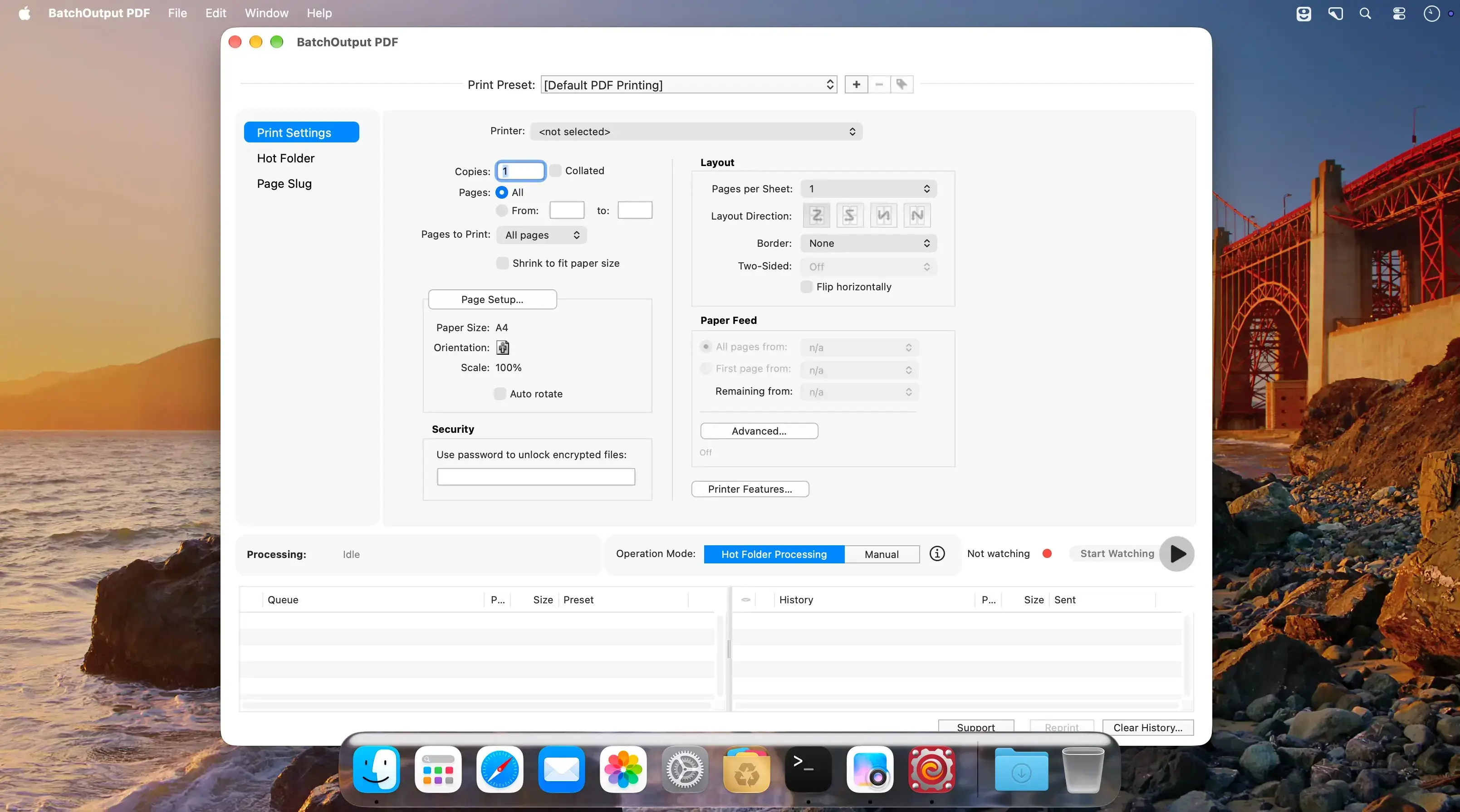
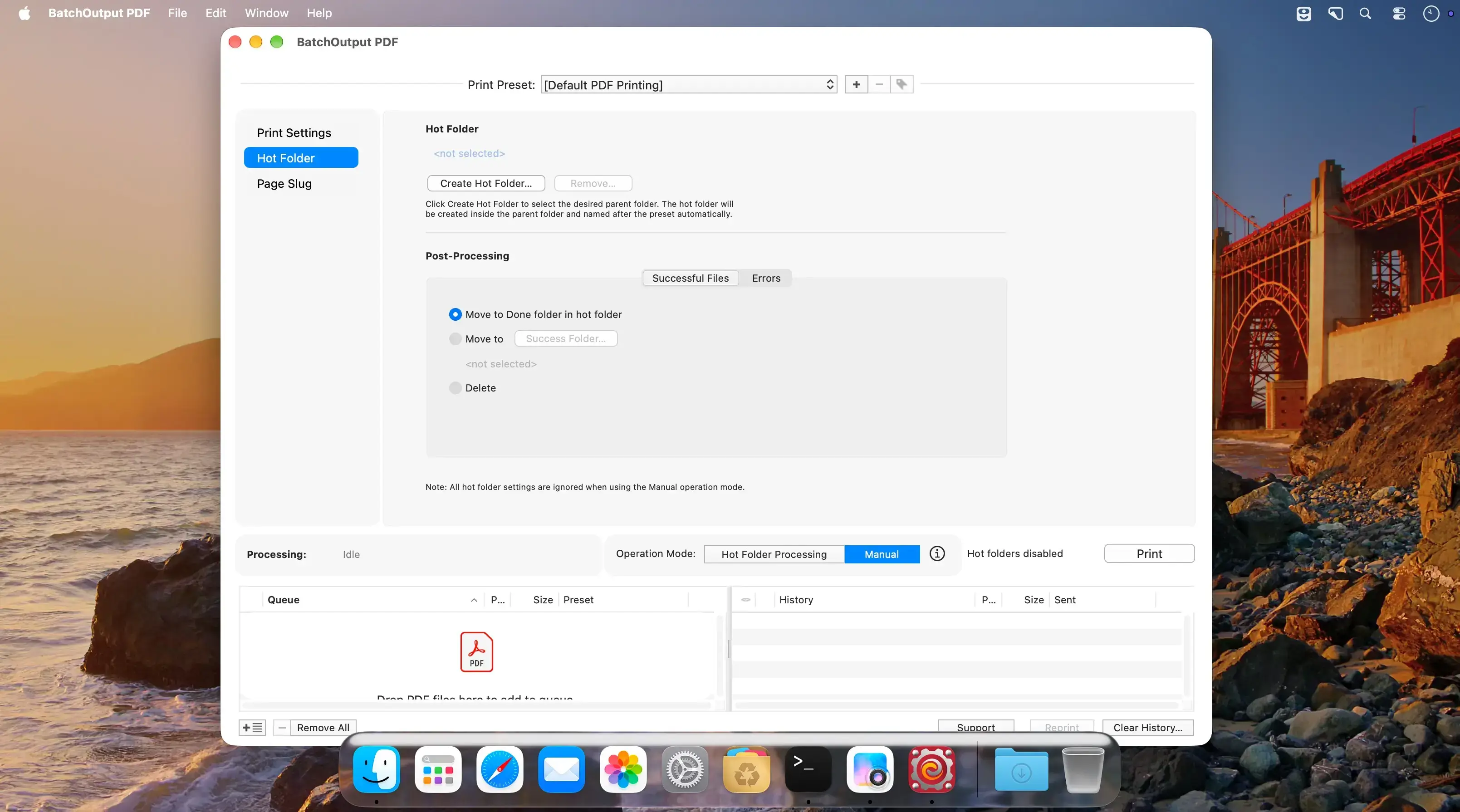
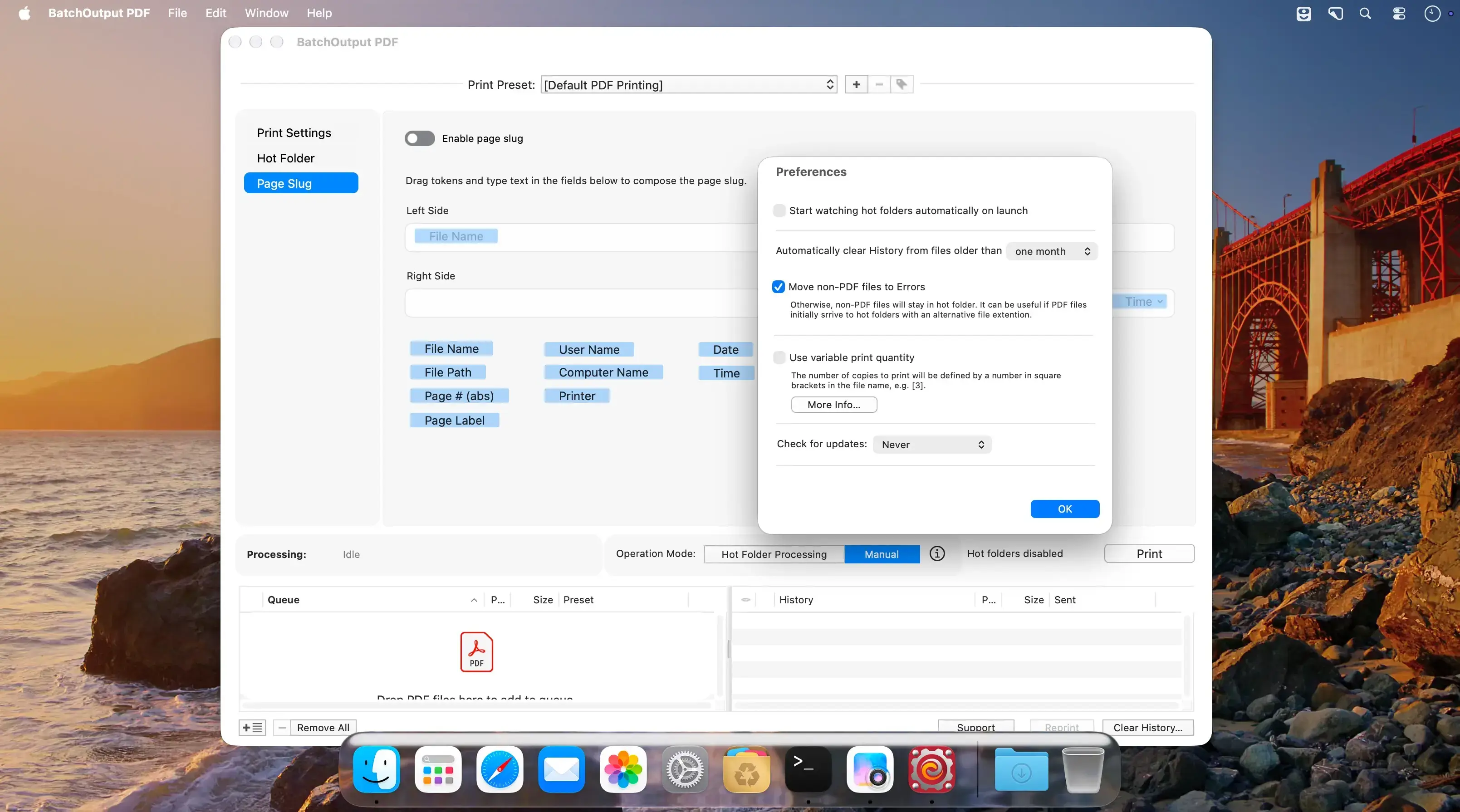
BatchOutput PDF for Mac prints PDF files automatically from watched hot folders. Create hot folders for various printing settings, then just drop PDFs there, and BatchOutput PDF will do the rest. You can keep working in other programs while it runs in the background, saving the time and hassle of opening and printing each PDF manually.
How it works
Set up a hot folder for each set of printing settings you use. Drop your PDF files into the folder you need, and BatchOutput PDF prints them automatically. When processing is finished, files are moved to success and error folders, so you can see what was printed and what needs attention.
Printing on a network
A separate Server license allows you to create hot folders on a network. A single copy of BatchOutput PDF Server can serve multiple users.
Features
- Automatic printing: print PDFs by dropping them into watched hot folders
- Custom hot folders: create hot folders for various printing settings
- Network hot folders: create hot folders on a network with a separate Server license
- Multi-user support: serve multiple users with a single copy of BatchOutput PDF Server
- Success and error folders: move files to success and error folders after processing
- Processing history: review what has been processed
Version 3.0:
New:
- Page slugs: Create custom page slugs based on variable tokens.
- Print PDFs sorted by name using the new Manual mode.
- Manual mode: Drop desired files directly on BatchOutput PDF instead of using hot folders.
- Native Apple Silicon support.
Improved:
- Improved UI.
Frequently asked questions
How do I install the app?
Mount the image, drag the app into the "Applications" folder and launch it. If the system blocks the launch, allow it in "System Settings → Privacy & Security".
The app is damaged or won't launch
Reinstalling from a fresh image usually helps. Make sure your macOS version matches the one listed in the compatibility specs.
How do I update?
Download the new version from the site and install it over the current one — your settings will be preserved.
The download link doesn't work
Try a mirror or a download manager. For large files the browser often drops the connection.
How do I completely remove the app?
Use an uninstaller utility — it cleans up the service files that remain after moving the app to the trash.
Choose a download source
BatchOutput PDF 3.1.8 · 15.58 MB
Previous versions
BatchOutput PDF 3.1.8
Previous versions are available to registered users.