DxO PhotoLab 7 ELITE Edition 7.19.0.80
AI RAW photo denoising for clearer low-light images


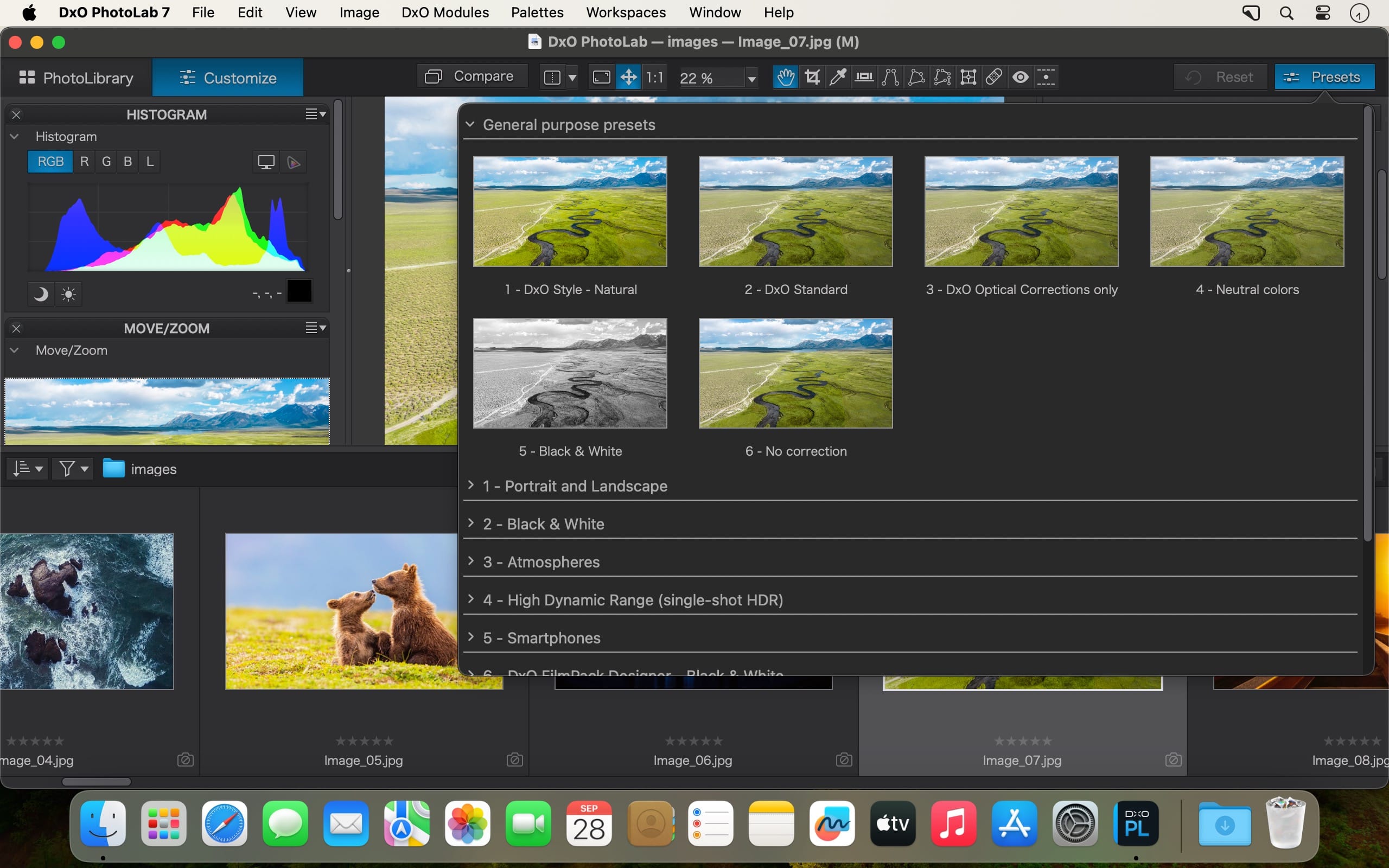
Get more from challenging images with DxO PhotoLab for macOS. Reduce digital noise, recover color detail, and refine your photos with smart-assisted corrections you can fine-tune manually.
Refine photos with DxO DeepPRIME
DeepPRIME uses AI to demosaic and denoise RAW images at the same time. By combining these processes, it helps reduce noise while preserving color detail and creating smoother transitions. It can help with high-sensitivity shots, images from small-sensor cameras, and photos from older cameras affected by digital noise.
Take control of your image
Make targeted corrections to bring out detail and address the challenges of difficult lighting or noisy RAW files.
- RAW noise reduction: Reduce digital noise in RAW images with DxO DeepPRIME.
- Simultaneous demosaicing and denoising: Process both together with AI-powered DeepPRIME.
- Color detail recovery: Preserve color information as you reduce noise.
- Light corrections: Address lighting limitations in your photos.
- Optical corrections: Apply sophisticated corrections to your images.
- Detail enhancement: Bring out detail with smart-assisted corrections you can fine-tune manually.
Try DxO PhotoLab for macOS and give noisy or challenging RAW photos a fresh look.
Version 7.19.0.80
- Release notes were unavailable when this listing was updated.
Frequently asked questions
How do I install the app?
Mount the image, drag the app into the "Applications" folder and launch it. If the system blocks the launch, allow it in "System Settings → Privacy & Security".
The app is damaged or won't launch
Reinstalling from a fresh image usually helps. Make sure your macOS version matches the one listed in the compatibility specs.
How do I update?
Download the new version from the site and install it over the current one — your settings will be preserved.
The download link doesn't work
Try a mirror or a download manager. For large files the browser often drops the connection.
How do I completely remove the app?
Use an uninstaller utility — it cleans up the service files that remain after moving the app to the trash.



Choose a download source
DxO PhotoLab 7 ELITE Edition 7.19.0.80 · 851.9 MB
Previous versions
DxO PhotoLab 7 ELITE Edition 7.19.0.80
Previous versions are available to registered users.