
Topaz Photo Pro 1.8.2
AI Photo Enhancer to Denoise and Sharpen on Mac
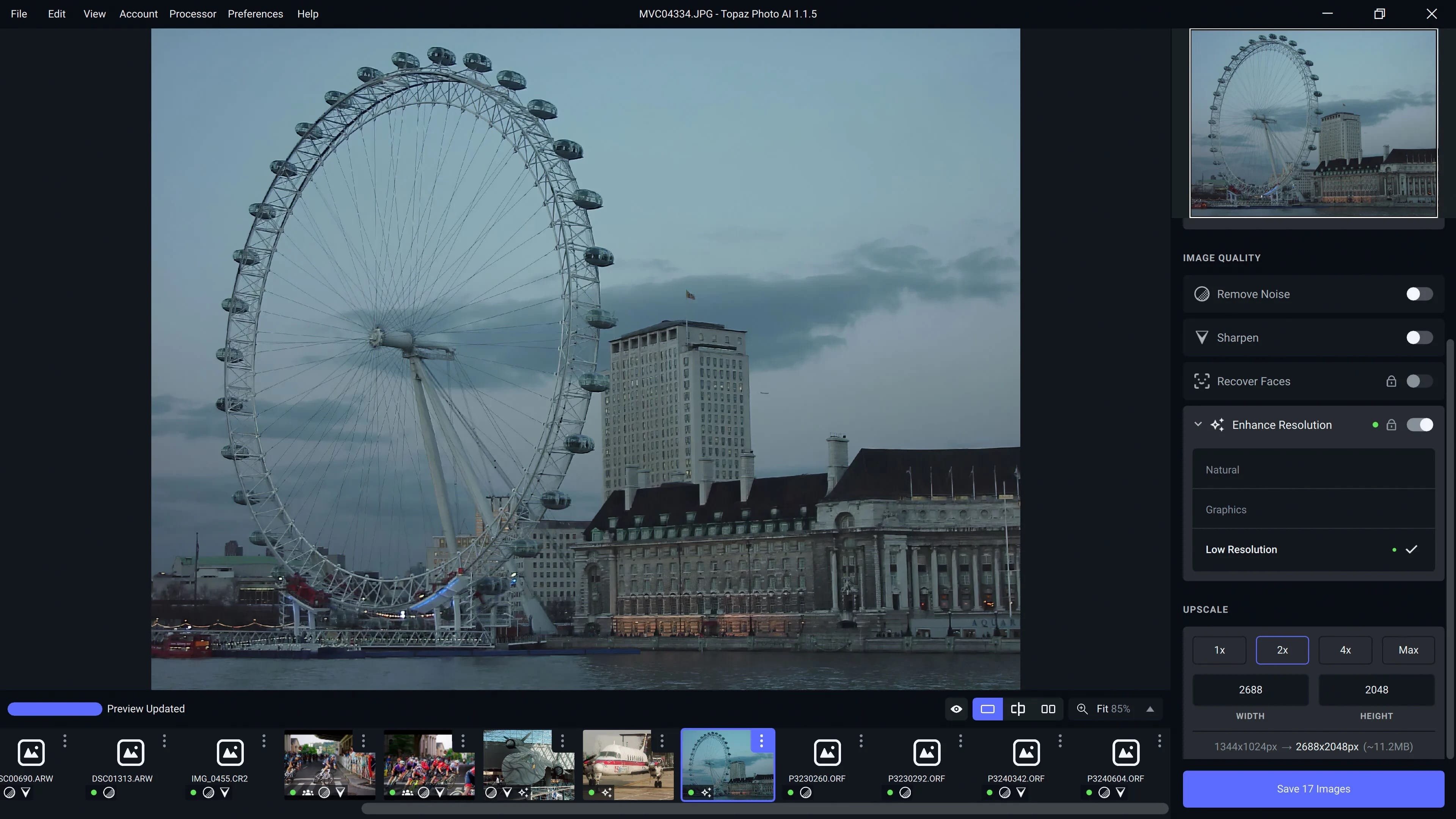
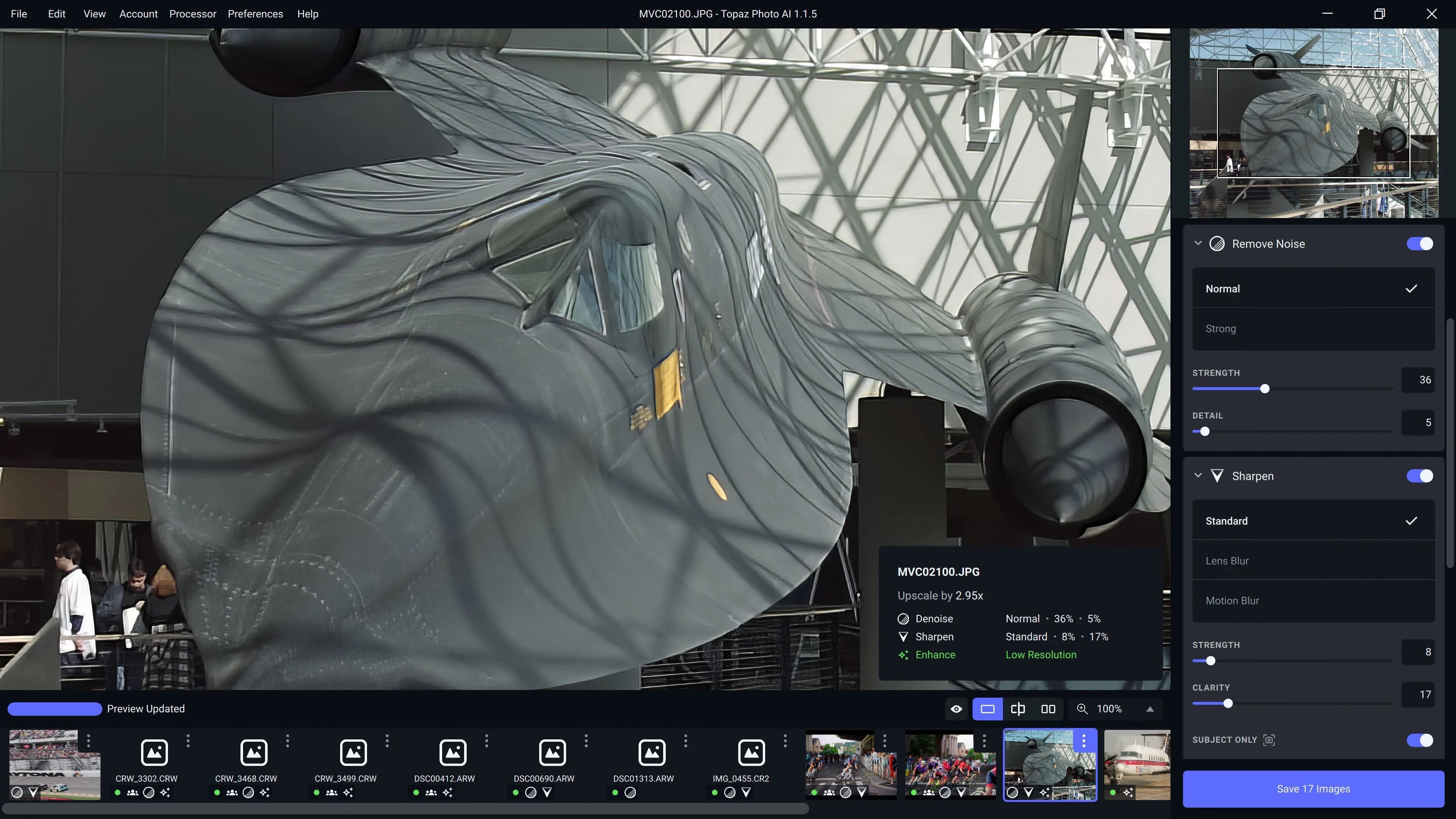
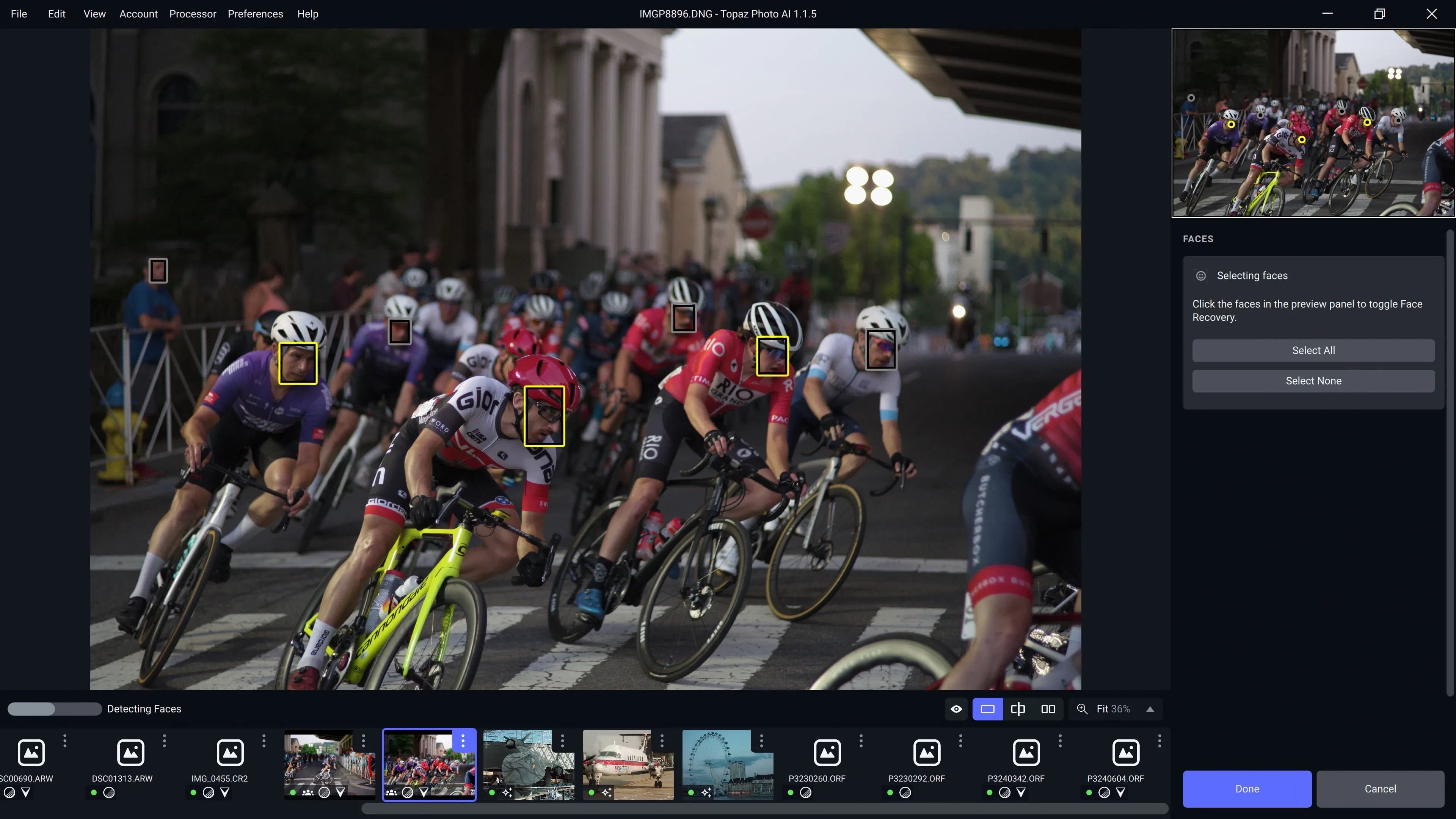
Topaz Photo Pro is an AI-powered photo editing tool for Mac that improves your photos pixel by pixel. It helps photographers and designers denoise, sharpen, and upscale images, with an interface that is easy for beginners and powerful enough for confident pros.
Enhance quality
Reduce noise and blur in difficult conditions such as fast-moving subjects, low light, or atypical environments. The app understands the contents of your image and tells image detail apart from noise, so noise disappears while sharp detail remains.
Sharpen with natural results
Unlike traditional sharpening, the Sharpen module reverses the root causes of blurriness, such as camera shake, motion blur, and missed focus. Where there is no blur, sharpness remains crisp and clear, free of edge halos and other artifacts.
Increase resolution
Add real detail to your photos for tighter crops and better prints. The app draws on what it has learned from millions of similar images to fill in missing pixels. Face Recovery AI, introduced in 2023, enhances detail in low-resolution or blurry faces.
What you can do
- Denoise: remove noise while keeping sharp detail
- Sharpen: reduce blur caused by camera shake, motion blur, or missed focus
- Upscale: increase image resolution for cropping and printing
- Preserve text: keep text in your images intact while editing
- Recover faces: improve detail in low-resolution or blurry faces
- Remove objects: take unwanted objects out of your photos
- Correct lighting: improve the lighting in your images
- Balance color: even out color in your photos
- Autopilot: set adjustments based on detected subject, faces, noise, and blur levels
Easy workflow on your Mac
Use the standalone app to batch process thousands of images in sequence, or use Topaz Photo Pro as a Photoshop plugin for tight workflow integration. Autopilot lets you shape the app around your workflow and your own photographic style.
Version 1.8.0
- Wonder 4 Cloud release
- Added support guidance for AI Processor in Preferences
- Fixed Denoise slider not showing enhancement values
- Improved Smart App controls support
Frequently asked questions
How do I install the app?
Mount the image, drag the app into the "Applications" folder and launch it. If the system blocks the launch, allow it in "System Settings → Privacy & Security".
The app is damaged or won't launch
Reinstalling from a fresh image usually helps. Make sure your macOS version matches the one listed in the compatibility specs.
How do I update?
Download the new version from the site and install it over the current one — your settings will be preserved.
The download link doesn't work
Try a mirror or a download manager. For large files the browser often drops the connection.
How do I completely remove the app?
Use an uninstaller utility — it cleans up the service files that remain after moving the app to the trash.




Choose a download source
Topaz Photo Pro 1.8.2 · 1.14 GB
Previous versions
Topaz Photo Pro 1.8.2
Previous versions are available to registered users.