Brochure Maker 1.1
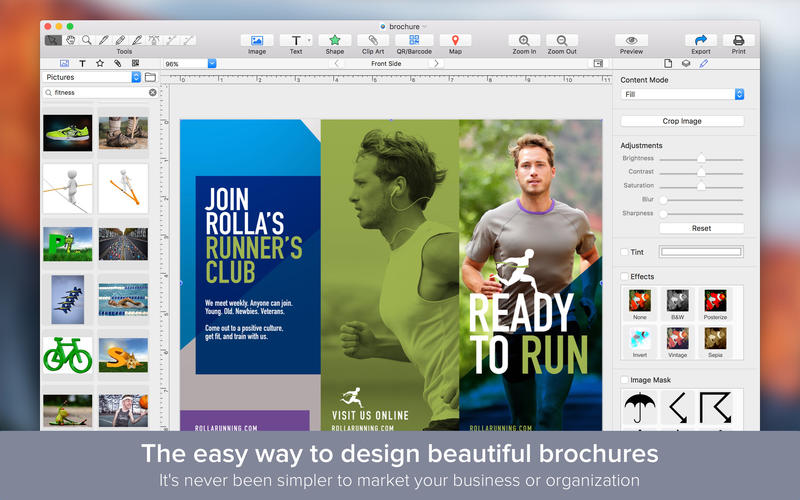
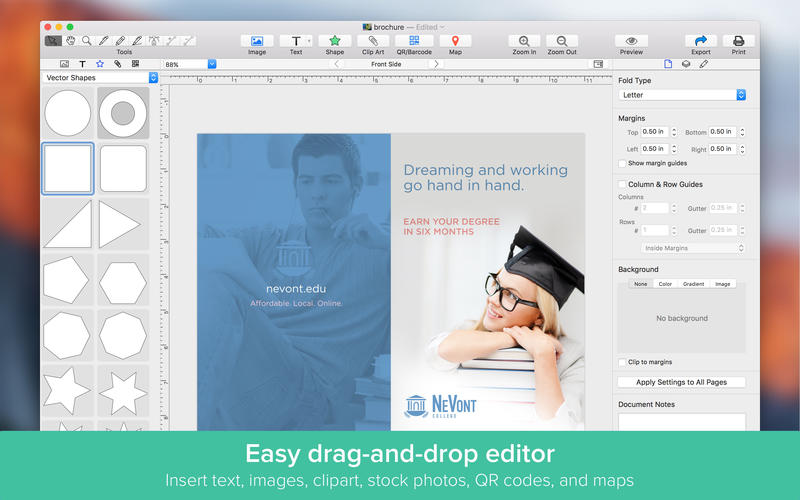
Brochure Maker is the easiest way to design beautiful and effective brochures for your business or organization. With the intuitive drag-and-drop design tools, you'll be creating great-looking brochures in minutes -- even if you have no prior design experience.
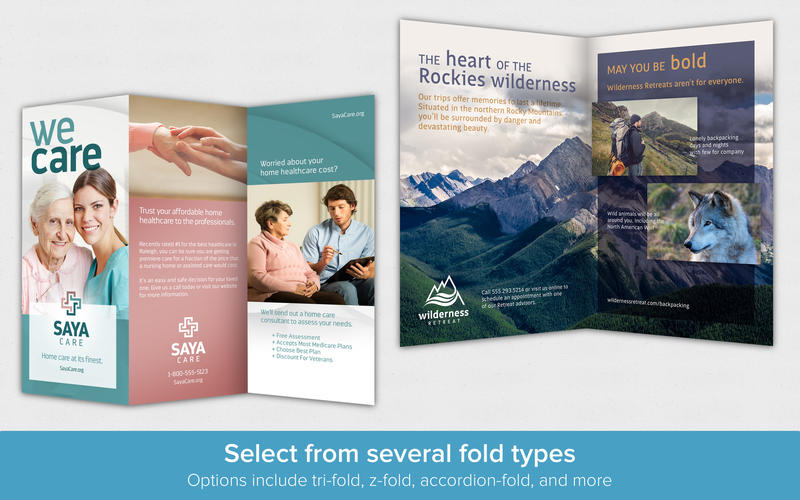
This app takes away the challenge of designing and formatting a brochure. Simply select a fold type, then design each panel individually. When you are ready to print, the app will automatically assemble your panels into a ready-to-fold document.
Choose from quarter-fold, half-fold, z-fold, accordion-fold, and roll-fold formats. Or, simply layout the design yourself on a standard sheet of paper.
Designing a panel is as simple as dragging and dropping images, stylish text, clip art, stock photos, and shapes onto a card panel.
Key Features
- Support for quarter-fold, half-fold, z-fold, accordion-fold, and roll-fold formats (Letter and A4).
- 70,000+ high-quality, royalty-free clip art and stock photo images, free for personal or business use.
- 100+ background textures, art frames, and image masks.
- 140+ creative fonts.
- Insert images, text, vector and raster shapes, clip art, and QR/barcodes.
- Import images directly from iPhoto and Photos apps.
- Choose from a dozen image filters (Vintage, Sketch, Comic, Sepia, and more).
- Adjust image levels, crop, tint, and apply masks.
- Add a Google map with any address or landmark, along with a place marker.
- Advanced text-formatting controls.
- Insert, style, and rotate 3D text (OS X Yosemite required).
- Vector-based drawing tools (bezier pen, pencil, line).
- Select from 26 vector shapes, or draw your own.
- Style elements with shadows, inner shadows, borders, and reflections.
- Fill elements with colors, radial and linear gradients, textures, frames, or images.
- Change the opacity of any element.
- Layout guides make arranging elements a snap.
- Export to PDF, PNG, JPEG, or TIFF formats.
- Full iCloud support.
Frequently asked questions
How do I install the app?
Mount the image, drag the app into the "Applications" folder and launch it. If the system blocks the launch, allow it in "System Settings → Privacy & Security".
The app is damaged or won't launch
Reinstalling from a fresh image usually helps. Make sure your macOS version matches the one listed in the compatibility specs.
How do I update?
Download the new version from the site and install it over the current one — your settings will be preserved.
The download link doesn't work
Try a mirror or a download manager. For large files the browser often drops the connection.
How do I completely remove the app?
Use an uninstaller utility — it cleans up the service files that remain after moving the app to the trash.
VersionBrochure Maker 1.1
DeveloperWombat Apps LLC
CompatibilityOS X 10.10 or later, 64-bit processor
LanguageEnglish, French, German, Italian, Japanese, Spanish
IncludesPre-K'ed
Information
Visitors in the group Guests cannot leave comments on this publication.
Choose a download source
Brochure Maker 1.1 · 78.97 MB