
iCompta 6.2.6
Personal finance app for Mac: track expenses and budgets
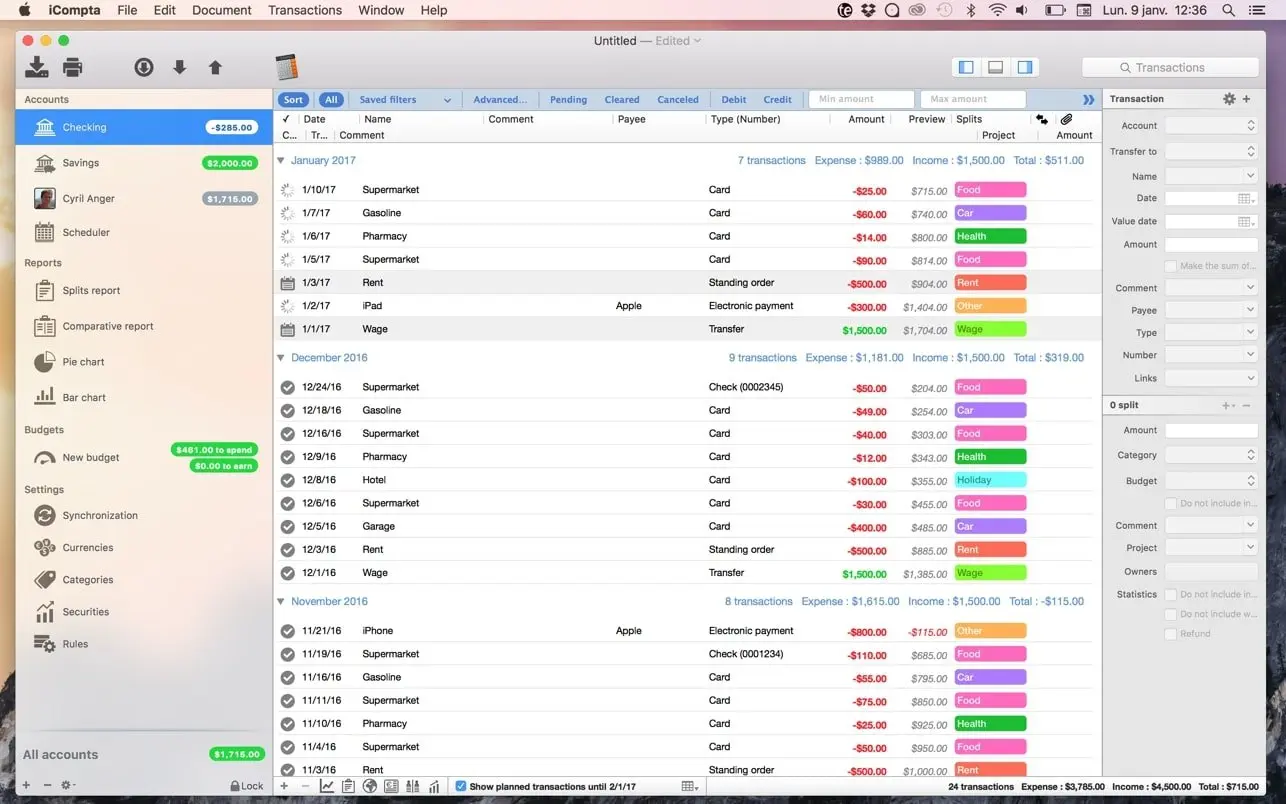
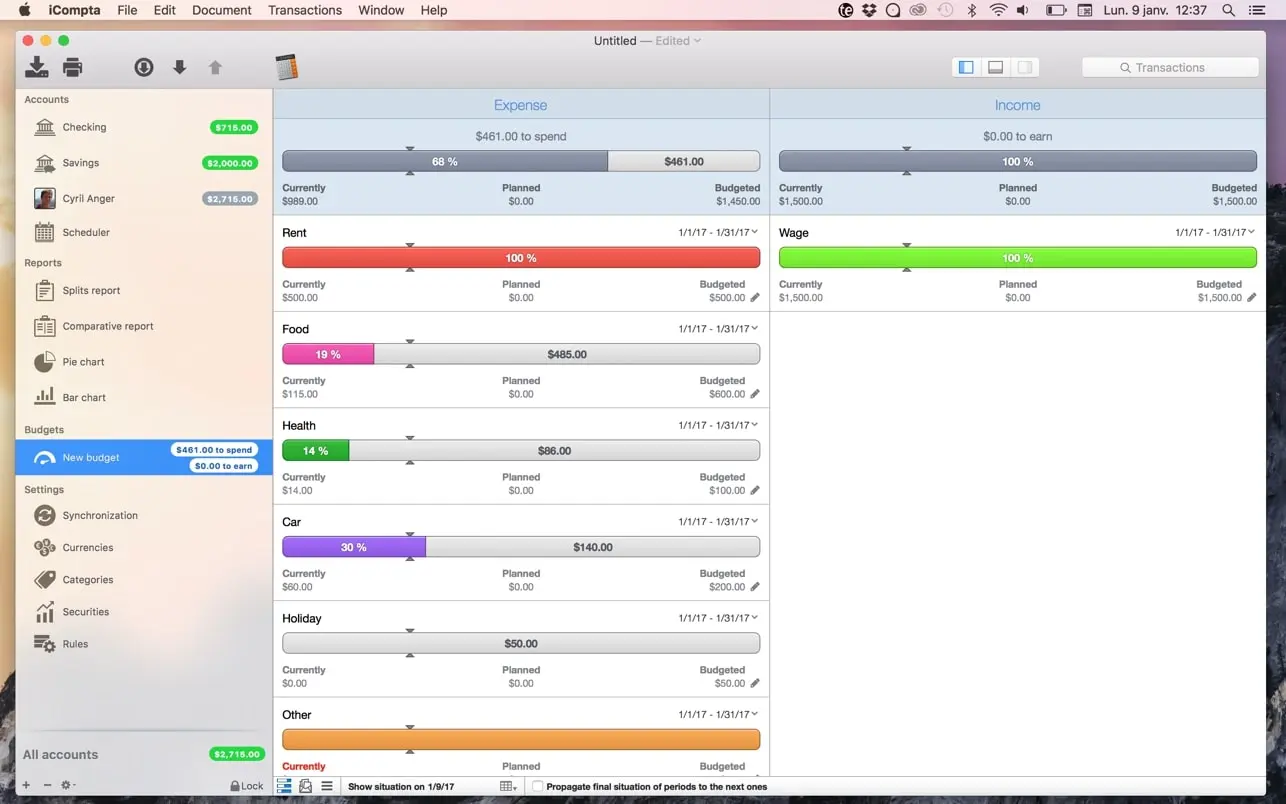
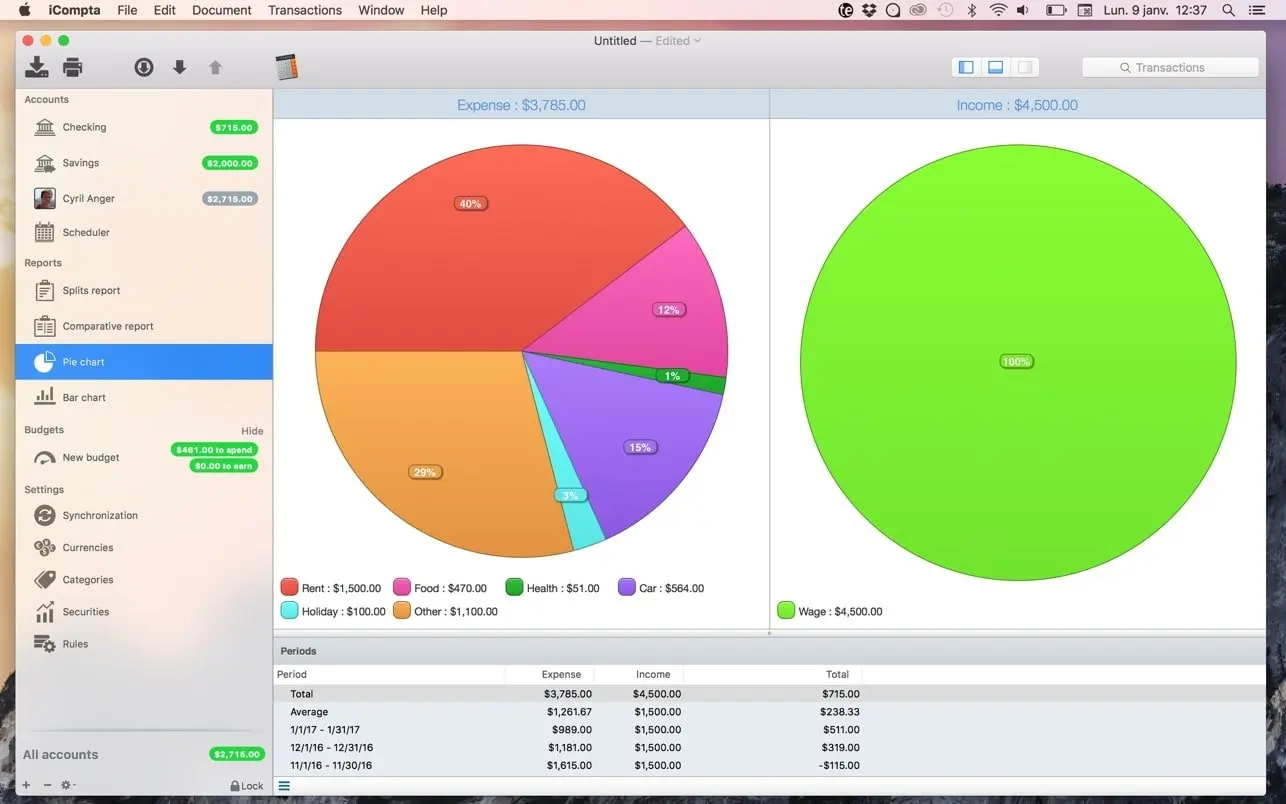
iCompta 6 makes it easy to manage your accounts on your Mac. Track your income and expenses, schedule your bills, stay within your budget, and finally see where all your money goes with beautiful charts.
All your accounts in one place
Manage multiple accounts in different currencies, record transfers between them, and download transactions from your bank in one click if it supports OFX Direct Connect. If it doesn't, the embedded browser lets you do it in just a few more clicks.
Key features
- Multiple accounts and currencies: keep all your accounts organized, whatever currency they use.
- Sorting and filtering: analyze your transactions and build statistics on your income and expenses.
- Budgets: keep your spending in line with the limits you set.
- Portfolio monitoring: follow your investments alongside your accounts.
- Shared expenses: know exactly who owes what to whom.
- Reports and charts: see your financial picture through clear, beautiful visuals.
- Transfers: move money between your accounts and keep records accurate.
- Bank downloads: get your transactions via OFX Direct Connect or the embedded browser.
- Import and export: work with QIF, OFX, CSV, XML, and JSON files.
- Batch editing and rules: modify many transactions at once or automate changes with a powerful rules engine.
- Statement reconciliation: check transactions against your bank statements to avoid mistakes.
- Password protection: keep your financial data secure.
Ready for professional use
iCompta 6 also covers business needs: handle taxes, manage clients, and create invoices without switching to another tool.
Take control of your finances on your Mac with iCompta 6.
Version 6.2.6
- Fixed sidebar icons color on macOS 27
Frequently asked questions
How do I install the app?
Mount the image, drag the app into the "Applications" folder and launch it. If the system blocks the launch, allow it in "System Settings → Privacy & Security".
The app is damaged or won't launch
Reinstalling from a fresh image usually helps. Make sure your macOS version matches the one listed in the compatibility specs.
How do I update?
Download the new version from the site and install it over the current one — your settings will be preserved.
The download link doesn't work
Try a mirror or a download manager. For large files the browser often drops the connection.
How do I completely remove the app?
Use an uninstaller utility — it cleans up the service files that remain after moving the app to the trash.



Choose a download source
iCompta 6.2.6 · 25.64 MB
Previous versions
iCompta 6.2.6
Previous versions are available to registered users.