
Colori 1.9.1
Color palette generator for color harmonies and web palettes
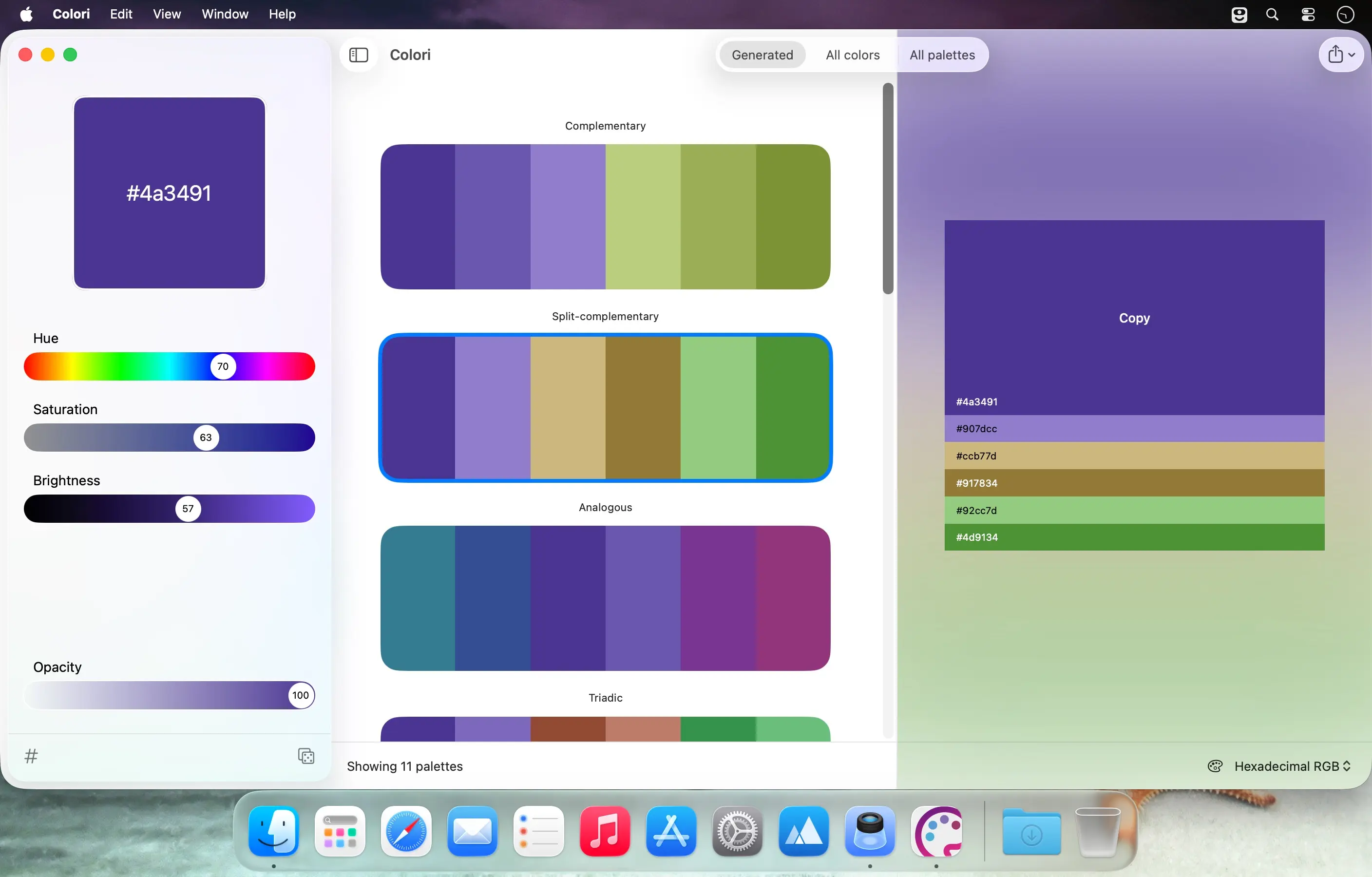
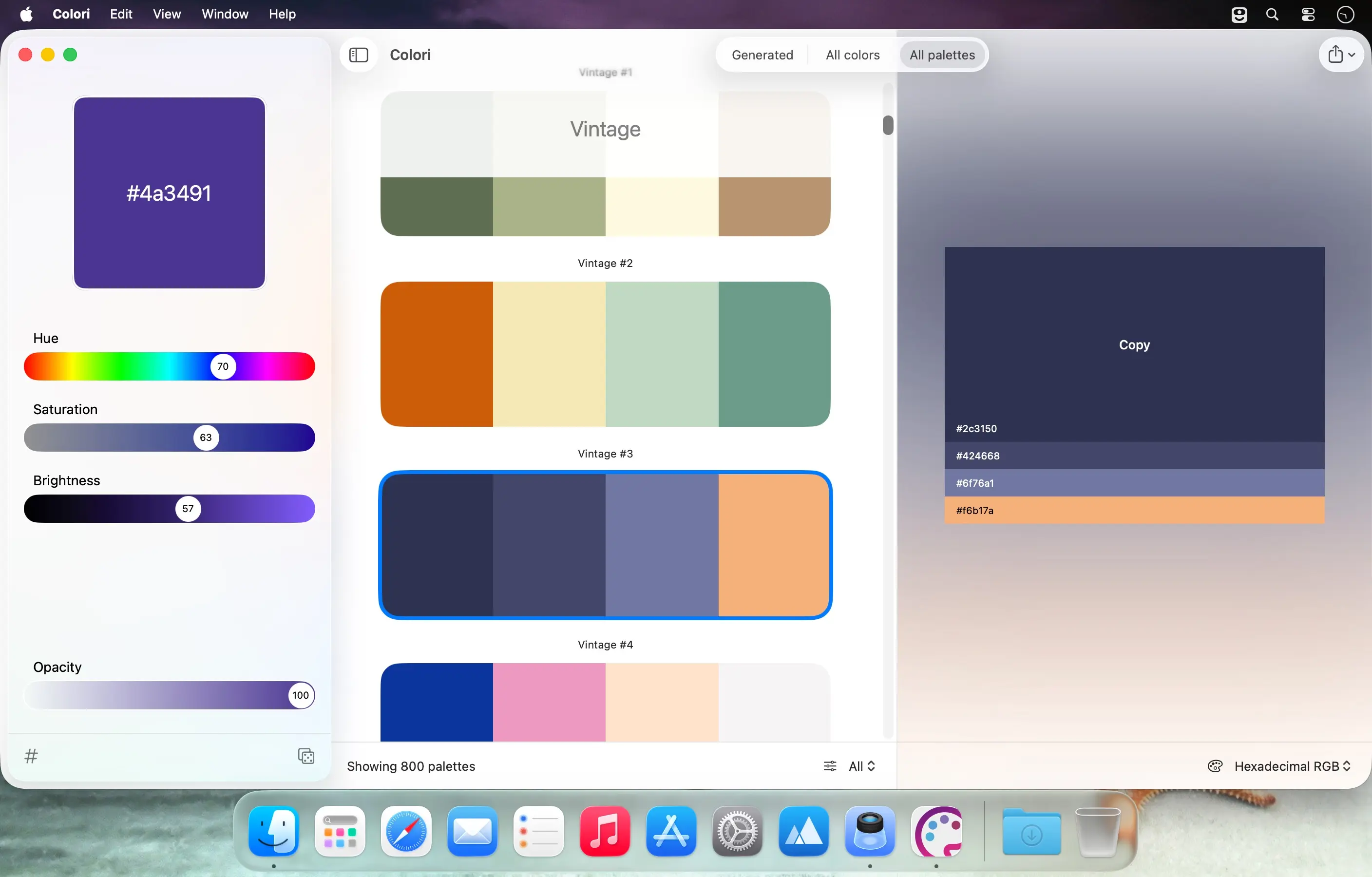
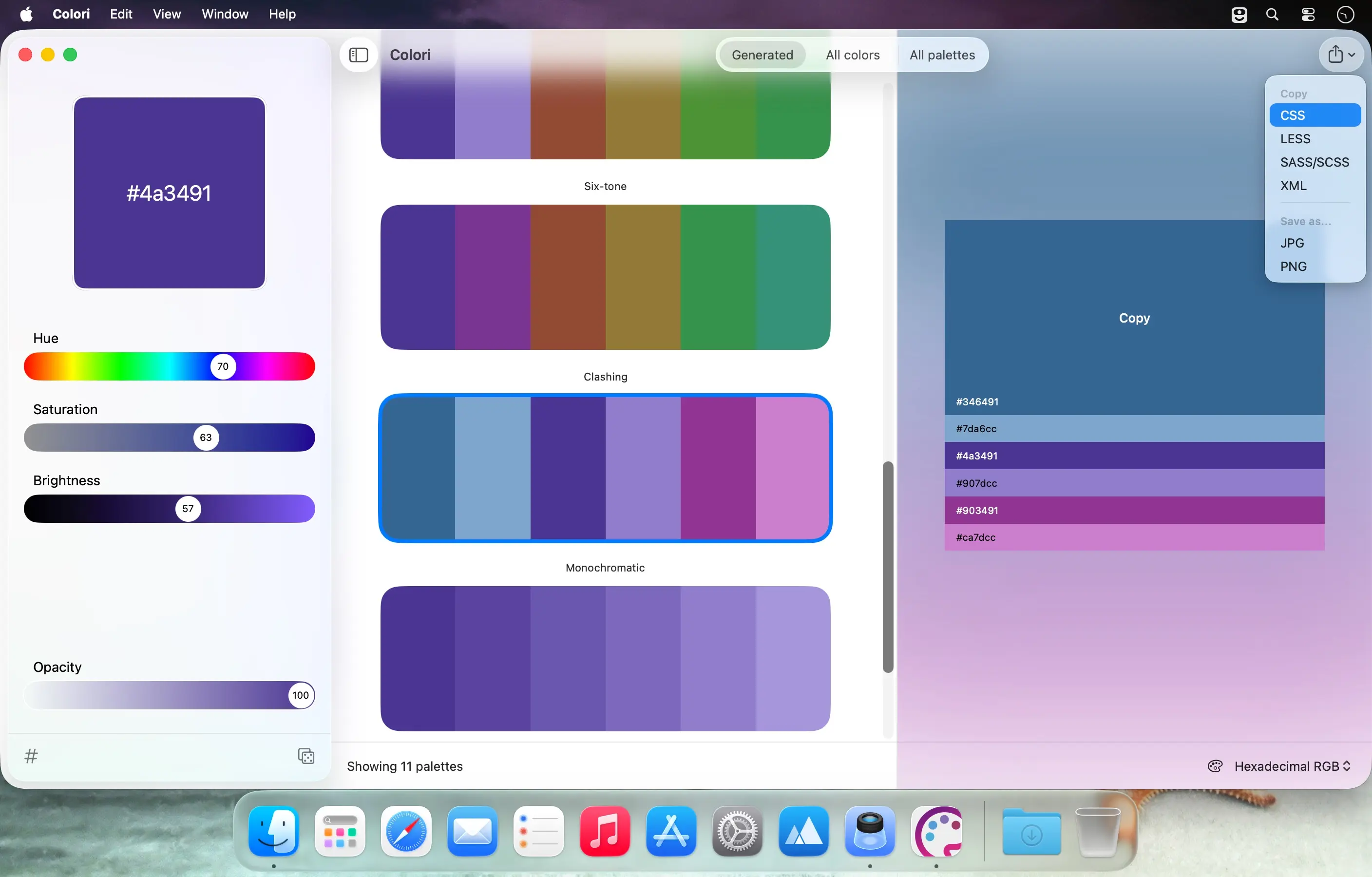
Colori is a color palette generator for macOS that helps designers and anyone working on a design find coordinated colors. Choose a starting color, explore matching options, and bring a considered palette to your next project.
Turn one color into a direction
Start with a color and use Colori’s practical controls to browse generated palettes and color harmonies. Choose from a wide range of colors and 100 custom or pre-made palettes to explore different directions for your design. When you find a palette you want to use, export it for web and design workflows in CSS, LESS, or SASS.
- Starting color: Choose a color to guide the matching palette suggestions.
- Generated harmonies: Browse color harmonies based on your starting color.
- Palette selection: Explore a wide range of colors and 100 custom or pre-made palettes.
- CSS palette export: Move palette colors into your web workflow using CSS.
- SASS palette export: Export palettes in SASS, with LESS also available.
Choose a starting color in Colori and explore palettes for your next project. Find a color direction, then export it for web or design use.
Frequently asked questions
How do I install the app?
Mount the image, drag the app into the "Applications" folder and launch it. If the system blocks the launch, allow it in "System Settings → Privacy & Security".
The app is damaged or won't launch
Reinstalling from a fresh image usually helps. Make sure your macOS version matches the one listed in the compatibility specs.
How do I update?
Download the new version from the site and install it over the current one — your settings will be preserved.
The download link doesn't work
Try a mirror or a download manager. For large files the browser often drops the connection.
How do I completely remove the app?
Use an uninstaller utility — it cleans up the service files that remain after moving the app to the trash.




Choose a download source
Colori 1.9.1 · 5.48 MB