
VMware InstallBuilder Enterprise 26.11
Build custom macOS software installers with automated update delivery


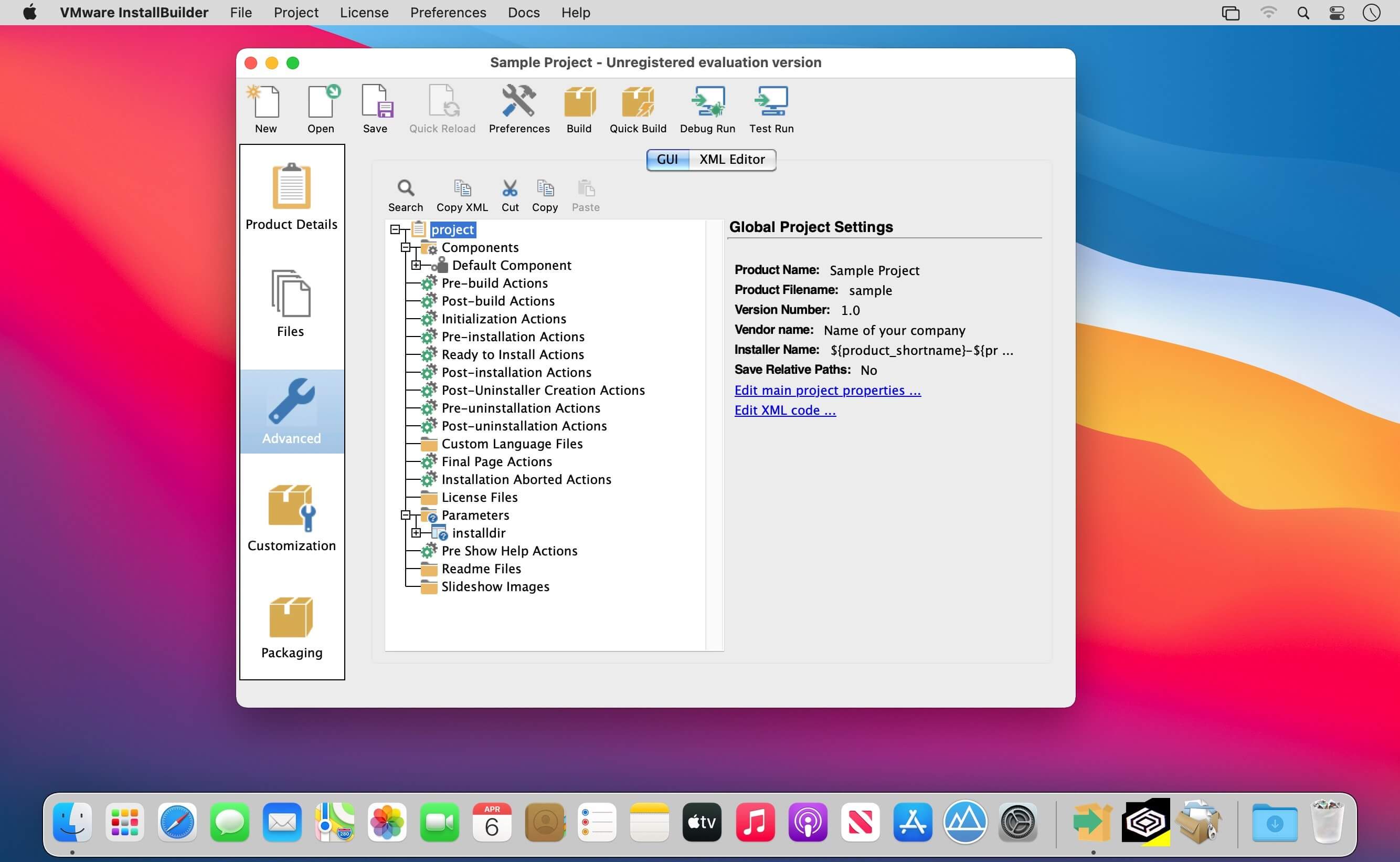
VMware InstallBuilder Enterprise gives macOS developers a structured way to package desktop and server software into native installers. Instead of maintaining brittle shell scripts before every release, you define the entire setup workflow in a single project file using either a graphical editor or plain XML. From bundling a Java runtime to shipping post-install updates, you control every step users see when they put your software on their Mac.
Fits right into your build pipeline
Every project saves as a human-readable XML file. You can commit installer configurations to source control, review changes alongside application code, and modify them with external scripts. When a setup step breaks, the integrated debugger shows you where the problem happened so you don't waste hours guessing. For release automation, the command-line interface plugs directly into your build and test systems.
Core packaging capabilities
- Visual editor and raw XML: You can assemble installation screens through the graphical interface, or open the XML project file directly when you want manual control over specific rules.
- Built-in installation actions: Ready-made actions take care of frequent setup tasks, including prerequisite detection and Java runtime bundling.
- Dynamic parameter pages: Screens reconfigure themselves automatically as users enter information, keeping each step tailored to their choices.
- Downloadable components and subcomponents: Organize features into expandable tree structures, and host optional modules online so they're downloaded at runtime only when selected.
- Post-install component management: Users who already have your app can add or remove specific components later without wiping the entire setup.
- Multiple runtime modes: Finished installers operate through a standard Mac graphical window, a terminal text interface, or an unattended mode for scripted rollouts.
- Automatic software updates: Built-in update tooling delivers newer versions straight to existing users after the initial installation finishes.
Detailed reference documentation
Learning the full feature set doesn't require guesswork. Over 350 pages of documentation cover every installer capability and include working sample code for real scenarios, from detecting system prerequisites to configuring basic and advanced installation modes.
Version 26.11:
Frequently asked questions
How do I install the app?
Mount the image, drag the app into the "Applications" folder and launch it. If the system blocks the launch, allow it in "System Settings → Privacy & Security".
The app is damaged or won't launch
Reinstalling from a fresh image usually helps. Make sure your macOS version matches the one listed in the compatibility specs.
How do I update?
Download the new version from the site and install it over the current one — your settings will be preserved.
The download link doesn't work
Try a mirror or a download manager. For large files the browser often drops the connection.
How do I completely remove the app?
Use an uninstaller utility — it cleans up the service files that remain after moving the app to the trash.





Choose a download source
VMware InstallBuilder Enterprise 26.11 · 304.31 MB
Previous versions
VMware InstallBuilder Enterprise 26.11
Previous versions are available to registered users.