ColorWell 8.2
A color picker that gives you code for every color
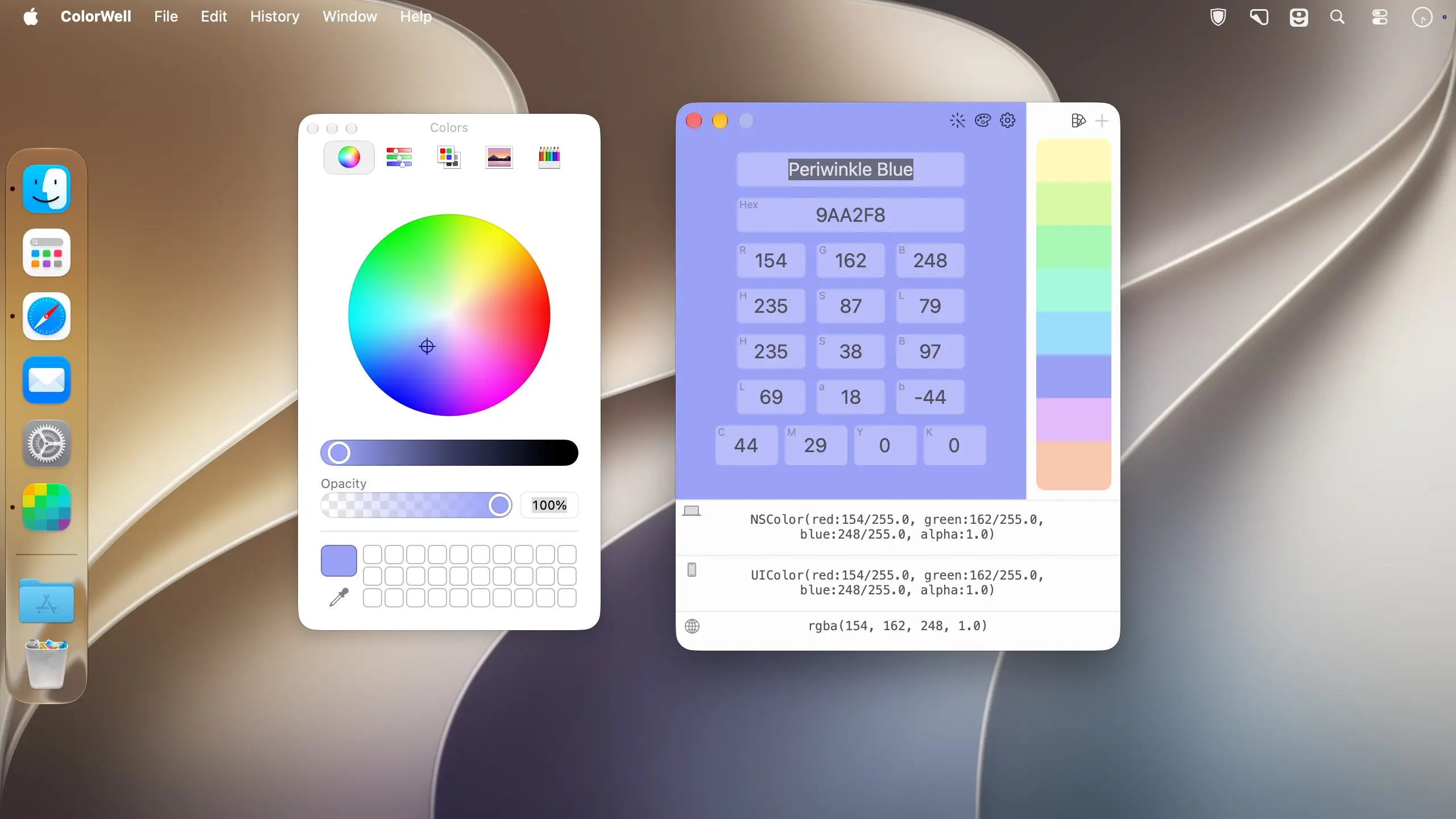
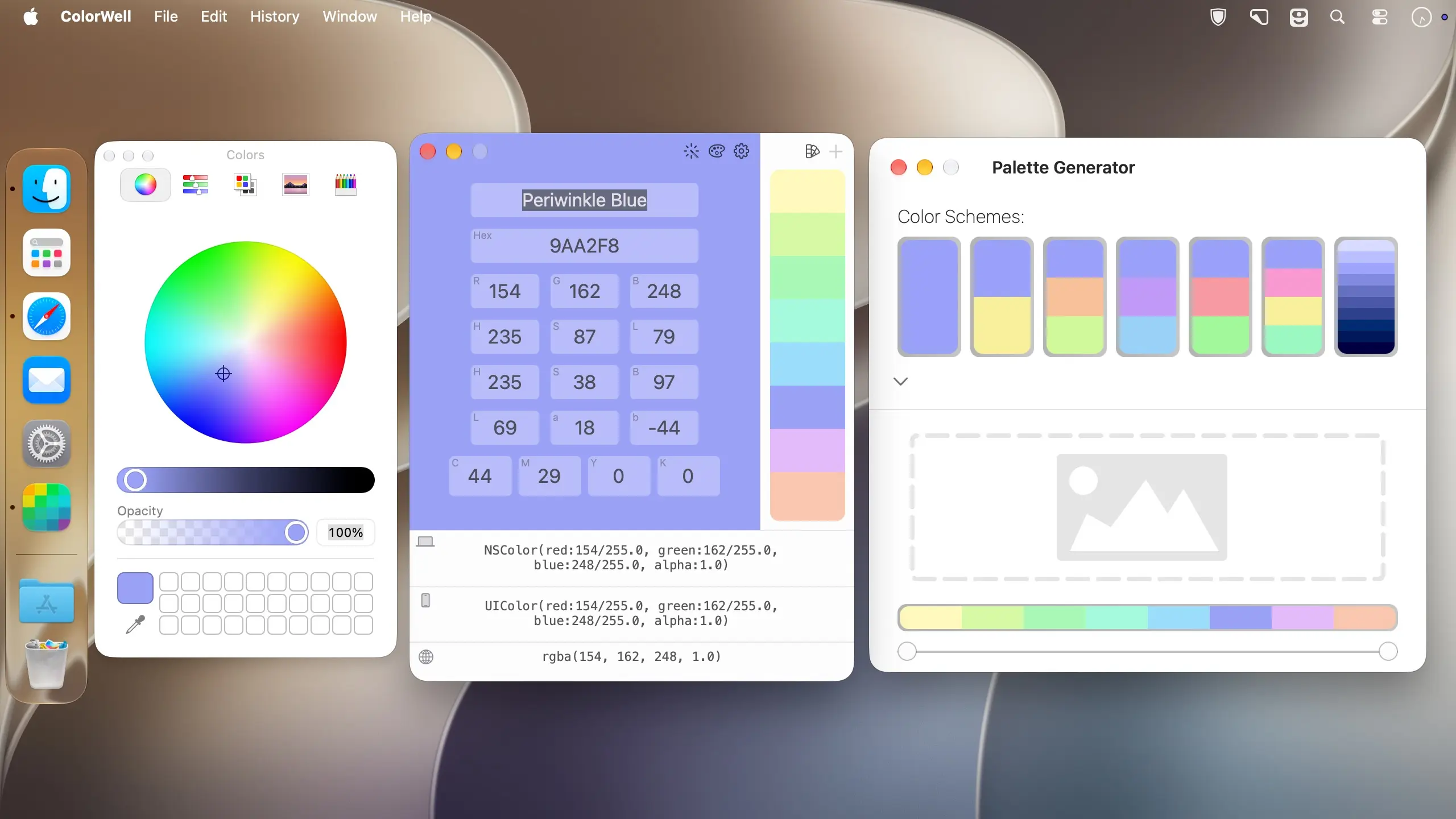
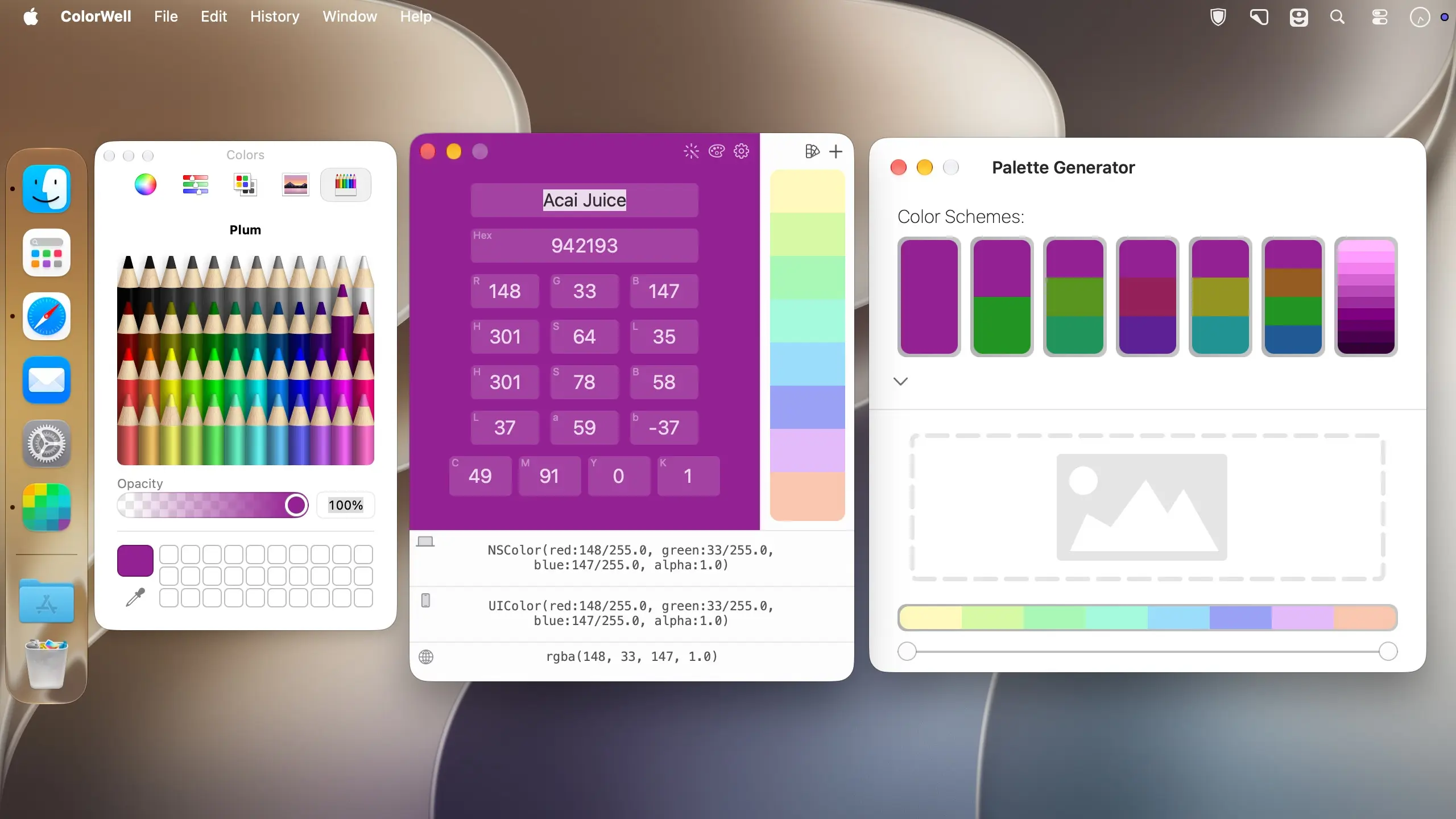
ColorWell is a color picker and color palette generator for web and app developers. It reads a color from anywhere on the screen, shows its values in every common format, and stores the colors you collect in a searchable palette database.
Picking and converting colors
Open the macOS color wheel from the menu bar or a global hotkey and pick a color from any source on the screen. ColorWell shows hex, rgb, hsl, hsb, Lab, and cmyk values for it and converts between them. A built-in list of more than 17,000 color names makes it easier to remember what you picked, and every change is saved to History so you can step back to an earlier state.
Code snippets for developers
- NSColor and UIColor: ready-to-paste Swift and Objective-C code generated from a hex value, a color name, or the color picker.
- CSS rgba: a snippet for stylesheets alongside the other formats.
- Copy on click: click any snippet to put it on the clipboard.
Palettes and the system color picker
Drop one or several images into the Palette Generator window, and ColorWell builds a palette from the most common colors in them. Palettes are saved in an editable database that you can search, archive, and restore. They sync to the macOS system color picker, so the same swatches show up in Pages, Affinity Photo, Final Cut Pro, and other native apps. Palettes import and export as JSON, Adobe .ase, and Apple .clr files, and imported ones appear in the system picker as well.
Where it helps
A front-end developer grabs a brand color from a mockup and copies the CSS rgba snippet in one click. An iOS developer picks a color from a screenshot and pastes the UIColor line straight into Xcode. A designer drops a photo into the generator, saves the resulting palette, and reuses it later in Final Cut Pro.
ColorWell alternatives for Mac
- Sip: a color picker with palette organization and color format export for designers and developers.
- Pastel: a color picker with palette building, color harmonies, and a contrast checker.
- ColorSlurp: a color picker with iCloud syncing of saved colors across Apple devices.
Version 8.2
- Added a CSS rgba code snippet
- Added copy on click for code snippets
- Added overflow indicators for swatches
Frequently asked questions
How do I install the app?
Mount the image, drag the app into the "Applications" folder and launch it. If the system blocks the launch, allow it in "System Settings → Privacy & Security".
The app is damaged or won't launch
Reinstalling from a fresh image usually helps. Make sure your macOS version matches the one listed in the compatibility specs.
How do I update?
Download the new version from the site and install it over the current one — your settings will be preserved.
The download link doesn't work
Try a mirror or a download manager. For large files the browser often drops the connection.
How do I completely remove the app?
Use an uninstaller utility — it cleans up the service files that remain after moving the app to the trash.
Choose a download source
ColorWell 8.2 · 6.55 MB
Previous versions
ColorWell 8.2
Previous versions are available to registered users.