
Motion Desktop 1.5.4
Live desktop backgrounds for Mac, made from your media.
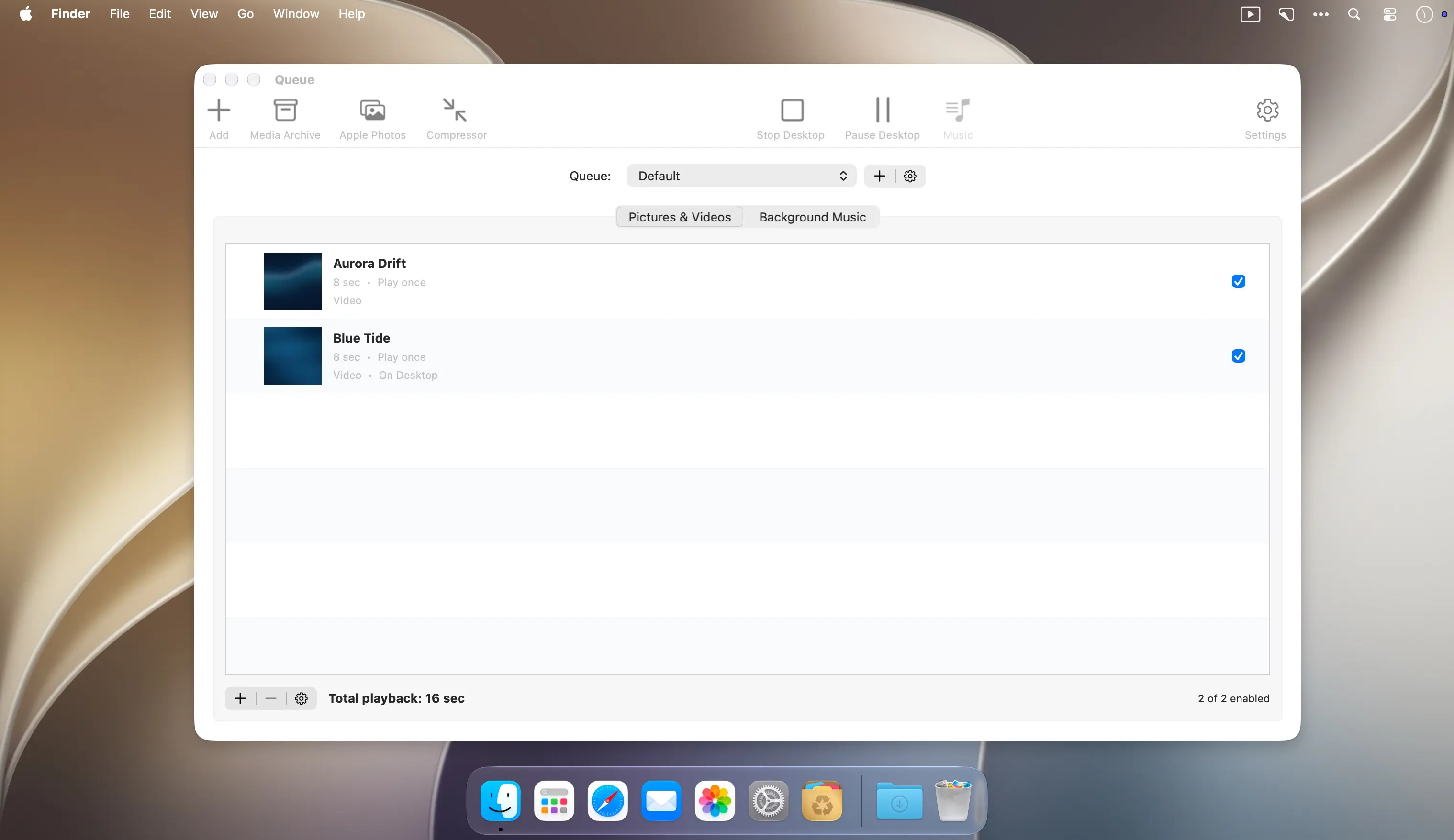
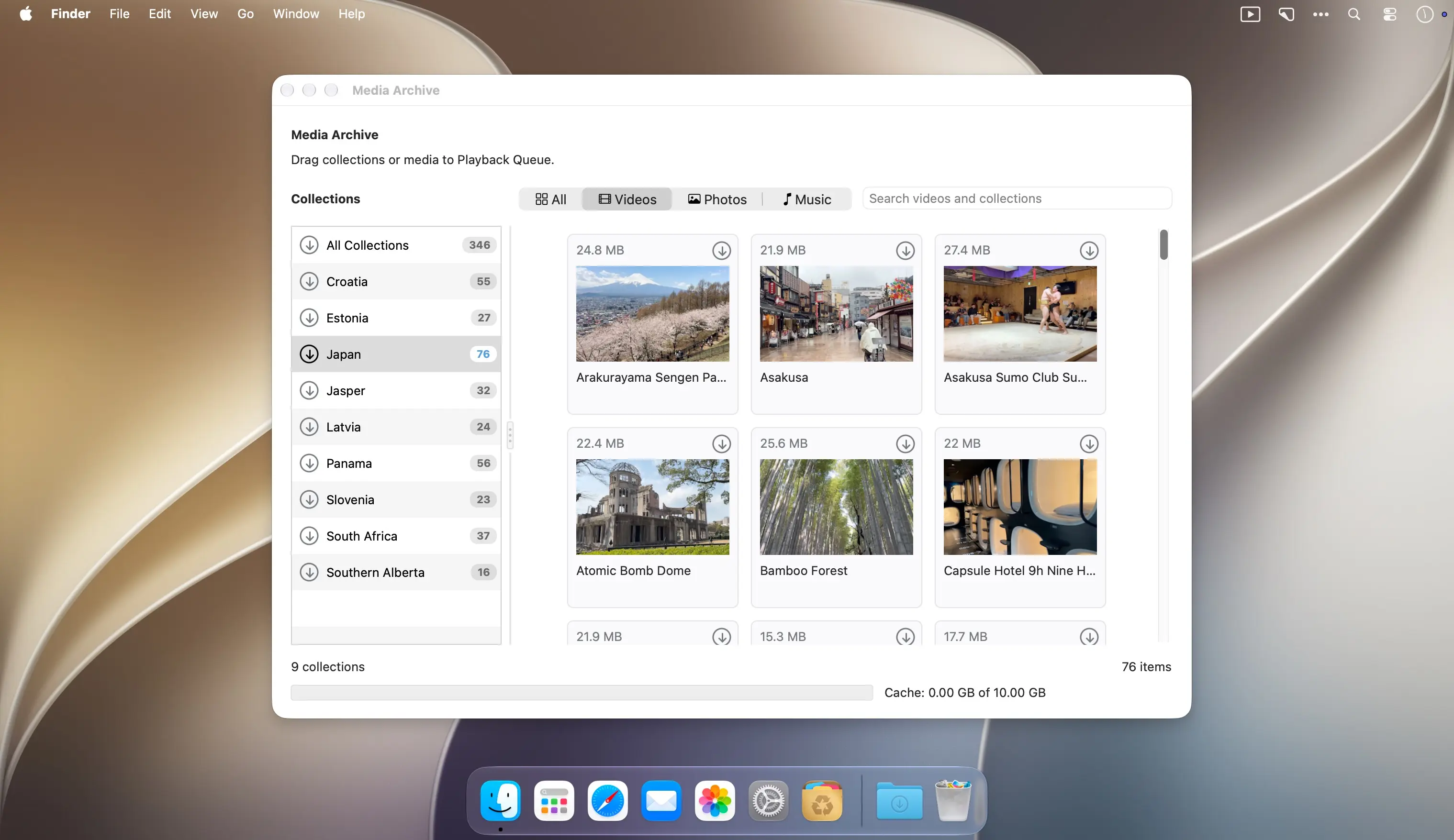
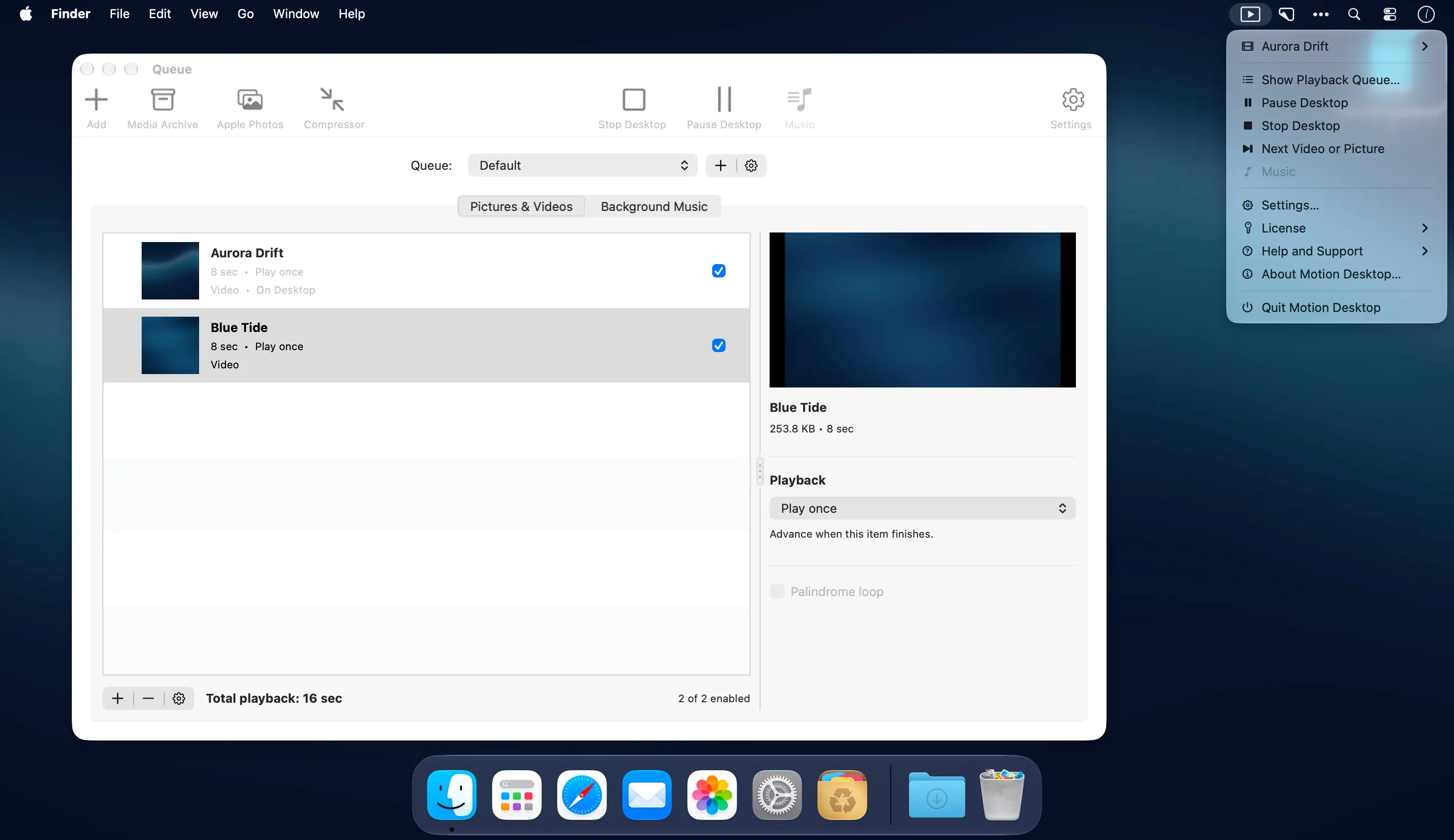
Turn your videos and photos into a living backdrop for your Mac. Motion Desktop plays scenes behind desktop icons and windows, without movie controls getting in the way.
Make your desktop your own
Build a playlist from your own media or browse Koingo’s Media Archive. Choose a quiet scene for your workday, revisit a favourite trip, or let the scenery surprise you.
- Pictures and videos: Mix supported movies and still images in the same playback queue.
- Pan and zoom: Add gentle movement to still photos.
- Flexible playback: Play movies once, repeat them, or set a loop count or duration for individual items.
- Scene transitions: Use adjustable crossfades to blend one scene into the next.
- Background music: Create a separate music queue for each set, with independent volume and fades between tracks.
- Queue sets: Save separate collections of pictures, videos, music, and folders for different moods.
- Media Archive: Browse Koingo collections and add individual scenes or whole collections to your queue.
- Menu bar controls: Start, pause, or stop playback and jump to the current scene in your queue.
- Offline playback: Use local files and available downloaded media when offline.
- Playback preferences: Choose display fit, shuffle, photo timing, captions, and whether animation pauses on battery power.
Choose your scenes and bring a little more atmosphere to your Mac desktop.
Version 1.5:
New Features
- Continue a saved queue after stopping, switching queues, or relaunching the app, including supported video position, picture time remaining, and shuffle history.
- Choose Black, Match Media, or a custom border colour, with separate overrides for individual pictures and videos.
- Customize desktop captions with the macOS Fonts panel, text and background colours, and background opacity.
- Show the media name, creation date, or both in desktop captions, using original file or Apple Photos dates when available.
- Use Next Item in the toolbar or menu to advance while desktop playback is running and unpaused.
- Optionally remove an online album’s linked music with the album, while protecting music shared with retained media.
Enhancements
- New installations begin with an empty queue. The bundled sample playlist and its reset command have been removed.
- Reorganized Settings into clearer categories, tightened control widths, and placed Restart Queue Cycle below the saved-progress explanation.
- Both Add buttons offer the same media and source choices for the current tab, including ordinary folders and Smart Folders.
- Music uses compact striped rows with larger icons. Local files show their Finder icons; online media uses standard music icons.
- Improved Photos browsing with an adjustable sidebar, media filters, separate album and media counts, and consistent drag instructions.
- Colour menus show round previews, a Match Media eyedropper, friendly colour names, and the ten most recent choices.
- Organized the queue inspector into state-specific panels for easier maintenance while preserving its familiar runtime layout.
- Clearing downloads now inventories cache folders and catalogue entries once instead of rescanning them for every item.
Bug Fixes
- Custom Color stays selected while its picker is open. Closing without choosing a colour restores the previous setting.
- Cleared completed or cancelled Photos preparation messages while retaining useful library and permission errors.
- Kept distinct Photos identities separate during imports and library refreshes, including identifiers that differ only in letter case.
- Prevented media details from overlapping Border controls and kept picture motion controls visible as timing options change.
- Kept original media and music when a replacement file or its saved access could not be validated; refreshed details after successful replacement.
- Prevented open menus and file choosers from acting on a different queue, changed selection, or managed source.
- Disabled queue action buttons when no commands apply and removed invalid music move destinations and duplicate Add commands.
- Validated explicit Play requests before changing playback state, including missing items and invalid folder ancestry.
- Updated Smart Folder access guidance and explained imports that contain only skipped aliases, symbolic links, or packages.
- Preserved creation dates when preparing uncached Apple Photos media and kept imported album titles tied to the selected album.
- Retained unsaved queue and settings changes after a write failure, with automatic retries when storage becomes available again.
- Rejected unavailable local files and failed saved access during imports while keeping successfully added files.
- Kept active playback editors and colour menus visible during background media updates.
- Prevented music waiting for a download slot from being treated as stalled, and prioritized the incoming music track.
- Showed useful music failure details in row help and retained corrective playback advice for Media Archive items.
- Explained individual and collection download failures, including cache limits and insufficient free space.
- Paused desktop playback and music consistently during album-removal and download-deletion confirmations.
Frequently asked questions
How do I install the app?
Mount the image, drag the app into the "Applications" folder and launch it. If the system blocks the launch, allow it in "System Settings → Privacy & Security".
The app is damaged or won't launch
Reinstalling from a fresh image usually helps. Make sure your macOS version matches the one listed in the compatibility specs.
How do I update?
Download the new version from the site and install it over the current one — your settings will be preserved.
The download link doesn't work
Try a mirror or a download manager. For large files the browser often drops the connection.
How do I completely remove the app?
Use an uninstaller utility — it cleans up the service files that remain after moving the app to the trash.


Choose a download source
Motion Desktop 1.5.4 · 46.28 MB
Previous versions
Motion Desktop 1.5.4
Previous versions are available to registered users.