
timeLAPSE 2.68
Automatic screenshots on Mac, turned into time-lapse video
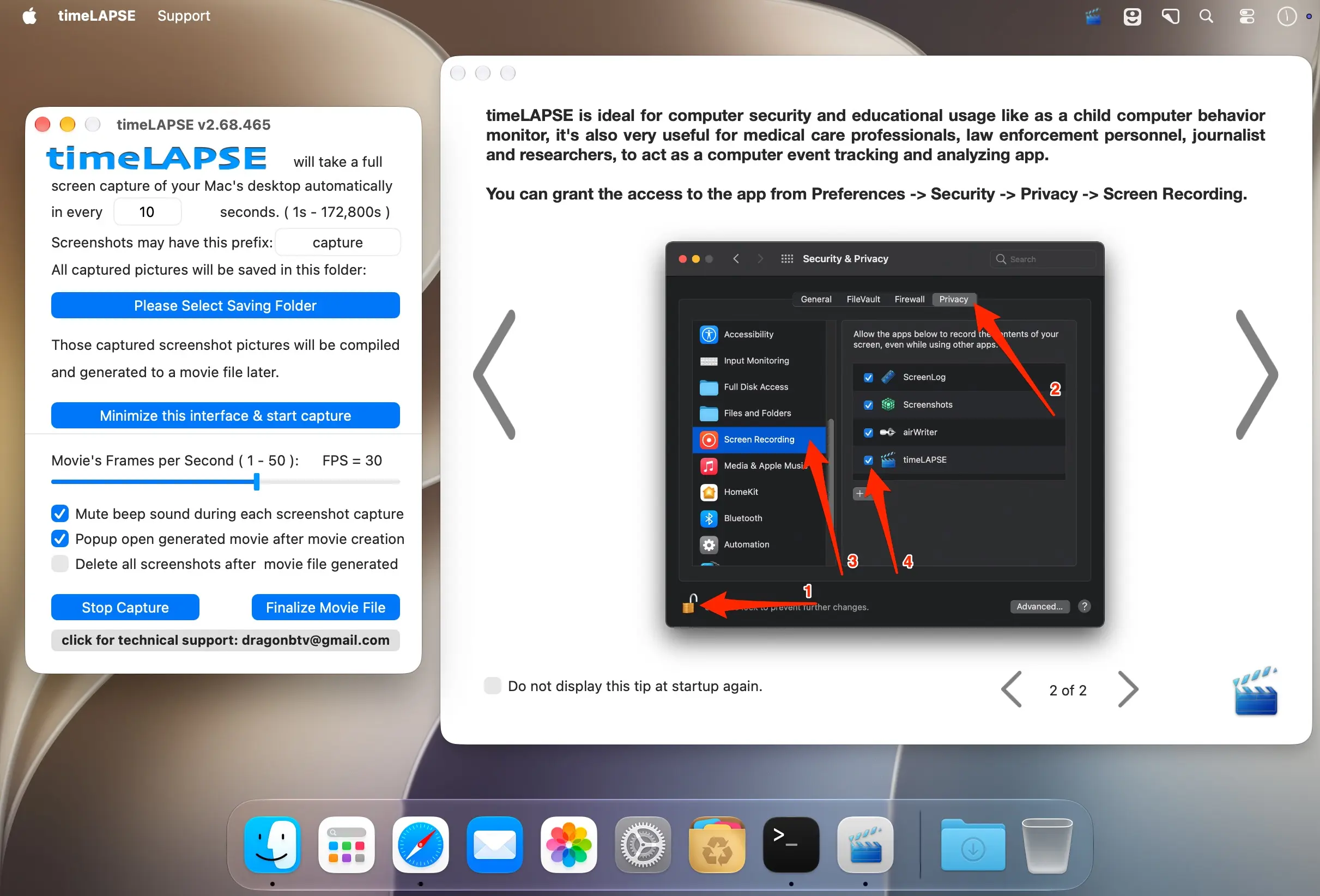
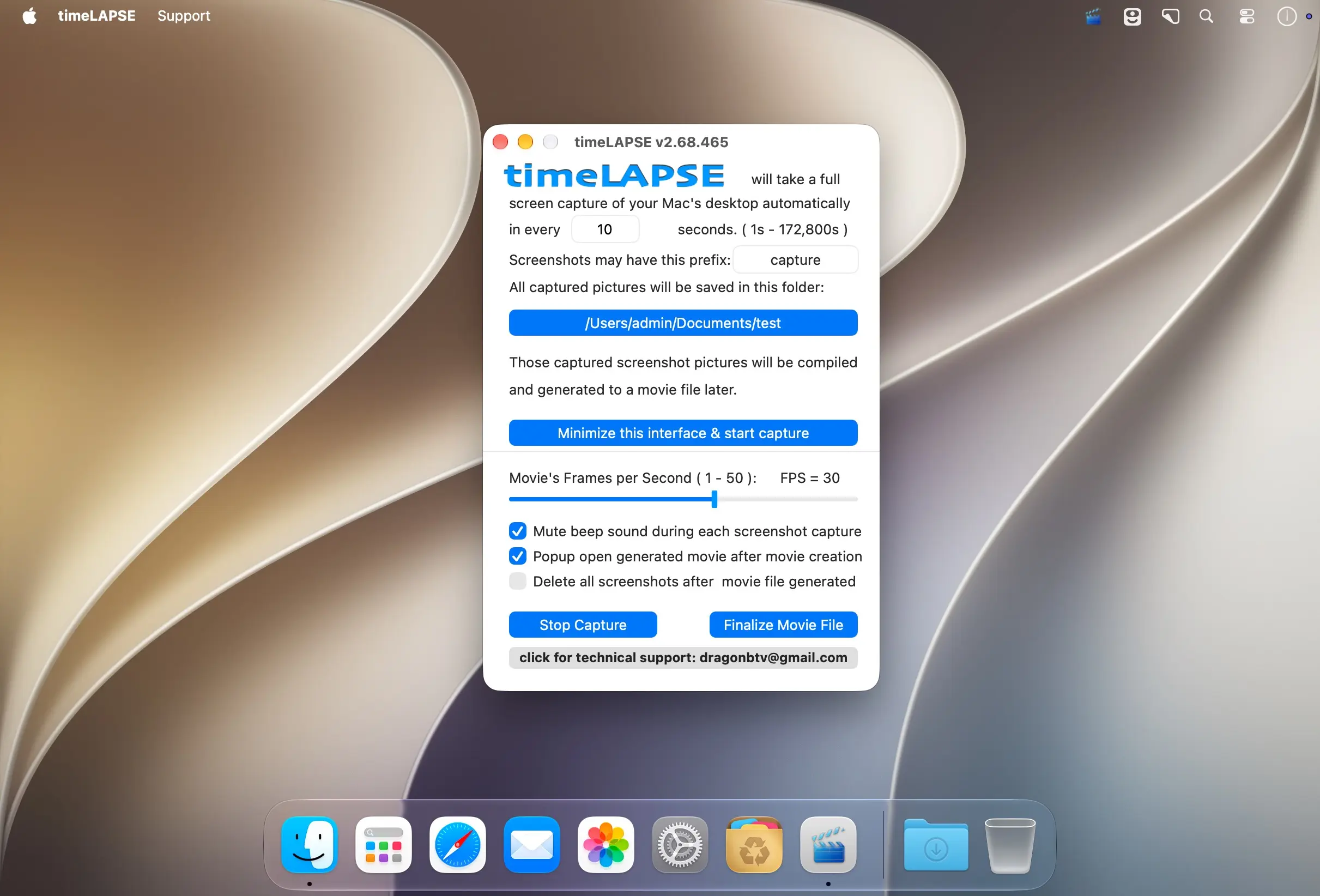
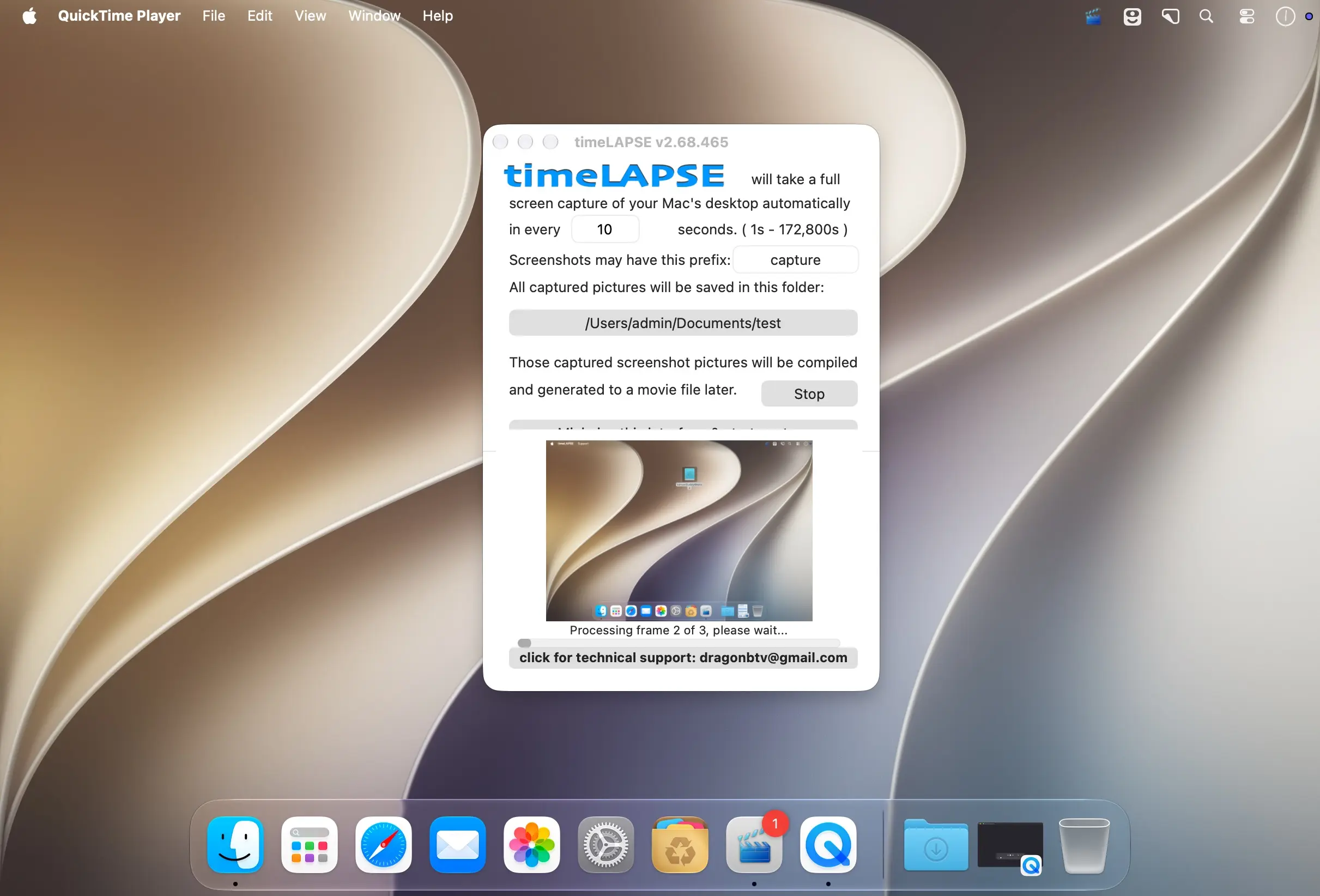
timeLAPSE automatically takes silent screenshots of your Mac desktop at an interval you choose, from 1 second to 24 hours. The screenshots are saved to a folder of your choice and can be compiled into a continuously playing time-lapse video whenever you need it.
Who it is for
timeLAPSE suits computer security and educational use, including monitoring a child's computer behavior. It also works as a computer event tracking and analysis tool for medical care professionals, law enforcement personnel, journalists, and researchers.
Features
- Silent screen capture: takes screenshots automatically and silently, without drawing the user's attention.
- Flexible intervals: choose any capture interval from 1 second to 24 hours, accurate to the second.
- Any destination folder: save screenshots to any folder that Finder can handle.
- Full-screen capture: records your entire desktop, producing a high-resolution, full-motion movie that captures everything.
- One-click video compilation: turn your screenshots into a time-lapse video with a single click, and do it quickly.
- Optional cleanup: delete the screenshots after the video has been compiled.
Version v2.66
- bug fixed: the smallest time interval is down to one second now
- status menu icon dark mode supported
- status menu bar icon not only matches macOS dark mode but also the wallpaper light/dark setting
- fixed bug that does NOT fire capture when the app's status menu is open
- More by dragonBTV menu updated
Frequently asked questions
How do I install the app?
Mount the image, drag the app into the "Applications" folder and launch it. If the system blocks the launch, allow it in "System Settings → Privacy & Security".
The app is damaged or won't launch
Reinstalling from a fresh image usually helps. Make sure your macOS version matches the one listed in the compatibility specs.
How do I update?
Download the new version from the site and install it over the current one — your settings will be preserved.
The download link doesn't work
Try a mirror or a download manager. For large files the browser often drops the connection.
How do I completely remove the app?
Use an uninstaller utility — it cleans up the service files that remain after moving the app to the trash.




Choose a download source
timeLAPSE 2.68 · 5.26 MB
Previous versions
timeLAPSE 2.68
Previous versions are available to registered users.