
iGif Creator 4.0.0
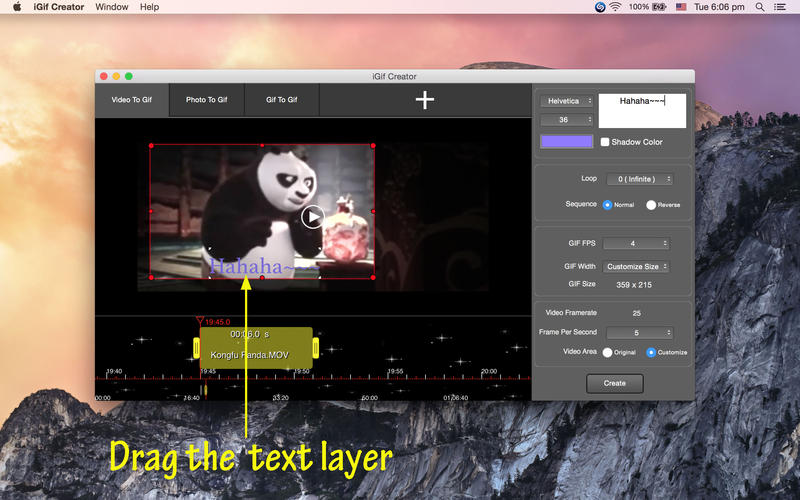
Gif Creator is one best GIF creator for Video, Photo, GIF on Mac OS X. You can create our GIF from your video clips, pictures and GIF with different text layer on each GIF frames.
Features:
- Convert video clips to GIF.
- Convert photos into GIF.
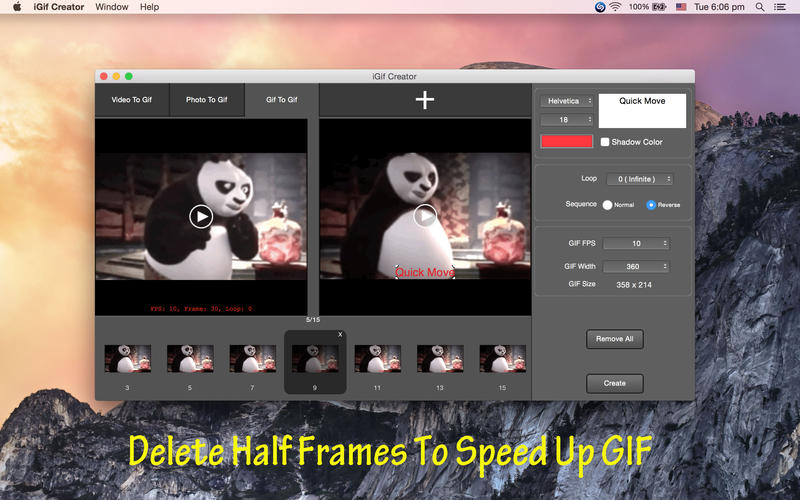
- Convert GIF to new GIF ( Edit GIF ).
- Resize or crop the video for GIF.
- Set the FPS for fetching images from video.
- Add Caption on GIF for each images.
- Move the Caption to anywhere on GIF.
- Create GIF with your customized FPS.
- Preview & Create GIF with the number of loops for GIF.
- Preview & Create GIF with direction, normal playing (forwards) or reverse playing (backwards).
- Set the dimension for GIF.
- Insert or delete image frames, add caption layer, reverse old GIF.
- Supports Mac OS X 10.8 - 10.11.
How to use iGif Creator?
- Add video/photos/gif in different mode.
- Set start, end time of video clip, reorder the images frame, right click to insert images frame etc.
- Set loop, sequence, FPS, dimension for GIF.
- Preview GIF.
- Create GIF.
Screenshots

Frequently asked questions
How do I install the app?
Mount the image, drag the app into the "Applications" folder and launch it. If the system blocks the launch, allow it in "System Settings → Privacy & Security".
The app is damaged or won't launch
Reinstalling from a fresh image usually helps. Make sure your macOS version matches the one listed in the compatibility specs.
How do I update?
Download the new version from the site and install it over the current one — your settings will be preserved.
The download link doesn't work
Try a mirror or a download manager. For large files the browser often drops the connection.
How do I completely remove the app?
Use an uninstaller utility — it cleans up the service files that remain after moving the app to the trash.
VersioniGif Creator 4.0.0
DeveloperXiTian Cai
CompatibilityOS X 10.8 or later, 64-bit processor
LanguageEnglish
IncludesPre-K'ed





Information
Visitors in the group Guests cannot leave comments on this publication.
Choose a download source
iGif Creator 4.0.0 · 6.32 MB