
NZBVortex 3.3.5
NZBVortex is a small, efficient, and powerful NZB client for OS X, optimized for performance and ease of use--a usenet client which really takes the pain out of usenet downloading the most efficient way.
Features
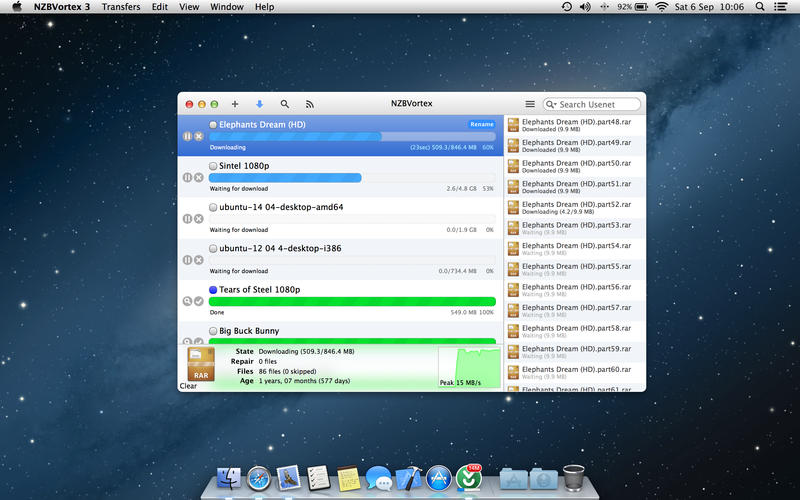
- Very efficient multi-server, multi-connection downloads
- Web and iPad interface included - works great on your tablet
- Robust and reliable
- Simple and intuitive UI
- Simply the best post-processing
- Smart pre-checks for junk and passworded NZBs
- Cleans up your downloads after they are finished
- Optimize download size, smart-skipping Samples and par2 files
- Post processing, parring, unnrarring, unzipping, joining
- Quick data checks using CRC32, SFV and PAR2
- Shutdown/sleep when all downloads are completed
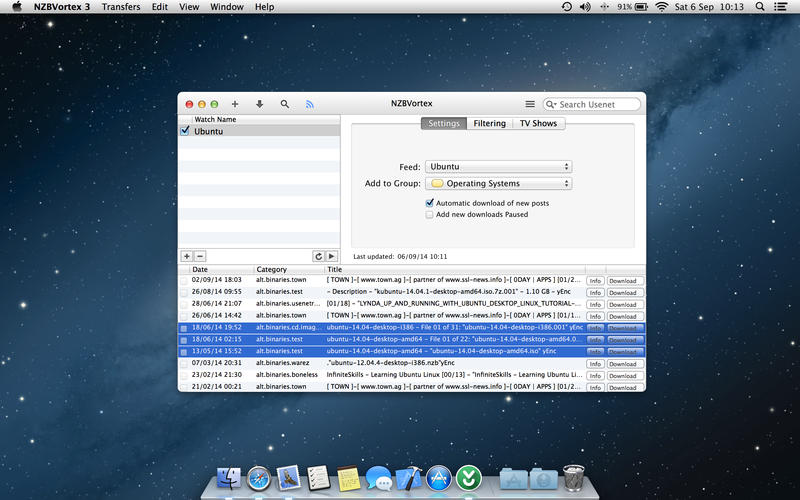
- RSS feed watcher - automate your downloads
- NZB watch folder - add nzbs from a specific folder
- Support for yEnc and UUEncode encoded downloads
- Supports SSL servers
- Low SSD wear - we optimize disk I/O
- Download throttling/limiting
- Growl and OS X 10.8 Mountain Lion notifications support
- Automatically move downloads to desired folders
- Scheduler -- disable or limit downloads at specific times
- Open network API for 3rd party developers to control the queue
- much more
WHAT’S NEW
Version 3.3.5:
- Prospectively add par2 files during download preventing a lengthy par2 check
- Prevent too many par2 checks during obfuscated downloads
- NZB name rename is named back to odd name
- Group filter menu broken on filter bar
Screenshots
Frequently asked questions
How do I install the app?
Mount the image, drag the app into the "Applications" folder and launch it. If the system blocks the launch, allow it in "System Settings → Privacy & Security".
The app is damaged or won't launch
Reinstalling from a fresh image usually helps. Make sure your macOS version matches the one listed in the compatibility specs.
How do I update?
Download the new version from the site and install it over the current one — your settings will be preserved.
The download link doesn't work
Try a mirror or a download manager. For large files the browser often drops the connection.
How do I completely remove the app?
Use an uninstaller utility — it cleans up the service files that remain after moving the app to the trash.
VersionNZBVortex 3.3.5
DeveloperGer Teunis
CompatibilityOS X 10.7 or later, 64-bit processor
LanguageEnglish
IncludesK




Information
Visitors in the group Guests cannot leave comments on this publication.
Choose a download source
NZBVortex 3.3.5 · 10.5 MB