
BusyContacts 2026.1.1
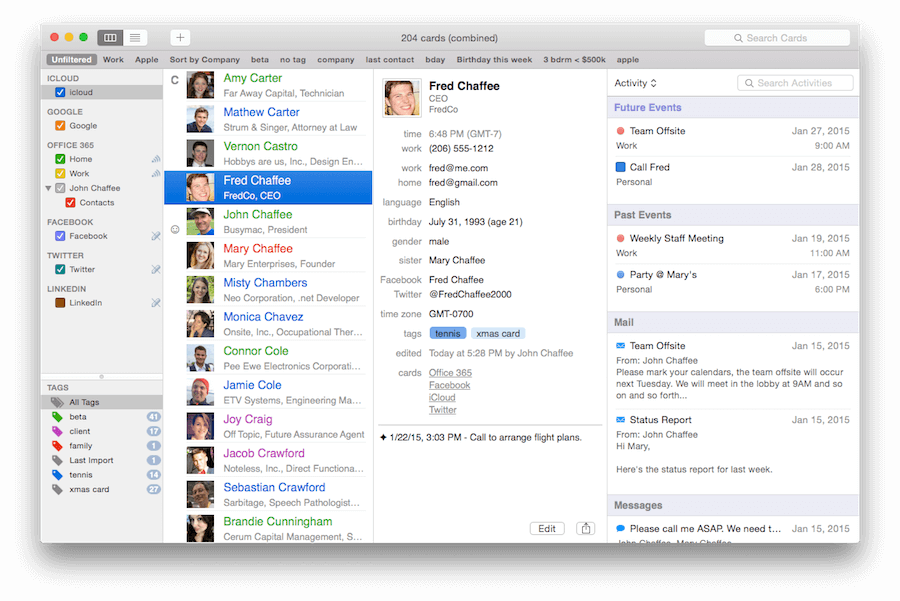
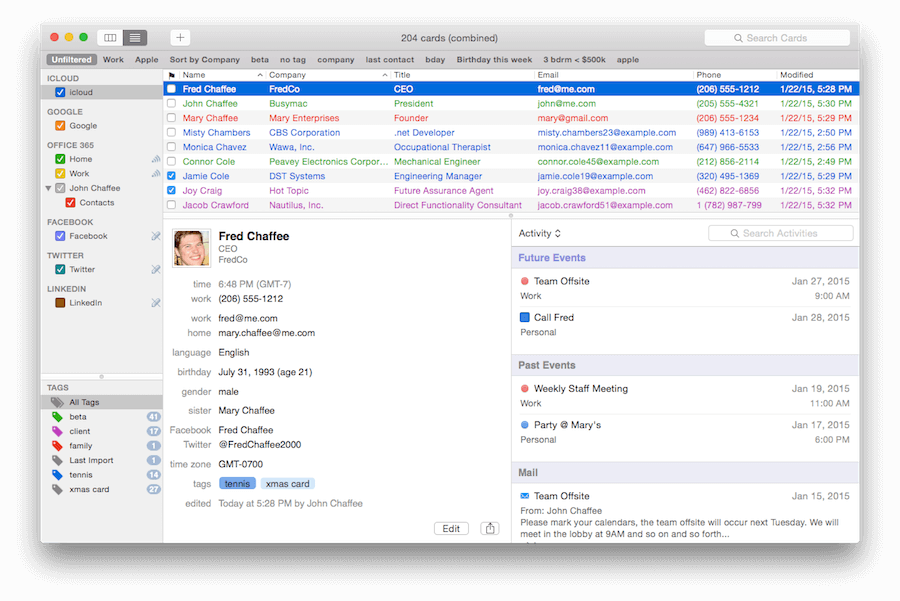
BusyContacts is a contact manager for macOS that makes creating, finding, and managing contacts faster and more efficient. It brings to contact management the same power, flexibility, and sharing capabilities that BusyCal users have enjoyed with their calendars. What's more, BusyContacts integrates seamlessly with BusyCal, forming a flexible, easy-to-use CRM solution that works the way you do.
BusyContacts syncs with the built-in Contacts app on OS X and iOS, and supports all leading cloud services, including iCloud, Google, Exchange, Facebook, Twitter, and LinkedIn.
Key Features
- Customizable Views -- View contacts in a single-column Card View or multi-column List View.
- Tags -- Tags can be used for grouping, filtering and coloring contacts.
- Smart Filters -- Smart Filters are a powerful tool for filtering contacts, creating saved searches, and even applying custom view settings in the List View.
- BusyCal integration -- BusyContacts integrates with BusyCal by linking contacts to events in your calendar, providing flexible CRM capabilities for tracking past and future activities.
- Activity List -- The Activity List displays activities associated with the selected contact including calendar events, emails, messages, and recent social network posts.
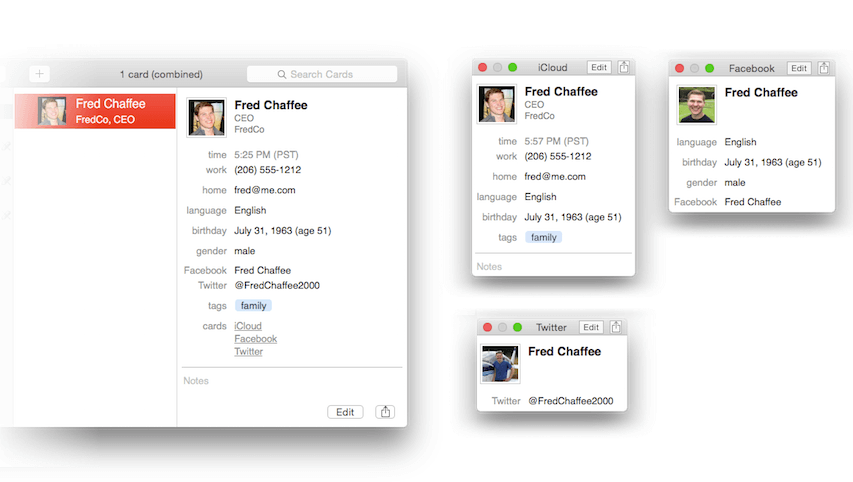
- Social-network integration -- BusyContacts syncs with Facebook, Twitter and LinkedIn, combining contact information from each of these sources into a unified contact card.
- Syncing -- BusyContacts syncs with the built-in Contacts app on OS X and iOS through all leading cloud services including iCloud, Google, Exchange, and other CardDAV servers.
- Sharing -- BusyContacts allows you to share address books with read-only or read/write privileges through Exchange, Fruux, LAN, and other CardDAV servers.
Version 2026.1.1:
- [NEW] Mail Integration: BusyContacts now captures emails from Apple Mail (macos 12+) for your contacts, displaying them in the Activity List.
- [NEW] Printing Mailing Labels now supports selecting layout orientation when using a custom page size
- Printing labels are now correctly centered vertically
- Improved timeline loading reliability when switching between contacts quickly
- Timeline entries now display relative dates on hover
- Calendar entries now populate immediately and reliably after clicking 'Show Calendar Events'
- Improved matching of contacts from BusyCal when identifiers have diverged across devices
- General optimizations around contact loading, linked contact detection and more
- Ongoing stability and performance enhancements
Frequently asked questions
How do I install the app?
Mount the image, drag the app into the "Applications" folder and launch it. If the system blocks the launch, allow it in "System Settings → Privacy & Security".
The app is damaged or won't launch
Reinstalling from a fresh image usually helps. Make sure your macOS version matches the one listed in the compatibility specs.
How do I update?
Download the new version from the site and install it over the current one — your settings will be preserved.
The download link doesn't work
Try a mirror or a download manager. For large files the browser often drops the connection.
How do I completely remove the app?
Use an uninstaller utility — it cleans up the service files that remain after moving the app to the trash.




Choose a download source
BusyContacts 2026.1.1 · 25.66 MB
Previous versions
BusyContacts 2026.1.1
Previous versions are available to registered users.