Mp3 Trimmer 3.0
MP3 Trimmer lets you cut off portions of MP3 files, fast and easy, without re-encoding. Normally, you would need to convert the MP3 file to an editable audio format, like AIFF or Wave, edit the file, save it and then re-encode to MP3 again.
Key features of Mp3 Trimmer
- Edit your MP3’s fast and easy – no more converting between audioformats
- Trim the desired portion, add fade-in / fade-out, change gain and even add silence
- Batch-edit in order to automate operations with large amounts of files
- Add and edit ID3 information in your MP3 files
- Split MP3 files or join several files together
- Built-in tools to help you analyze and repair broken MP3 files
- All operations are done at bit level, meaning there will be no quality loss at all
- An appreciated and easy-to-use user interface for fast operation
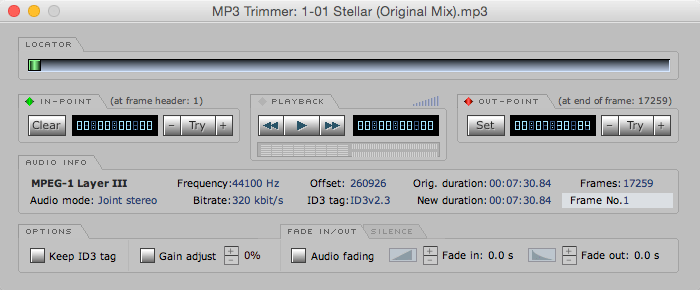
Screenshots
Frequently asked questions
How do I install the app?
Mount the image, drag the app into the "Applications" folder and launch it. If the system blocks the launch, allow it in "System Settings → Privacy & Security".
The app is damaged or won't launch
Reinstalling from a fresh image usually helps. Make sure your macOS version matches the one listed in the compatibility specs.
How do I update?
Download the new version from the site and install it over the current one — your settings will be preserved.
The download link doesn't work
Try a mirror or a download manager. For large files the browser often drops the connection.
How do I completely remove the app?
Use an uninstaller utility — it cleans up the service files that remain after moving the app to the trash.
VersionMp3 Trimmer
DeveloperdeepNiner
CompatibilityMac OS X 10.5.8 or later
LanguageEnglish
IncludesK





Information
Visitors in the group Guests cannot leave comments on this publication.
Choose a download source
Mp3 Trimmer 3.0 · 4.09 MB