Kerlig 2.5.2

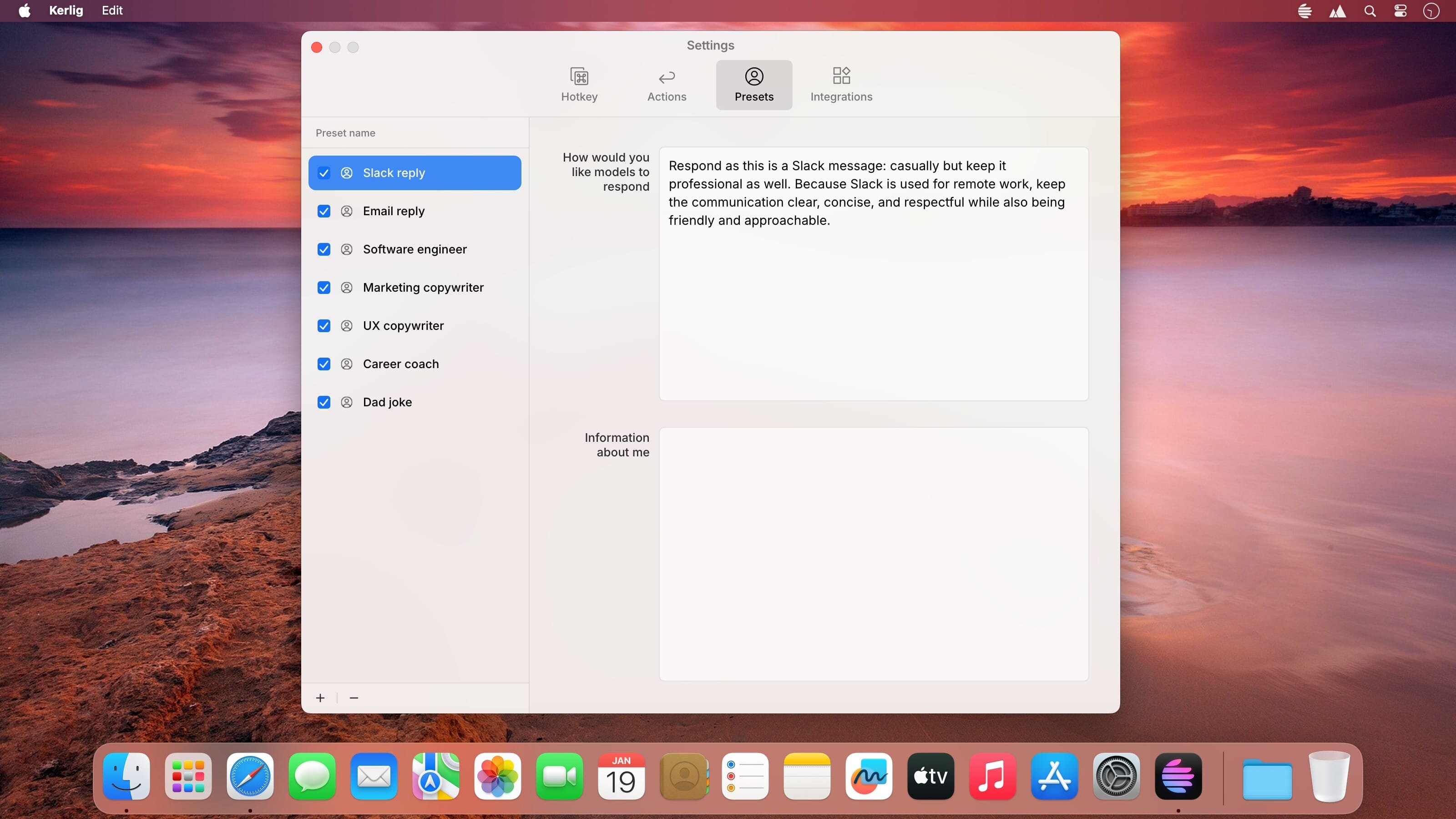

Kerlig is a in-context writing assistant that integrates AI into any macOS application, boosting productivity and communication. It can be used to correct spelling errors before sending messages, craft responses on Slack and Mail, summarize websites and articles, chat with PDFs and documents, improve copy in Figma, translate into any language, adjust tone, and more. Kerlig is compatible with all models from OpenAI, Anthropic Claude, Perplexity, X.AI, Groq, DeepSeek and Google Gemini.
Version 2.5.2
- This release refreshes the model lineup with the latest AI models from Anthropic (Opus 4.5, Sonnet 4.5, Haiku 4.5), OpenAI (GPT-5.2, GPT-5.1, etc.), Google (Gemini 3 Pro, Gemini 3 Flash), and Groq (LLaMA 3.3 70b Versatile, etc.).
Frequently asked questions
How do I install the app?
Mount the image, drag the app into the "Applications" folder and launch it. If the system blocks the launch, allow it in "System Settings → Privacy & Security".
The app is damaged or won't launch
Reinstalling from a fresh image usually helps. Make sure your macOS version matches the one listed in the compatibility specs.
How do I update?
Download the new version from the site and install it over the current one — your settings will be preserved.
The download link doesn't work
Try a mirror or a download manager. For large files the browser often drops the connection.
How do I completely remove the app?
Use an uninstaller utility — it cleans up the service files that remain after moving the app to the trash.



Choose a download source
Kerlig 2.5.2 · 267.84 MB