Ventura Cache Cleaner 18.0.5
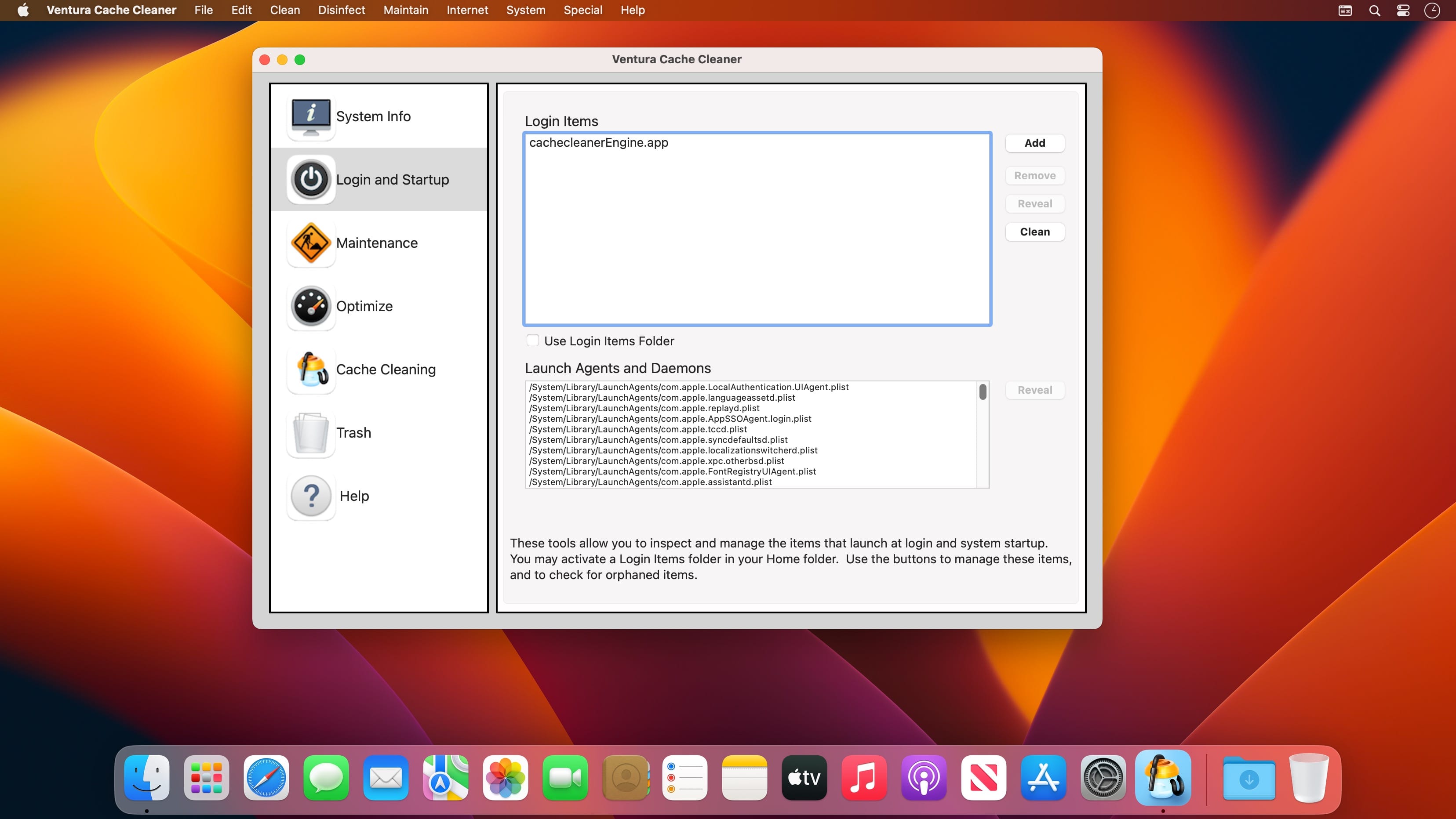
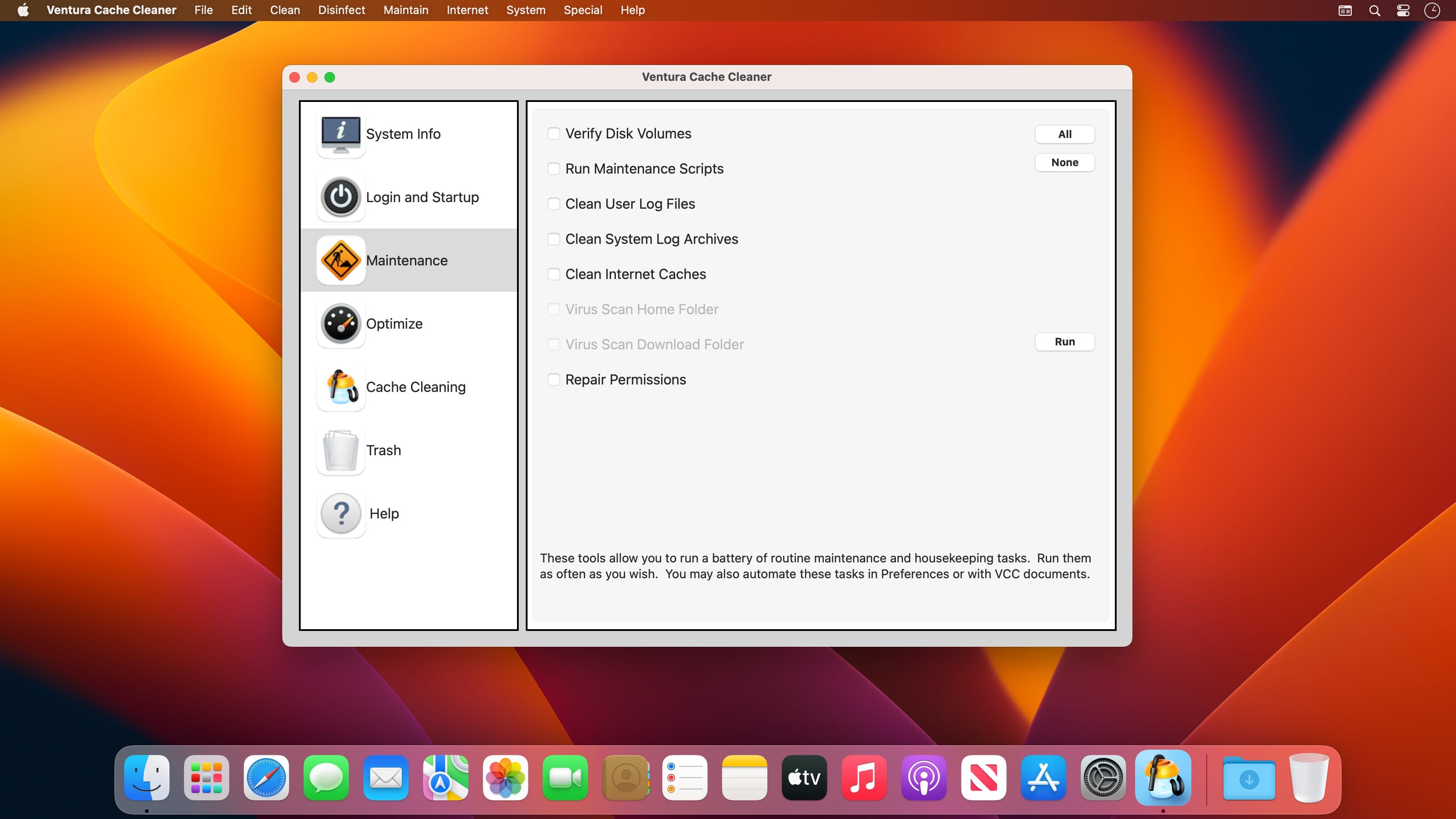
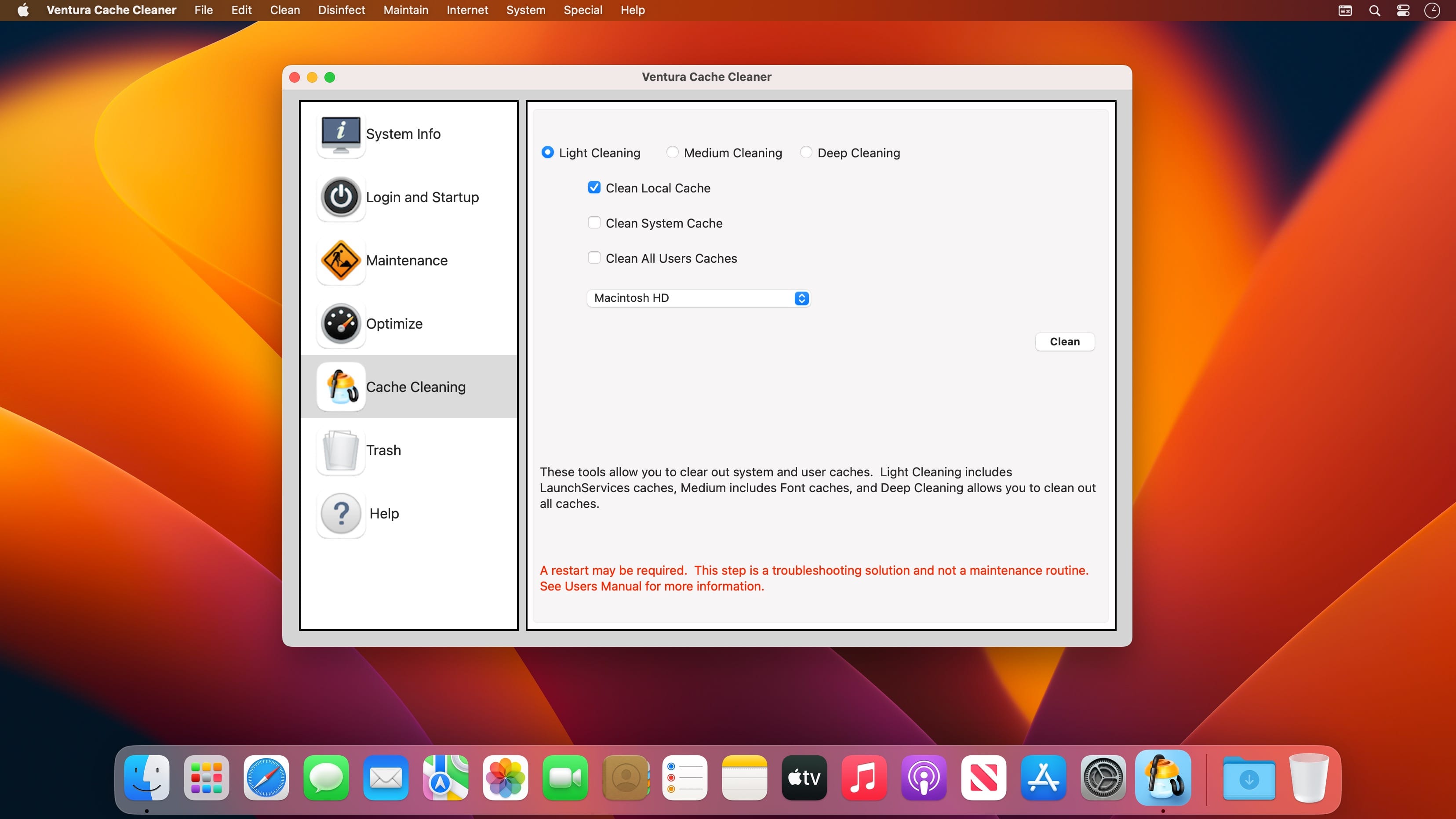
Ventura Cache Cleaner is an award winning general purpose tool for macOS. VCC makes system maintenance simple with an easy point and click interface to many macOS functions. Novice and expert users alike will appreciate the powerful toolset VCC provides. Ventura Cache Cleaner is one of the world's leading maintenance tools with millions of downloads around the globe.
Maintenance
Ventura Cache Cleaner is a one stop solution for all of your macOS maintenance needs. Intel or PPC, Tiger or Ventura, VCC has the tools to keep your system running at its best. VCC Documents and the VCC Engine maintain system health by providing full automation of common maintenance chores including virus scanning of internet downloads. The VCC Engine can even repair permissions automatically after software installations. With the VCC Engine, powerful system maintenance and antivirus can be completely transparent or as close as your menu bar.
Optimization
Ventura Cache Cleaner can improve system performance by tuning internet and file cache settings, implementing ram disks, and cleaning out various cached and stale data. VCC includes tools to help optimize files and memory. VCC can recover wasted disk space by eliminating language localization files and slimming Universal Binaries.
Customization
Ventura Cache Cleaner lets you control your macOS experience. Turn off Spotlight or Dashboard, or turn on a Login Items Folder. VCC can tweak many macOS features to suit your tastes. All without permanently altering or harming your system.
Disaster Planning
Ventura Cache Cleaner lets you create a bootable Installer USB drive from your Ventura download that will boot and install Ventura on any supported machine. Ventura Cache Cleaner lets you create bootable Emergency Disks that include system repair utilities and VCC's powerful cache cleaning functions. If disaster strikes, the power of Ventura Cache Cleaner is available at the command prompt in Single User Mode. Registered users of VCC can install a portable version on a flash drive or iPod. Ventura Cache Cleaner Portable runs on any supported Mac and is a great tool for testing hard drives, screen pixels, batteries, ram, and more before buying a machine.
Antivirus
Ventura Cache Cleaner helps protect your system from malware. VCC adds three additional layers of malware protection to Ventura, and ships with the powerful ClamAV antivirus built in. VCC can scan your downloads on the fly providing industrial strength virus protection from Mac and Windows threats.
Frequently asked questions
How do I install the app?
Mount the image, drag the app into the "Applications" folder and launch it. If the system blocks the launch, allow it in "System Settings → Privacy & Security".
The app is damaged or won't launch
Reinstalling from a fresh image usually helps. Make sure your macOS version matches the one listed in the compatibility specs.
How do I update?
Download the new version from the site and install it over the current one — your settings will be preserved.
The download link doesn't work
Try a mirror or a download manager. For large files the browser often drops the connection.
How do I completely remove the app?
Use an uninstaller utility — it cleans up the service files that remain after moving the app to the trash.




Choose a download source
Ventura Cache Cleaner 18.0.5 · 163.33 MB