
Swift Publisher 5 Extras Pack

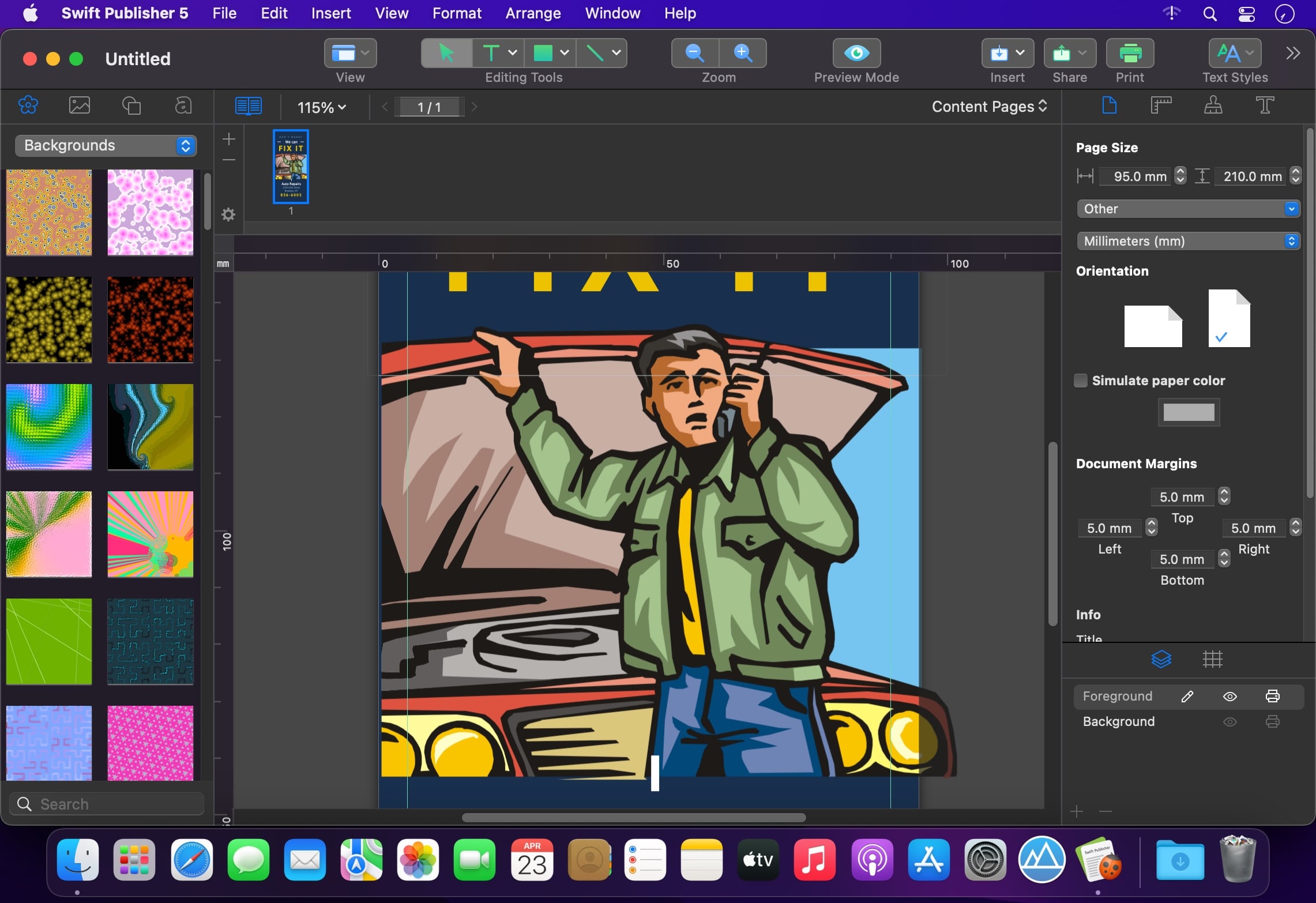
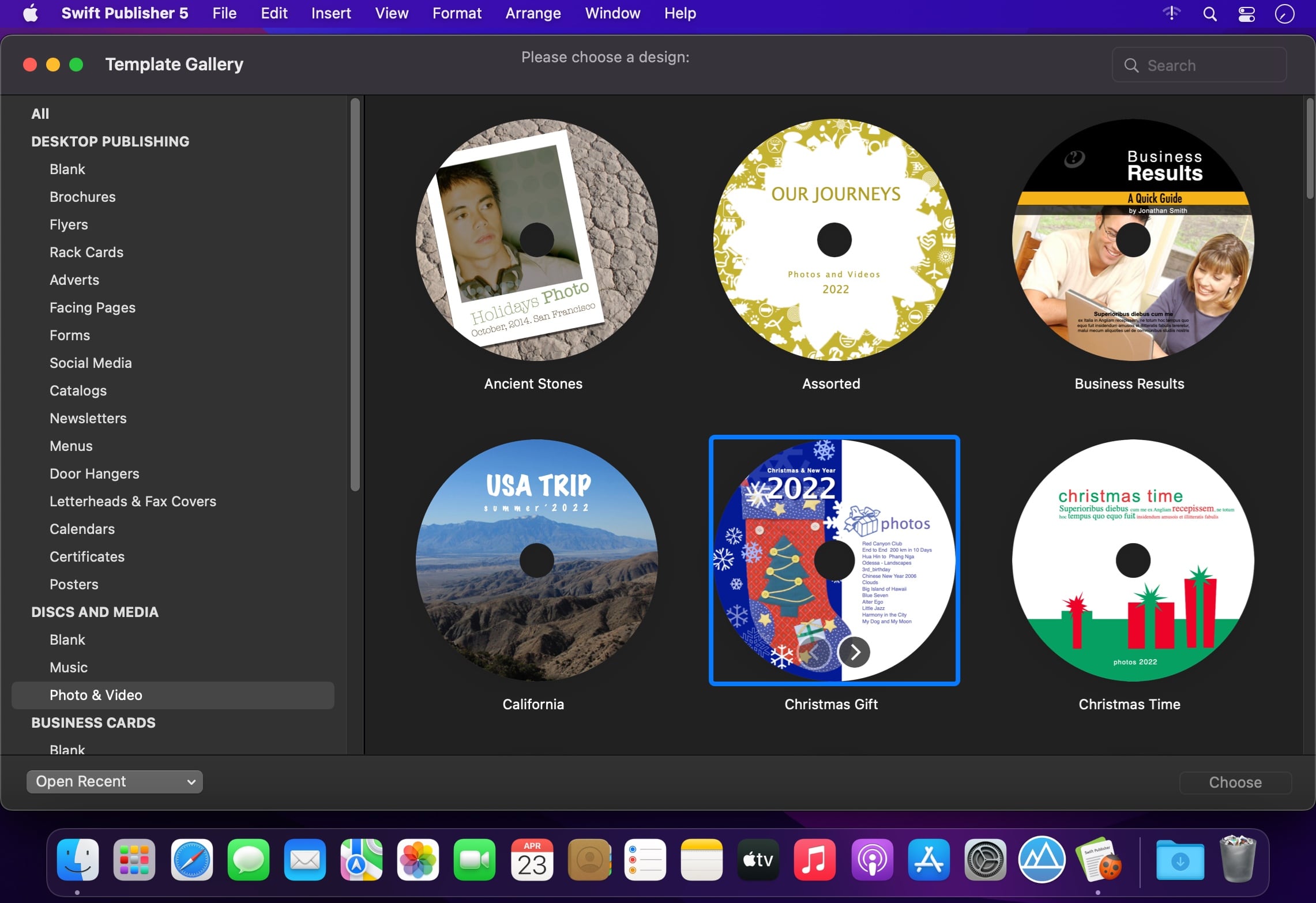
Swift Publisher is your all-purpose page layout and desktop publisher for Mac. And by all, we mean all. From brochures and flyers to CD labels and beautiful, professional business cards.
What Swift Publisher can do for you:
Page Layout
Brochures, flyers, catalogs, newsletters, menus, letterheads, posters
Discs & Media
CD and DVD labels, covers, tray inserts, folding booklets, VHS covers
Cards Galore
Business cards, name badges, placeholder cards, CD and DVD cards, discount cards
Labels & Envelopes
Address labels, envelopes, shipping labels, barcode labels, file folder labels, UPC and other barcode labels
Other Projects
Calendars, greeting cards, postcards, certificates, invitations, thanks you notes
Key Features:
Page Layout
- View and edit pages side-by-side with two-page spreads
- Use master pages to quickly create uniform pages for any project
- Unlimited layers to create complex designs while keeping the canvas uncluttered
- Customizable grid for precise document layout
- Adjustable and smart guides help aligning design elements
- Print multi-page booklets with the program taking care of page order for you
Working with Texts
- Create multi-column layouts with flowing text boxes
- Set up customizable text styles and apply them with one click
- Horizontal, vertical and circular text support
- Wrap text around pictures or other objects
Design Tools
- Apply linear and radial gradients, draw freehand shapes, apply strokes, and more
- Edit photos and with Core Image filters using the built-in image editor
- Add a shadow and stroke to any design element
- Crop, rotate, resize, tint, tile, and control the transparency of pictures
Graphic Content
- 300 pre-designed templates
- Library of over 2,000 clipart images
- Integration with Depositphotos online photo bank
- Apply one of over 100 image masks to any picture
- Professionally designed 2D & 3D heading styles
- Use adjustable Smart Shapes as frames for your images
Import Options
- Automatically print out labels for multiple contacts with the mail merge feature
- Quickly populate business cards with contact information imported right from Apple Contacts
- Import photos directly from Photos app or custom folder
- Import a list of music tracks right from iTunes for music discs
- Generate QR Code, UPC-A/E, Code 39, and other barcodes with embedded data from a text file
Sharing & Printing
- Support for thousands of popular label and card papers by Avery, Neato,
Memorex, and others
- Support for multiple direct-to-disc printers
- Export to TIFF, JPEG, EPS, and PDF
- Set up document bleeds and DPI
- Convert text to curves to avoid problems with missing fonts
- Share to Facebook and Twitter with just a few clicks
Frequently asked questions
How do I install the app?
Mount the image, drag the app into the "Applications" folder and launch it. If the system blocks the launch, allow it in "System Settings → Privacy & Security".
The app is damaged or won't launch
Reinstalling from a fresh image usually helps. Make sure your macOS version matches the one listed in the compatibility specs.
How do I update?
Download the new version from the site and install it over the current one — your settings will be preserved.
The download link doesn't work
Try a mirror or a download manager. For large files the browser often drops the connection.
How do I completely remove the app?
Use an uninstaller utility — it cleans up the service files that remain after moving the app to the trash.



Choose a download source
Swift Publisher 5 Extras Pack · 3.13 GB
Comments 2