
Epiphany WorkFlow II 8.1.5
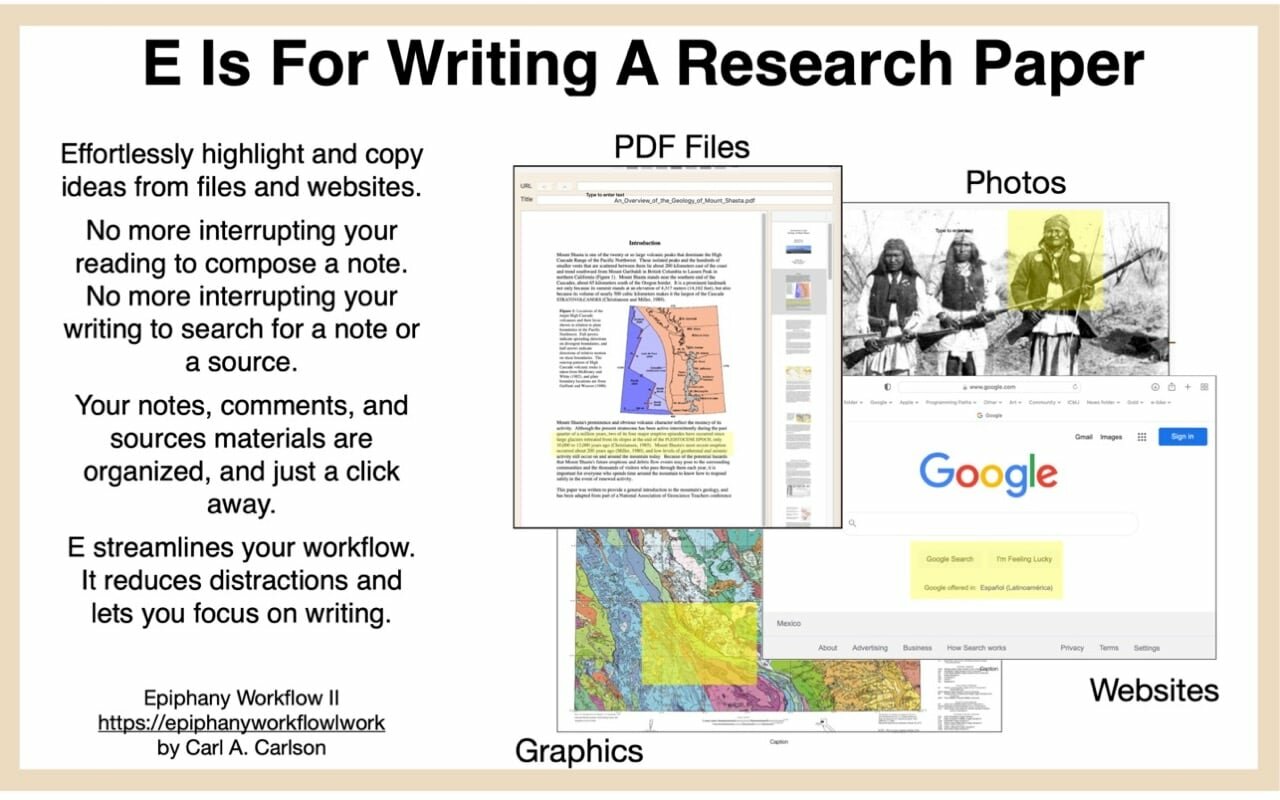
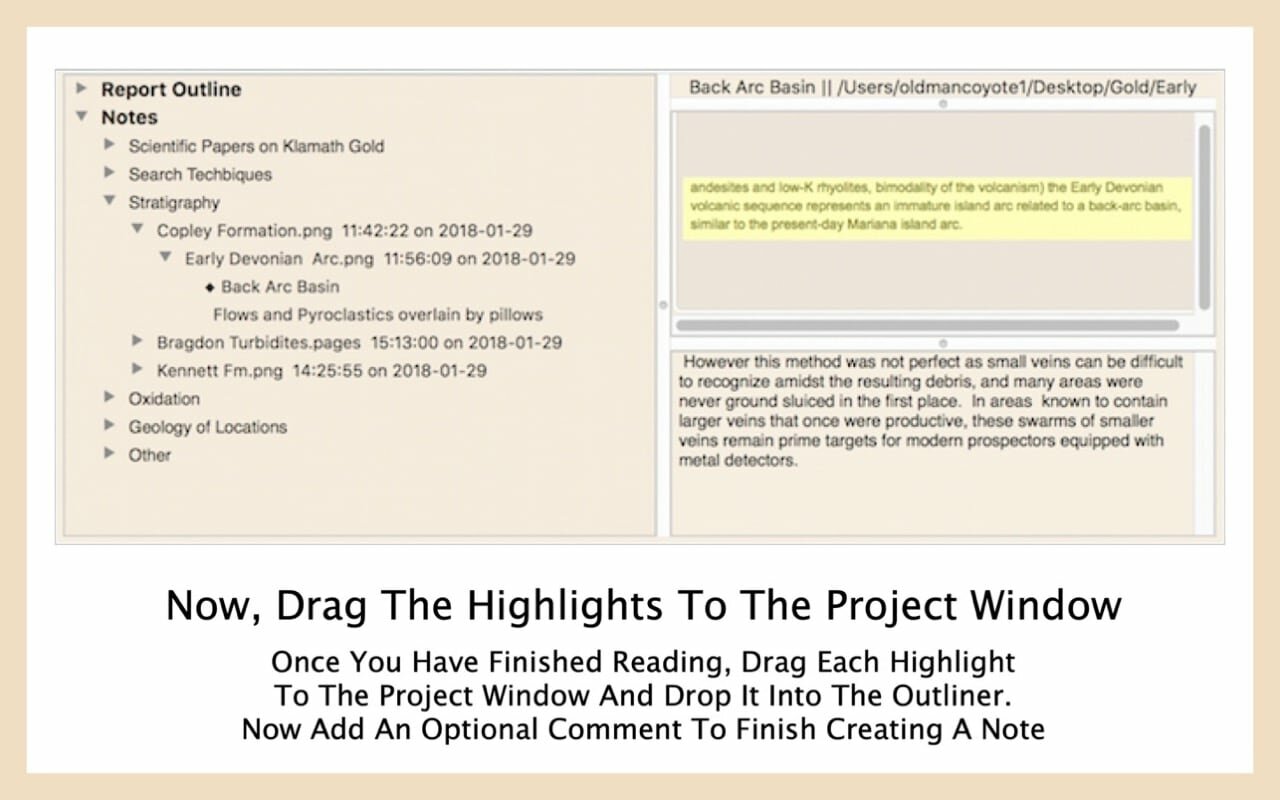
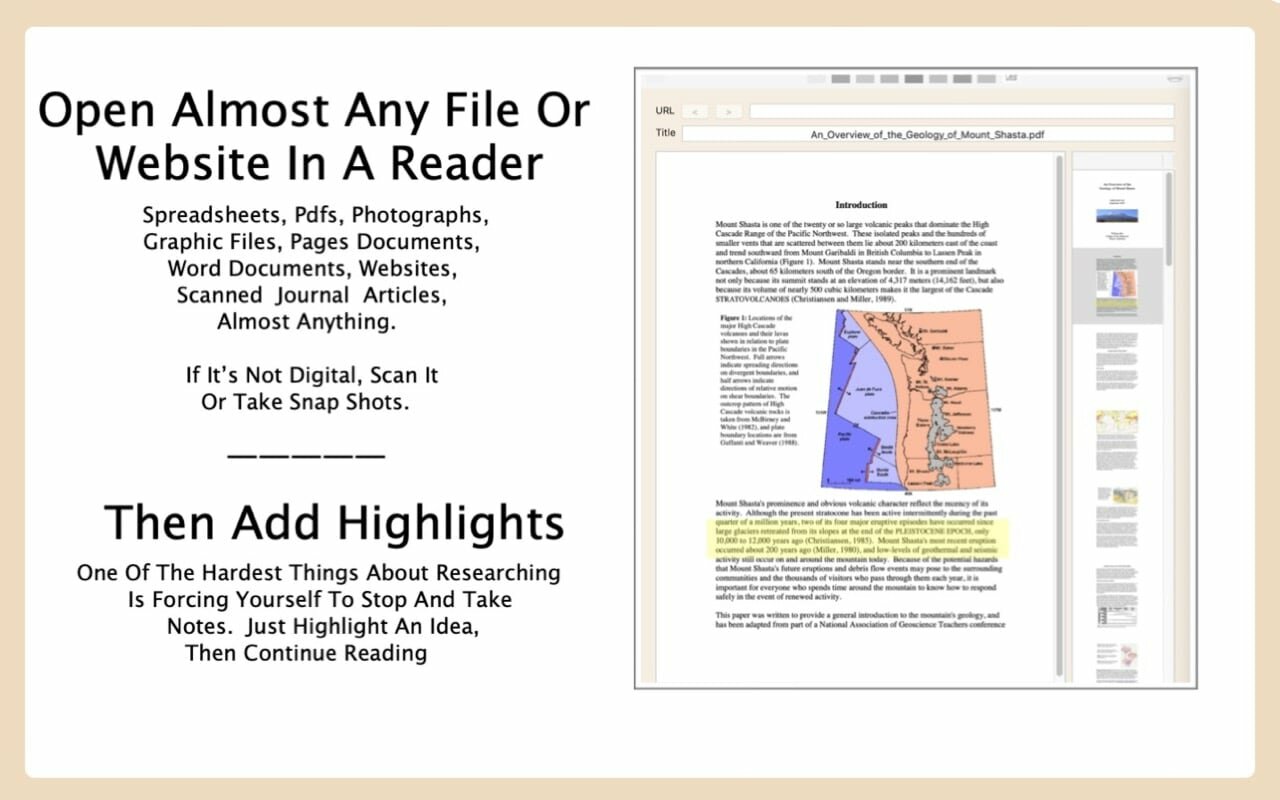
Simplify your academic writing. Organize notes and source materials, then recall them with a click. With E you can focus on writing not on routine distractions.
E is for writing research papers also for synthesizing weekly study guides from class materials. Using E, you can finish you writing project sooner and with far less stress.
E organizes your projects and greatly simplifies your workflow. With E you can concentrate on improving the quality of your academic writing, not on the distracting mechanics of assembling your source materials.
E does much more than a word processor or a note taking application. It's a whole new way to conduct your academic writing. Better papers and study guides mean better grades, better recommendations, better jobs, and better grad-schools.
As always, if you are not satisfied, your money will be refunded. But, I'm confident you will be very satisfied. This new version fixes all know bugs and has much better documentation.
Version 8.1.5
- Bug fixes
Frequently asked questions
How do I install the app?
Mount the image, drag the app into the "Applications" folder and launch it. If the system blocks the launch, allow it in "System Settings → Privacy & Security".
The app is damaged or won't launch
Reinstalling from a fresh image usually helps. Make sure your macOS version matches the one listed in the compatibility specs.
How do I update?
Download the new version from the site and install it over the current one — your settings will be preserved.
The download link doesn't work
Try a mirror or a download manager. For large files the browser often drops the connection.
How do I completely remove the app?
Use an uninstaller utility — it cleans up the service files that remain after moving the app to the trash.





Choose a download source
Epiphany WorkFlow II 8.1.5 · 22.18 MB