
Corel Painter 2022 v22.1.121

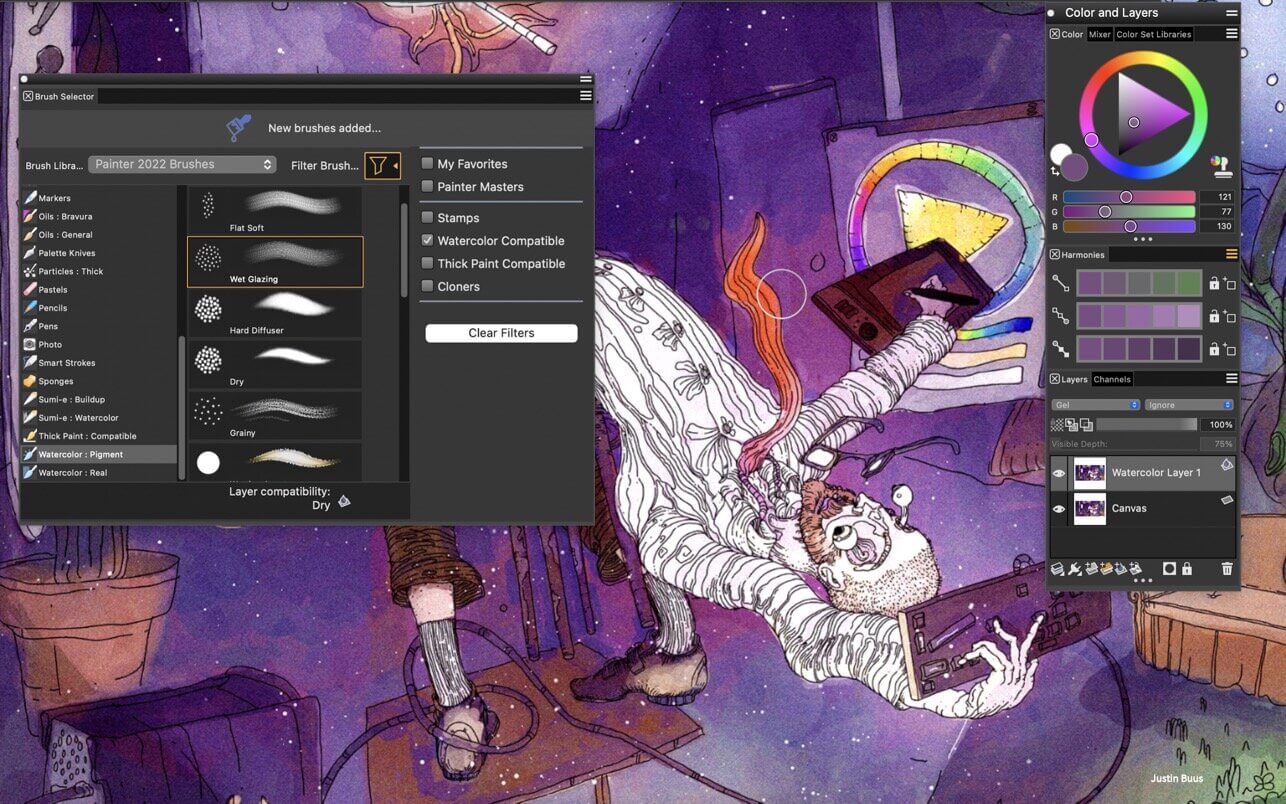
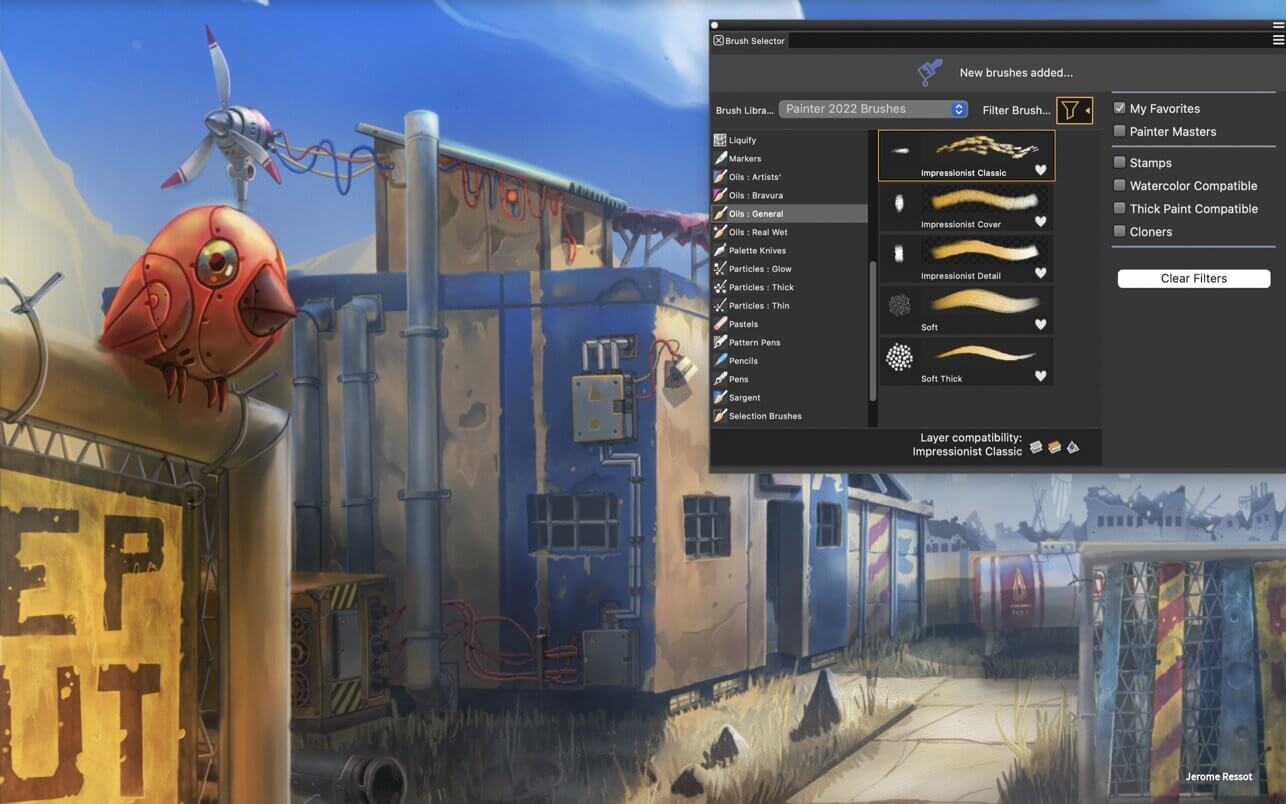
Sketch, paint, illustrate and produce unparalleled photo-art with hundreds of realistic artist-created brushes, superior blending, impressive textures, and an array of versatile art tools.
Natural-Media® brushes & exclusive media types
- Hundreds of included brushes to experiment with
- Realistic dry media like chalks, pencils and pastels
- Authentic wet media such as Thick Paint, palette knives, watercolors
- Particles that spring, flow and glow
- Image Hoses, Pattern pens and 2.5D Texture brushes add interesting elements
- Selection, blending, cloning and F-X brushes
- Brush controls at your finger-tips for customization on the fly
Performance
- Painter’s Brush Accelerator™ applies optimal performance settings based on your CPU and GPU
- Most popular brush engines are supported by GPU for faster performance
- Manage large brushes and memory-intensive operations at top speed
- Access top controls from Apple Touch Bar
- Tilt and pressure sensitivity with Apple Pencil
- Two-finger gesture support on Apple Trackpad for pan / zoom / rotate
Intelligent Photo Painting
- Artificial Intelligence Styles to quickly transform images to paintings
- Powerful cloning tools
- Clone Tinting brushes
- SmartStroke™ Auto-painting
Customization
- Create your own brushes & dabs, import libraries and share with other artists
- Adjust how brushes interact with canvas for optimal control
- Customize the workspace UI, papers, patterns and textures
- Organize media content in Custom Palettes and Palette Drawers
Comprehensive Design Tools
- Non-destructive layers and composite methods
- Symmetry tools include Mirror and Kaleidoscope
- Perfect composition with Perspective Guides, Layout Grids and Divine Proportion
- Adjust lighting, colors, depth of field or motion blur
Color tools
- Universal color selection tools
- Save Color Harmonies as Color Sets
- Mix colors in the artists’ Mixer panel
- Sample colors using the Dropper
- Paint with clone color and Clone Tinting
Compatibility
- Save files in PSD and preserve colors and layers when transferring files between Photoshop and Painter.
- Save or export to JPEG, PNG, TIFF, GIF, EPS
- Support for stylus tilt, rotation, bearing & pressure control while using a drawing tablet
Included Content and Learning
- Library of included canvas Papers, Flow Maps and Textures that interact with brushes
- Helpful tutorials, webinars, videos right in the Welcome Screen
- Access Help topics, Hints and Visual Tooltips to learn on the fly
Version 2022 v22.1.121:
Get the latest update
- Experience brushes up to 4.7X faster when running on the Apple M1 chip! Painter is optimized to run natively on Macs with M1 chip and Intel processors.
- macOS Monterey 12 compatible
- Captured Dab Hotfix: Reset a brush that uses a captured dab in order to restore its original dab shape.
Frequently asked questions
How do I install the app?
Mount the image, drag the app into the "Applications" folder and launch it. If the system blocks the launch, allow it in "System Settings → Privacy & Security".
The app is damaged or won't launch
Reinstalling from a fresh image usually helps. Make sure your macOS version matches the one listed in the compatibility specs.
How do I update?
Download the new version from the site and install it over the current one — your settings will be preserved.
The download link doesn't work
Try a mirror or a download manager. For large files the browser often drops the connection.
How do I completely remove the app?
Use an uninstaller utility — it cleans up the service files that remain after moving the app to the trash.
Related posts
-
 Corel Painter 2020 (incl. Corel Premium Brush Packs) v20.0.0.256
Graphic Design968.14 MB
Corel Painter 2020 (incl. Corel Premium Brush Packs) v20.0.0.256
Graphic Design968.14 MB
-
 Corel Painter Essentials 6.1.0.238
Graphic Design324.01 MB
Corel Painter Essentials 6.1.0.238
Graphic Design324.01 MB
-
 Corel Painter 2021 (incl. Corel Premium Brush Packs) v21.0.0.211
Graphic Design2.9 GB
Corel Painter 2021 (incl. Corel Premium Brush Packs) v21.0.0.211
Graphic Design2.9 GB
-
 Corel Painter 2016 15.1.0.740
Graphic Design370.43 MB
Corel Painter 2016 15.1.0.740
Graphic Design370.43 MB
-
 Corel Painter 2022 (incl. Corel Premium Brush Packs) v22.0.1.171
Graphic Design4.06 GB
Corel Painter 2022 (incl. Corel Premium Brush Packs) v22.0.1.171
Graphic Design4.06 GB
Choose a download source
Corel Painter 2022 v22.1.121 · 774.9 MB