
Firetask 4.8.1
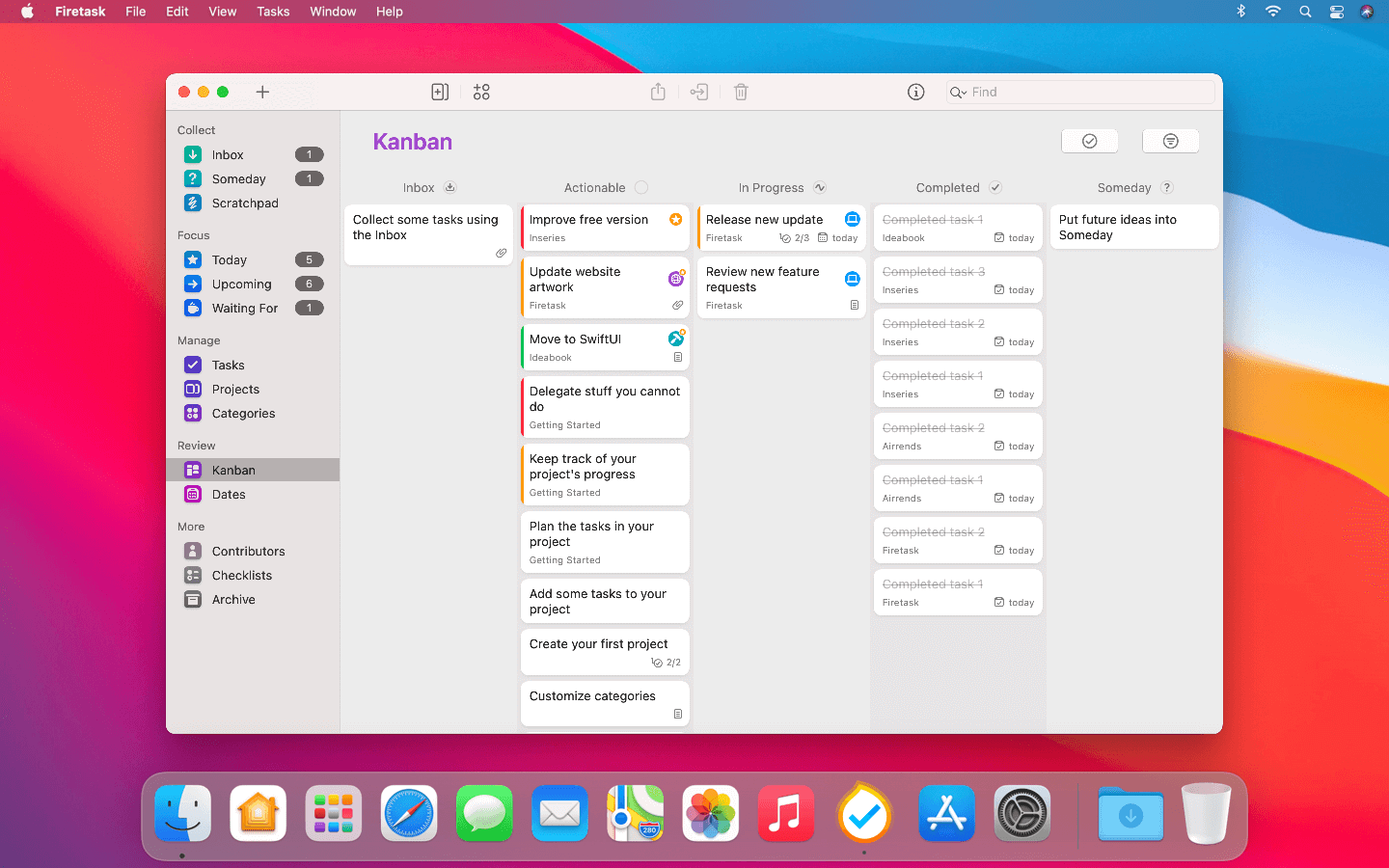
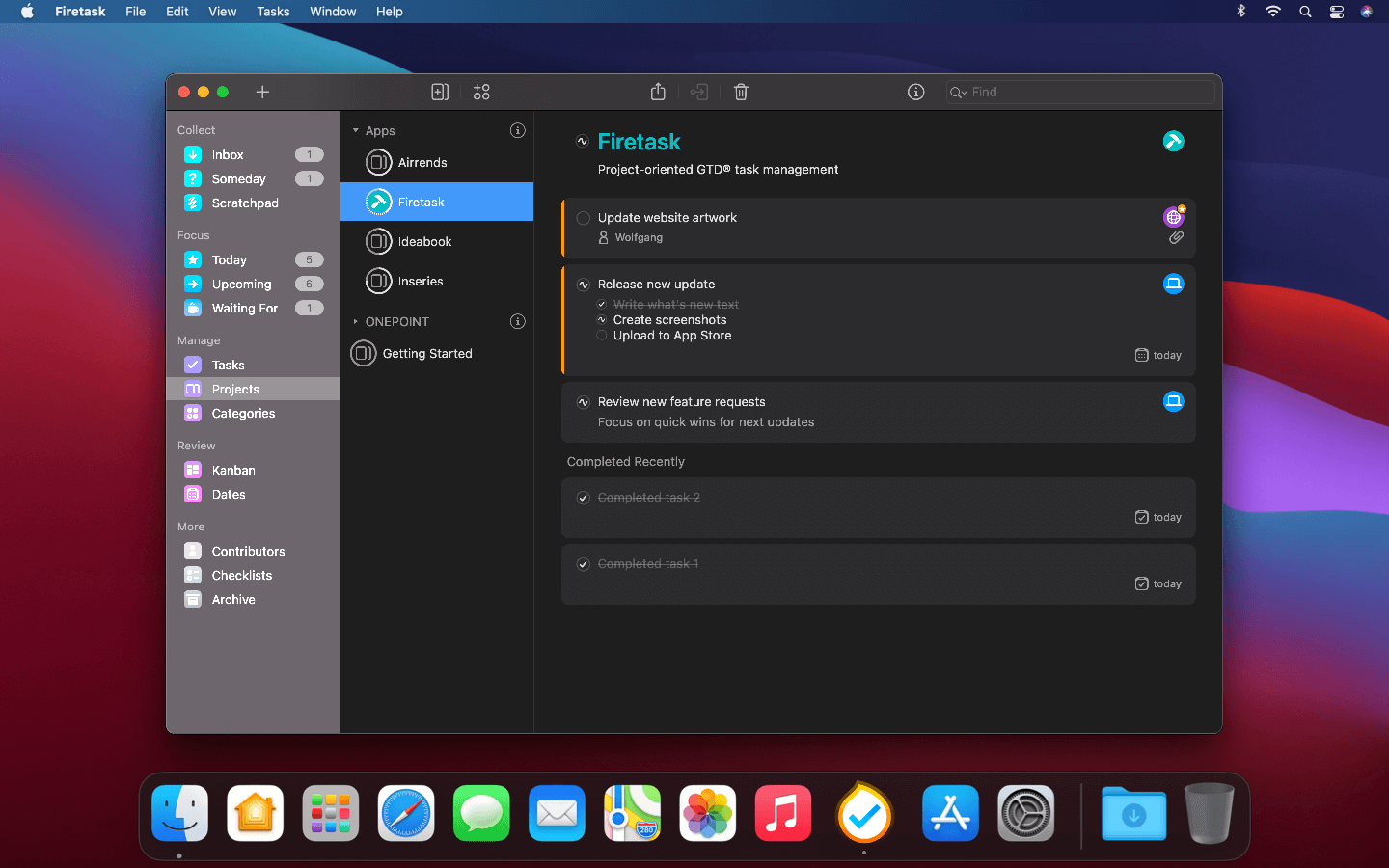
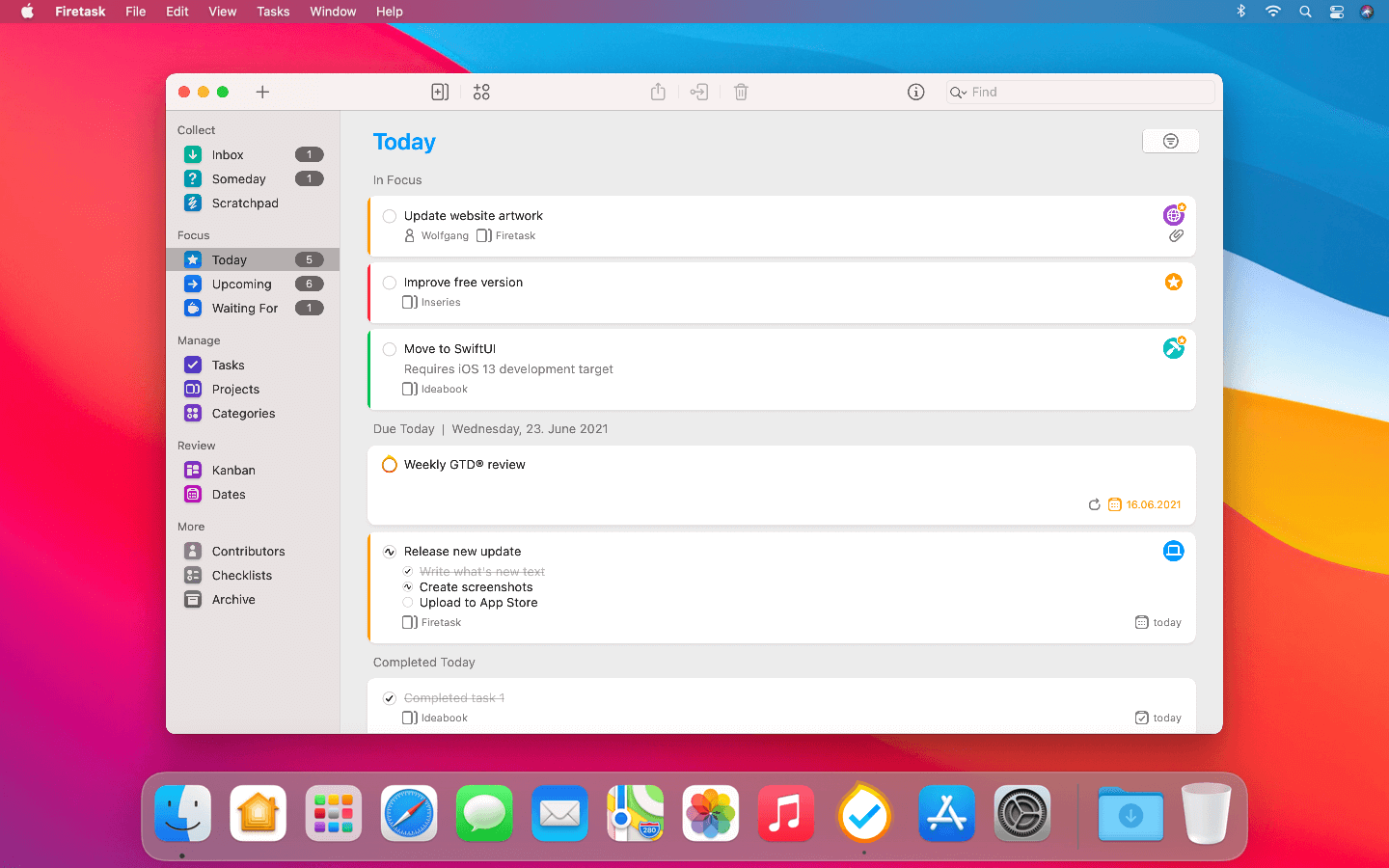
Firetask empowers busy people to get things done Kanban-style. From capturing your thoughts and managing your personal to-dos to organizing and focusing on your most important tasks, Firetask uniquely combines Kanban & GTD.
Key Features
- Intuitive GTD Workflow. Easy, logical navigation based on the major GTD phases: Collect (Capture), Focus, Manage, and Review
- Clear Today View. One overview across all your due and in focus tasks - optionally also showing in-progress and tasks completed earlier today
- Waiting For List. Automatically managed GTD Waiting For list - grouped by assignees of all your delegated tasks
- Multiple Kanban Views. Drag & drop Kanban views across statuses, upcoming due and scheduled tasks, priorities, and categories
- Calendar visualization. Practical Dates view shows monthly calendar overview of your tasks - supports due and scheduled modes
- Projects & Portfolios. Comprehensive support for project task lists - complete with progress visualization and optional portfolios
- Actions and Checklists. Split complex tasks into smaller actions and save repeatedly used tasks as reusable checklists
- Integrations & API. Integrated with built-in Calendar and Reminder apps - simple URL scheme-based API
- Syncing via iCloud. Transparent syncing via Apple's iCloud - no separate account needed
- Privacy by Design. Your tasks stay on your devices and on your iCloud account only
Version 4.8.0:
- New interactive Focus widget: You can now tick off tasks directly from your home screen (requires macOS 14 Sonoma)
- Improved Status Kanban board: We dropped the Someday column and instead introduced a new column for "On Hold"
- Notes field for Quick-Entry: Enter notes directly when quick-entering a task via the global hotkey
- Confirmation for stopping the Pomodoro timer: No more accidentally stopping a Pomodoro
- Optional deletion of imported Reminders: Configure this now easily in the Firetask Settings
- Improved sharing messages and links: Improved text structure as well as share link now include also actions
Frequently asked questions
How do I install the app?
Mount the image, drag the app into the "Applications" folder and launch it. If the system blocks the launch, allow it in "System Settings → Privacy & Security".
The app is damaged or won't launch
Reinstalling from a fresh image usually helps. Make sure your macOS version matches the one listed in the compatibility specs.
How do I update?
Download the new version from the site and install it over the current one — your settings will be preserved.
The download link doesn't work
Try a mirror or a download manager. For large files the browser often drops the connection.
How do I completely remove the app?
Use an uninstaller utility — it cleans up the service files that remain after moving the app to the trash.
Choose a download source
Firetask 4.8.1 · 10.07 MB
Previous versions
Firetask 4.8.1
Previous versions are available to registered users.