Mela – Recipe Manager 1.6.3
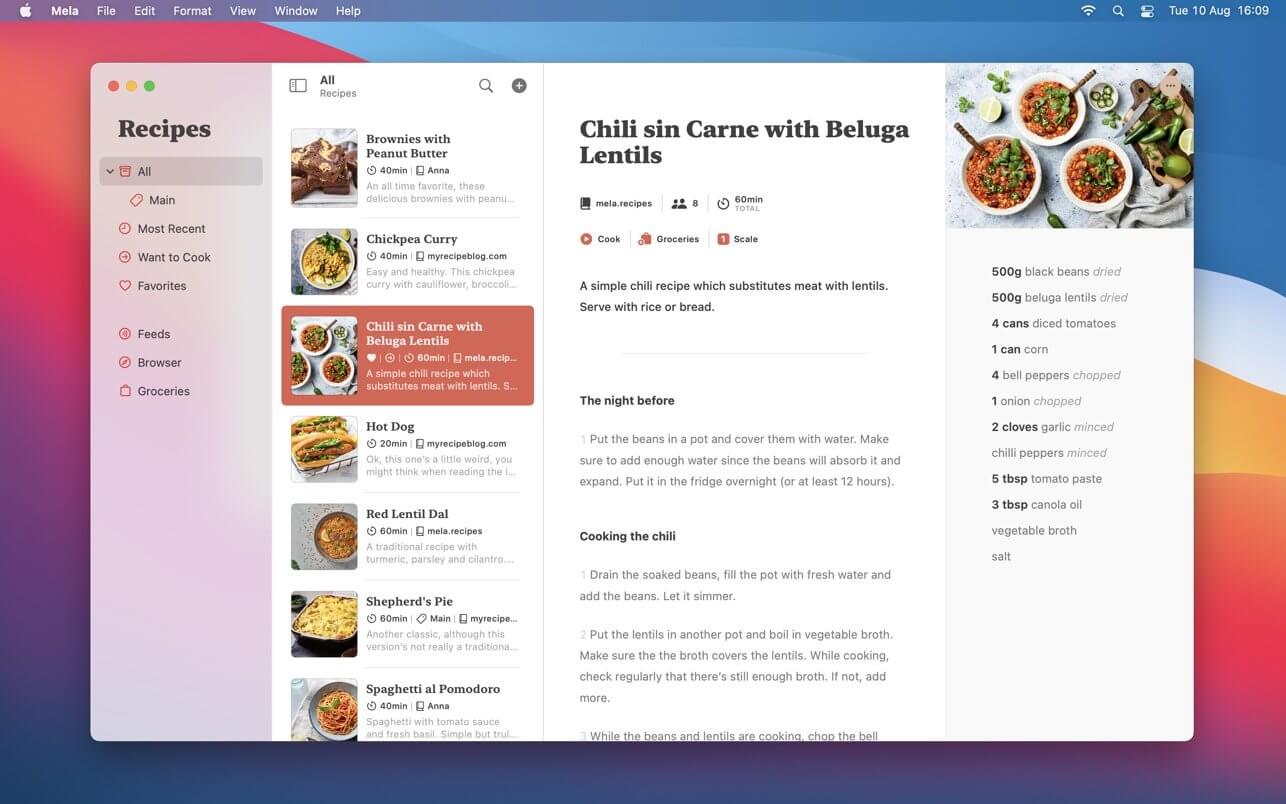

Mela is a simple, elegant and modern recipe manager that syncs with iCloud.
IN-APP BROWSER
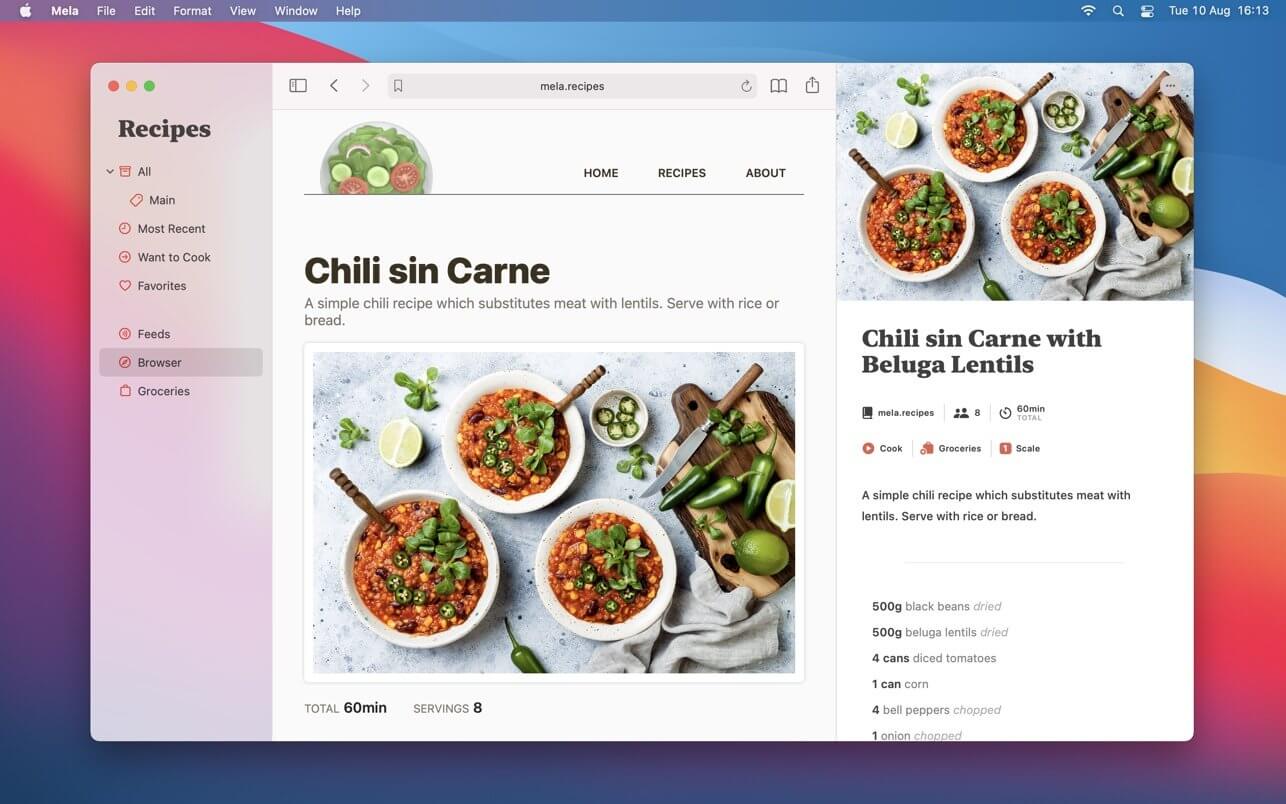
Quickly save a recipe while browsing: If Mela detects a recipe on the currently viewed page, it will be displayed in Mela's native recipe viewer*, on the same screen. Want to add or view a recipe from outside of Mela? No problem, just use Mela's sharing extension.
FEEDS
Subscribe to your favorite recipe blogs to view all the recipes in Mela's native recipe viewer*.
SCANNER
Scan a recipe from a book: With the help of text recognition, you can just add it to your personal collection and view it in Mela's native recipe viewer, as any other recipe.
ORGANIZING
Recipes can be organized in categories, marked as “Favorite” or as “Want to Cook”.
COOK MODE
The cook mode makes it easy to follow all steps while cooking, displayed using a larger font to make sure everything stays readable even when you're not right in front of your device.
GROCERIES
Mela uses the Reminders.app to manage your grocery list. This has the advantage that you’re always able to access your grocery list on all your devices even if Mela is not installed on a specific device.
PRINTING
Of course, Mela supports printing in case there’s a recipe you want to have on paper or save as PDF.
SYNC
If enabled (default), Mela will sync these items with iCloud:
- Recipes
- Browser bookmarks
- Subscription list (feeds)
Not synced:
- Feed recipe entries
- Browser history
Groceries are always stored in Reminders.app
Version 1.6.3
IMPROVED
- Web recipe importer
FIXED
- Recipes sometimes not opening when coming from Calendar.app
- Potential data loss in rare cases when toggling iCloud sync
Frequently asked questions
How do I install the app?
Mount the image, drag the app into the "Applications" folder and launch it. If the system blocks the launch, allow it in "System Settings → Privacy & Security".
The app is damaged or won't launch
Reinstalling from a fresh image usually helps. Make sure your macOS version matches the one listed in the compatibility specs.
How do I update?
Download the new version from the site and install it over the current one — your settings will be preserved.
The download link doesn't work
Try a mirror or a download manager. For large files the browser often drops the connection.
How do I completely remove the app?
Use an uninstaller utility — it cleans up the service files that remain after moving the app to the trash.

Choose a download source
Mela – Recipe Manager 1.6.3 · 14.65 MB
Previous versions
Mela – Recipe Manager 1.6.3
Previous versions are available to registered users.