SpeakerAmp & 3D Equalizer 2.6
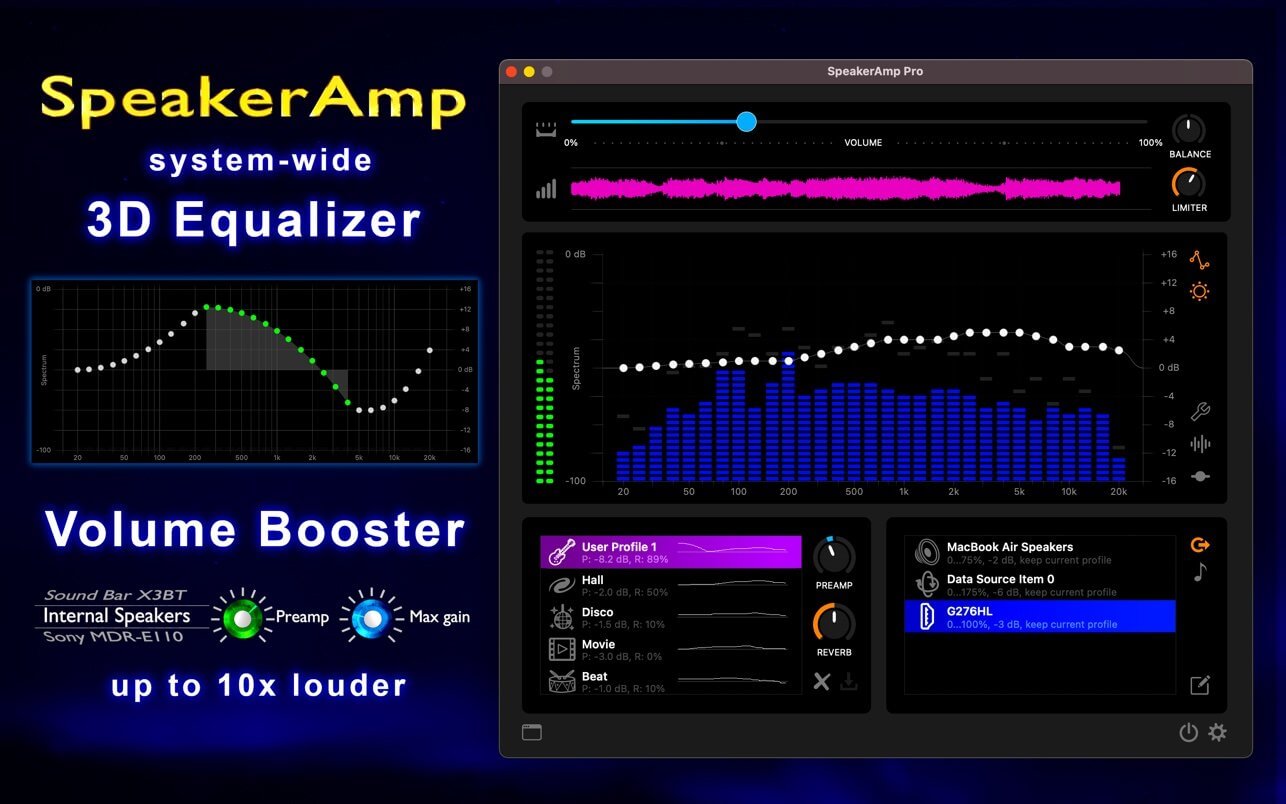
Equalize and boost your system audio with 31 band equalizer, up to 10x volume booster and 3-D surround.
The app has 2 modes: Free and Pro. The Free mode covers most of the functionality, incl. equalizer and volume booster. The Pro has a 20-hour trial period and is for one non-recurring fee.
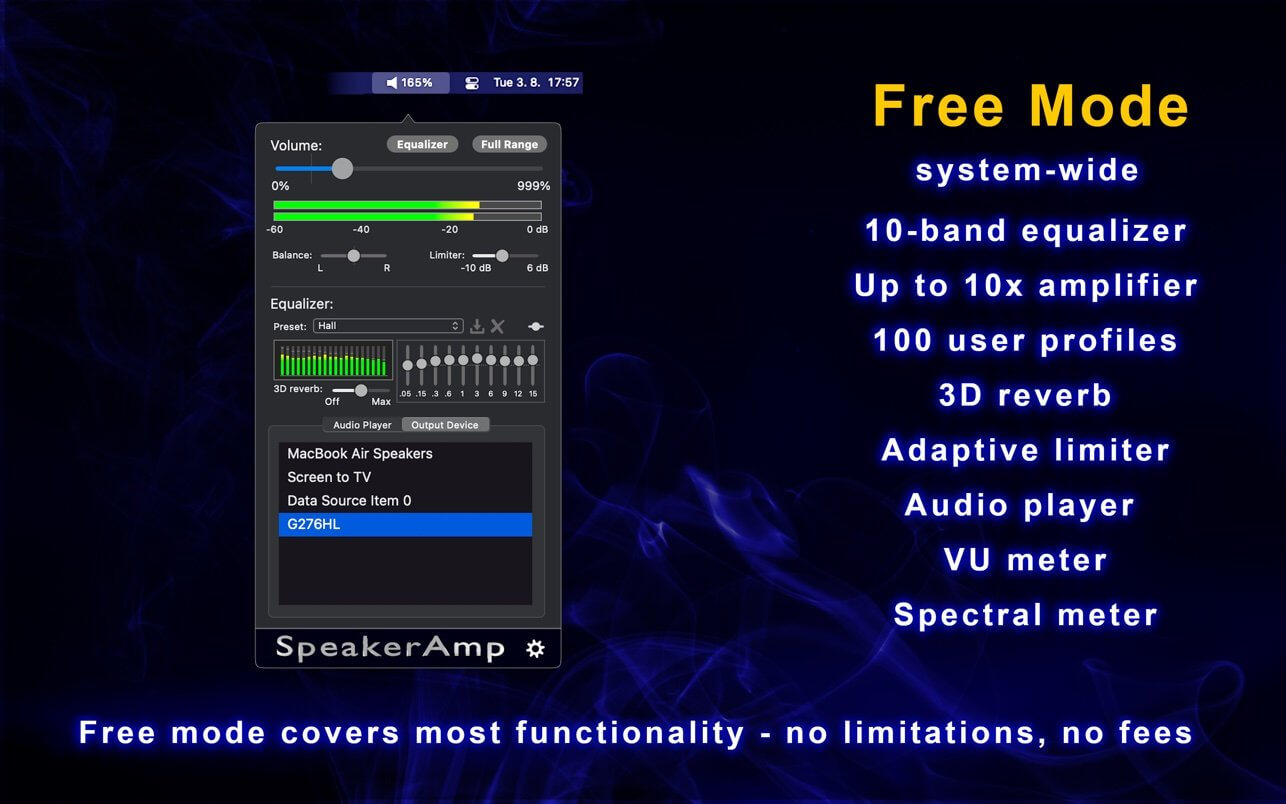
FREE mode features:
- Amplifier up to 999%
- 10-channel equalizer with several built-in and up to 100 user profiles
- 20-channel spectrum analyzer
- L-R VU power meters
- Tunable limiter preventing signal distortion
- 2 adjustable ranges of the amplifier
- Mouse scroll control of the system volume
- Adjustable color schemes of the meters
- Consumes 0% of CPU in idle state
- Supports stereo/joint stereo/mono
- Built-in audio player
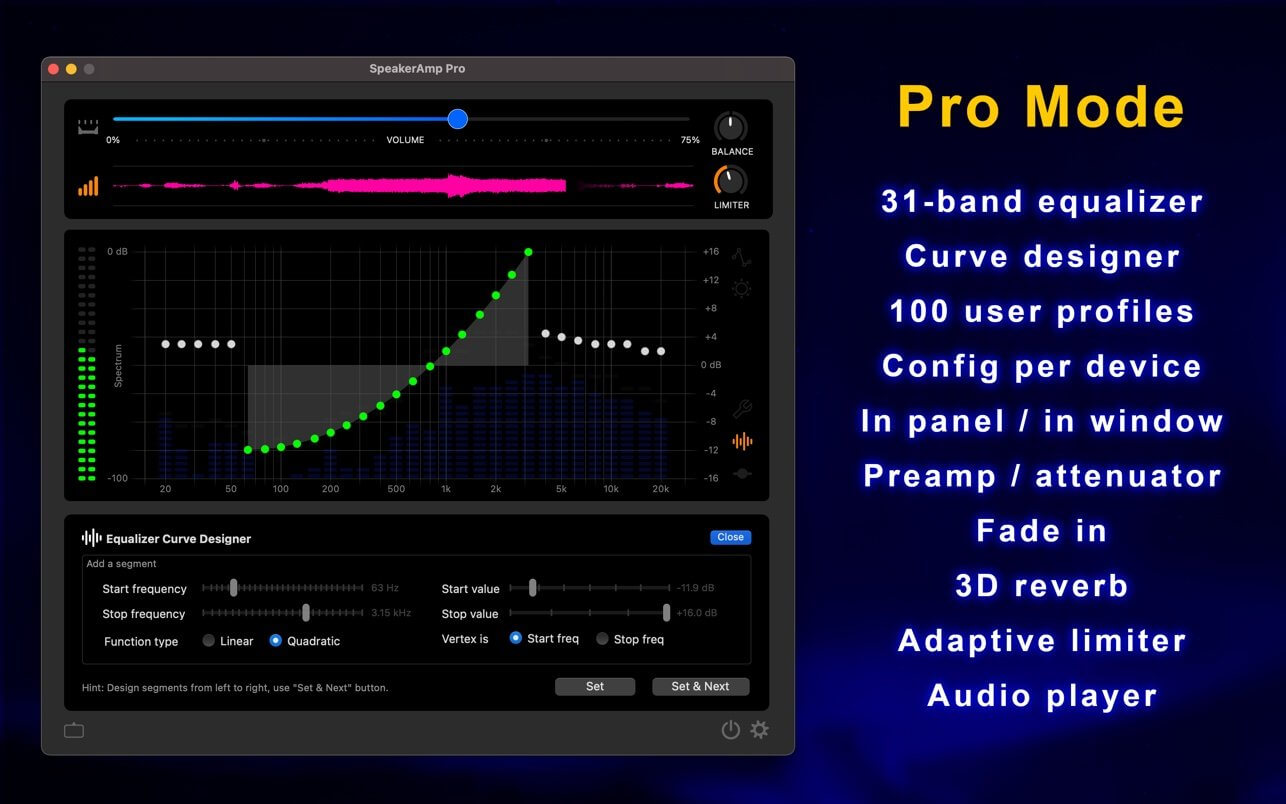
PRO mode has all Free-mode features plus:
- 31-channel equalizer
- 31-channel spectrum analyzer
- Equalizer-curve designer
- Audio Histogram
- Per-device & per-profile adjustable attenuation/gain
- On-thy-fly user profile changes (with CMD key)
- Fade In
- Visually tuneable limiter
- Dual interface: in menu panel/in window
- Profile & device configurable icons
The app offers 2 audio routing options:
- Local Audio player
- System-Wide Processing
With the player, you can play, amplify and equalize any of these audio formats: mp3, mp4, wav, m4a, ,aac, adts, ac3, aif, aifc, caf, snd or au.
Version 2.6
- Fixes the incorrectly set colour of the main icon for Big Sur dynamic desktop;
- Bug fixing.
Frequently asked questions
How do I install the app?
Mount the image, drag the app into the "Applications" folder and launch it. If the system blocks the launch, allow it in "System Settings → Privacy & Security".
The app is damaged or won't launch
Reinstalling from a fresh image usually helps. Make sure your macOS version matches the one listed in the compatibility specs.
How do I update?
Download the new version from the site and install it over the current one — your settings will be preserved.
The download link doesn't work
Try a mirror or a download manager. For large files the browser often drops the connection.
How do I completely remove the app?
Use an uninstaller utility — it cleans up the service files that remain after moving the app to the trash.

Choose a download source
SpeakerAmp & 3D Equalizer 2.6 · 11.35 MB