
Sidify Apple Music Converter 3.5.3
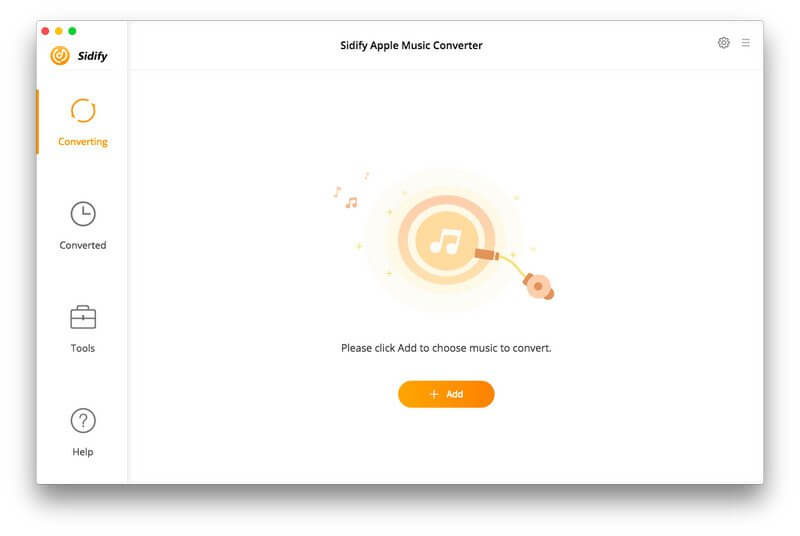
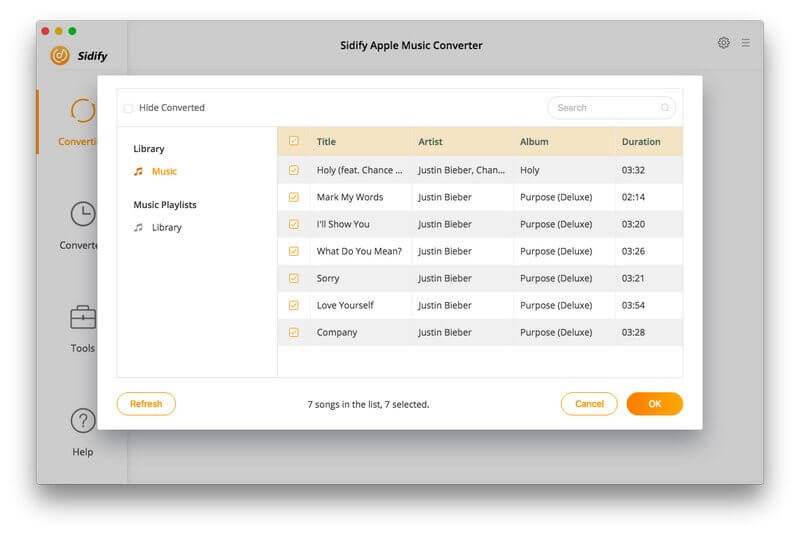
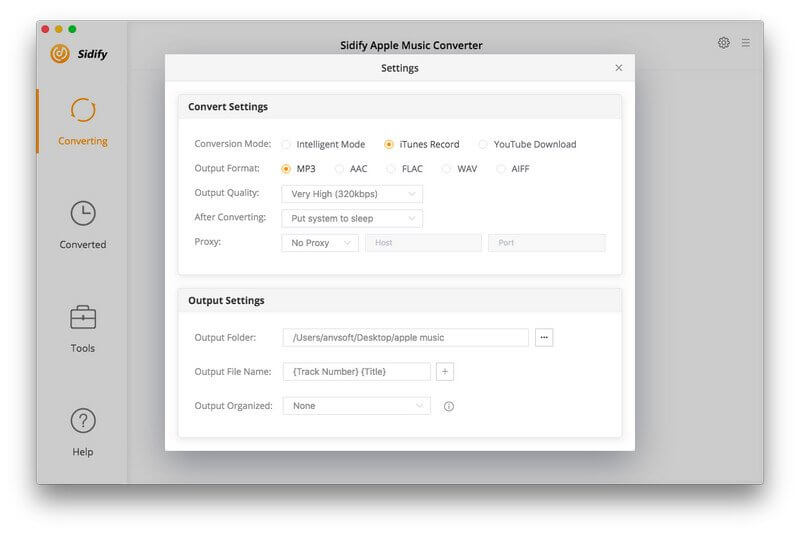
Sidify Apple Music Converter is designed for the lossless record of Apple Music, and convert those downloaded M4P songs to MP3, AAC, FLAC, or WAV format for offline playback, and helps you enjoy Apple Music no matter where you are and on any device. Besides, it also enables you to convert your local audio files to MP3/M4A/AAC/WAV/OGG format.
Free Your Apple Music Tracks
Sidify Apple Music Converter enables Mac users to record Apple Music songs to make them playable on iPod, PSP, MP3 player, Android phone, and other portable devices offline. Besides, with Sidify Apple Music Converter, you can keep Apple Music songs forever even when you cancel the subscription.
Record Apple Music Songs with 100% Lossless Quality
Sidify Apple Music Converter makes it easier than ever to record Apple Music songs in MP3, AAC, FLAC, and WAV with 100% original quality. You can also convert a batch of audio files at a time. In addition, it can be used to convert your local music files to MP3/M4A/AAC/WAV/OGG.
Keep & Edit ID3 Tags
Innovative converting technology is encoded in Sidify Apple Music Converter, which helps keep the ID3 tags after conversion. Moreover, you can edit the ID tags by yourself (in the "Tools" section), including title, artist, album, genre, year, track number.
Convert Protected Audible Audiobooks and iTunes M4P Music
The Sidify Apple Music Converter is an all-in-one and powerful iTunes Audio Converter which can convert not only Apple Music files but also any other kinds of music that can be played in iTunes, including iTunes M4A/M4B, Audible AA/AAX audiobooks, and iTunes M4P music. What's more, it also supports converting Audiobook to AAC format with chapters kept.
Version 3.5.3:
- Support adding Year to the output file name.
- Separate multiple artists by a comma in the Artist tag.
- Optimize the program.
- Fix some bu
Frequently asked questions
How do I install the app?
Mount the image, drag the app into the "Applications" folder and launch it. If the system blocks the launch, allow it in "System Settings → Privacy & Security".
The app is damaged or won't launch
Reinstalling from a fresh image usually helps. Make sure your macOS version matches the one listed in the compatibility specs.
How do I update?
Download the new version from the site and install it over the current one — your settings will be preserved.
The download link doesn't work
Try a mirror or a download manager. For large files the browser often drops the connection.
How do I completely remove the app?
Use an uninstaller utility — it cleans up the service files that remain after moving the app to the trash.



Choose a download source
Sidify Apple Music Converter 3.5.3 · 132.64 MB
Previous versions
Sidify Apple Music Converter 3.5.3
Previous versions are available to registered users.
Comments 1