
Macsome Tidal Music Downloader 1.2.3
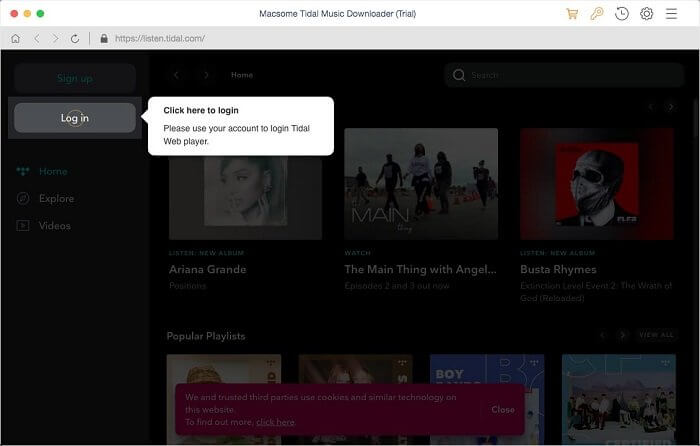
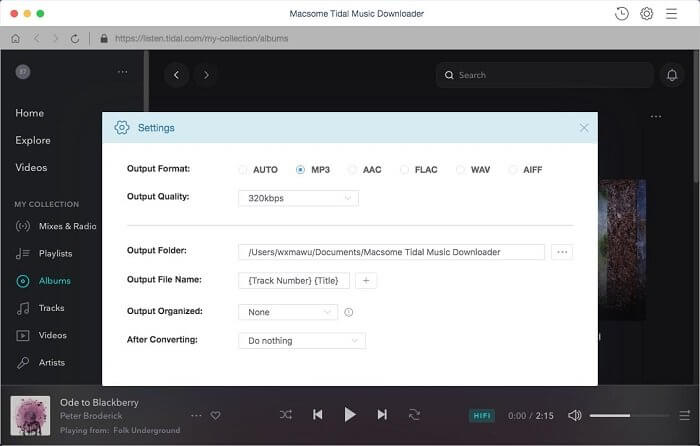
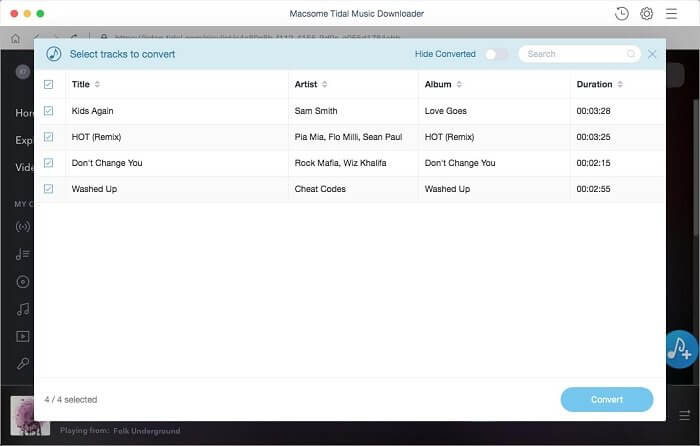
Macsome Tidal Downloader is dedicated to downloading music, album and playlist from Tidal for offline listening. Besides, you can download Tidal songs as local tracks so that you can transfer and play Tidal music on almost all popular players and devices, including portable MP3 players, game consoles, smart speakers, etc.
Convert Tidal Music to MP3, WAV, FLAC and AAC on Mac
Macsome Tidal Music Downloader is designed for Tidal subscribers. It is a professional Tidal Music Converter, which enables you to convert Tidal music, album and playlist MP3, AAC, WAV and FLAC. With imbed Tial Web Player, you don’t have to install Tidal application on your Mac. And just log into Tidal account, you can get Tidal songs downloaded within a few clicks.
Keep Tidal HiFi Music Quality at 10X Faster Speed
Macsome Tidal Music Downloader can download any music from Tidal, including Tidal tracks, albums and playlists with 10x faster speed. After that, Whether you are a Tidal HiFi or Tidal Premium subscriber or not, you can keep Tidal songs on your Mac. What’s more, you can also enjoy all your downloaded Tidal music files for offline listening without any limitations.
Preserve ID3 Tags and Organize Tidal Music Library
To help you organize and discover your downloaded Tidal music files, Macsome Tidal Music Downloader can not only download music from Tidal, but also get the downloaded Tidal music with the 100% original ID3 tags preserved, including Track Number, Artist, Artwork, Album and other metadata information in output audio.
Safe, Easy-to-Use and Free Tech Support
With a simple and convenient user interface, operation is simple. Macsome Tidal Music Downloader for Mac can also support downloading Tidal music files in batch. It is safe and clean, please use it at ease. All registered users, including subscribed users, will be available free upgrade to newer versions. If you encounter with problems in the process of using or upgrading, please keep free to contact with us.
Version 1.2.3
- Fix the issue that no playlists visible.
- Add 'Playlist Index' to Output File Name.
Frequently asked questions
How do I install the app?
Mount the image, drag the app into the "Applications" folder and launch it. If the system blocks the launch, allow it in "System Settings → Privacy & Security".
The app is damaged or won't launch
Reinstalling from a fresh image usually helps. Make sure your macOS version matches the one listed in the compatibility specs.
How do I update?
Download the new version from the site and install it over the current one — your settings will be preserved.
The download link doesn't work
Try a mirror or a download manager. For large files the browser often drops the connection.
How do I completely remove the app?
Use an uninstaller utility — it cleans up the service files that remain after moving the app to the trash.
VersionMacsome Tidal Music Downloader 1.2.3
DeveloperMacsome
CompatibilityOS X 10.9 or later 64-bit
LanguageMultilingual
IncludesK'ed by HCiSO



Information
Visitors in the group Guests cannot leave comments on this publication.
Choose a download source
Macsome Tidal Music Downloader 1.2.3 · 102.79 MB