
Total Video2Gif 2.1.0
A more powerful app "Total Video Converter Pro" is On Sale. It converts any audio and video to iPad, iPhone, Apple TV... Also Burn Video to DVD.
Total Video2Gif is the best choice to convert movie clip to animated gif by freely setting start/end time, speed and size of clip.
Key features:
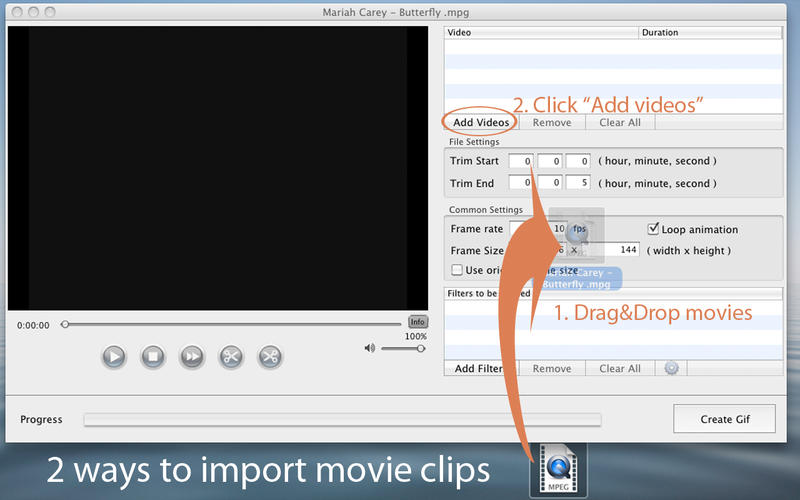
- Convert batch movie clips to animated gif files.
- Freely customize frame rate, frame size to change the speed, size of the clip.
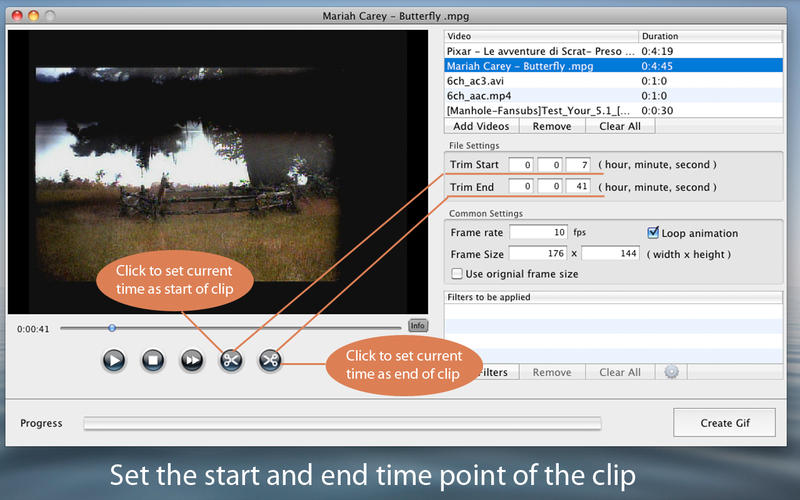
- Set any time point you want as start and end time for the clip.
- Create infinite repeat gif just with a repeat switch.
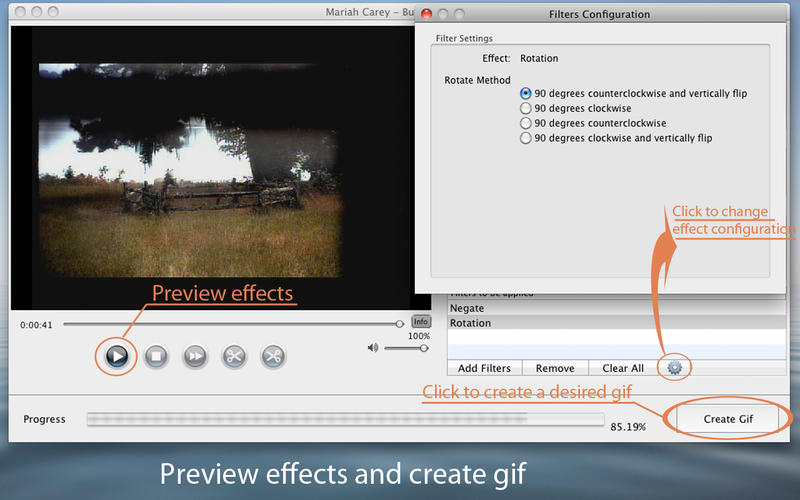
- Apply different effects such as Rotation, Blur, Gray, Brightness, Contrast to movie clip.
- Preview movie clip before starting conversion.
Supported input movie formats:
WMV, MKV, AVI, DivX, XviD, MPEG, MP4, QT, RM, RMVB, M2T, FLV, MPEG, MPEG2 TS, ASF, 3GP, 3G2, GIF, H.264/MPEG-4 AVC, H.264/PSP AVC Video, MOV, FLV,iPod, PSP, Zune, Apple TV, iPhone, Nokia, Sony, BlackBerry, etc.
Version 2.1.0
- If you like using our apps, please support us by rating / reviewing the app in the App Store.
- Add pause preview feature.
Frequently asked questions
How do I install the app?
Mount the image, drag the app into the "Applications" folder and launch it. If the system blocks the launch, allow it in "System Settings → Privacy & Security".
The app is damaged or won't launch
Reinstalling from a fresh image usually helps. Make sure your macOS version matches the one listed in the compatibility specs.
How do I update?
Download the new version from the site and install it over the current one — your settings will be preserved.
The download link doesn't work
Try a mirror or a download manager. For large files the browser often drops the connection.
How do I completely remove the app?
Use an uninstaller utility — it cleans up the service files that remain after moving the app to the trash.





Choose a download source
Total Video2Gif 2.1.0 · 7.88 MB