
Weather Feel 1.2
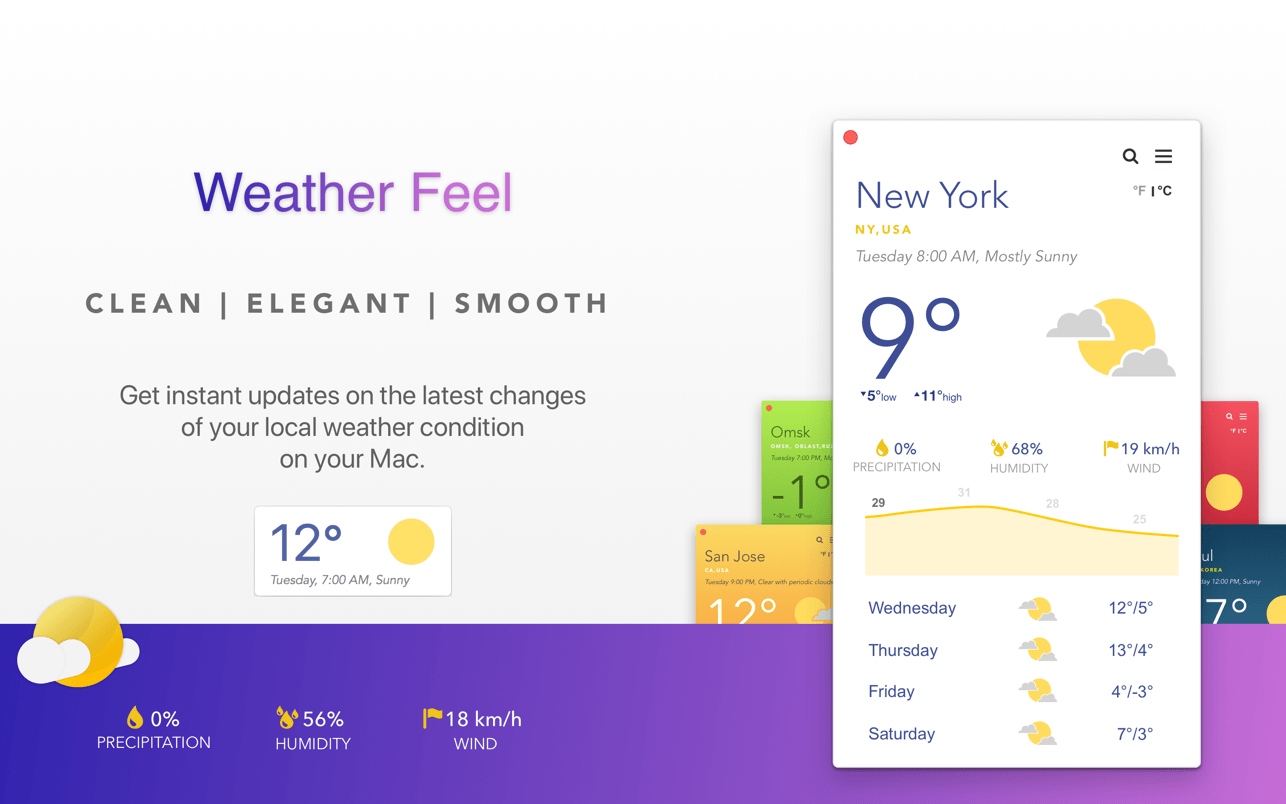
Weather Feel is a breath of fresh air in the realm of weather apps. It is clean, elegant and works smoothly on any given point of time. It loads basic weather statistics on a small yet compact app layout and sends you weather alerts as soon as there are any changes in your weather.
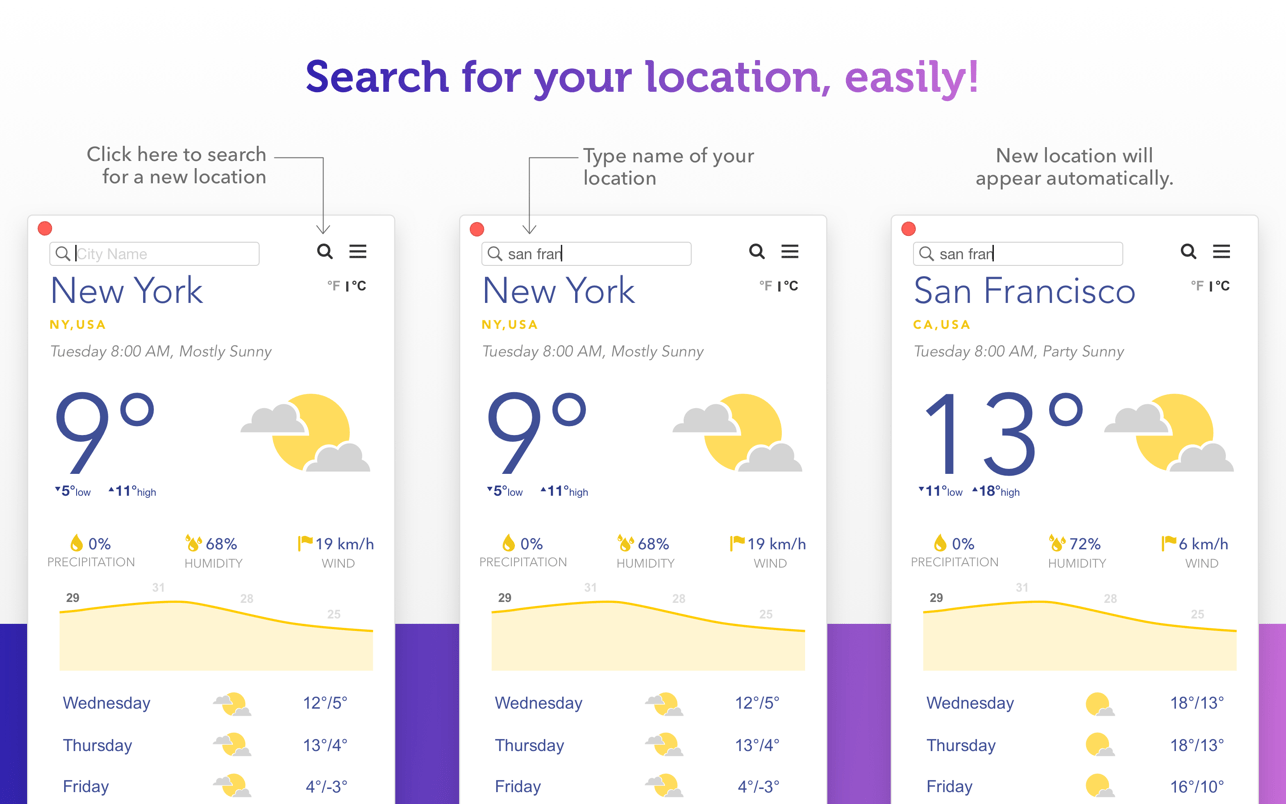
Setting up Weather Feel is as easy as opening the app itself. It automatically searches and adds your current location (Of course if you allow it to) after you fire up the app for the first time. You can also search for other locations by using the search bar at the top that appears when you click the Search Location Button. Just type in the name of a location and see how the Weather Feel instantly loads up weather stats of locations that closely match the search term.
TOP FEATURES:
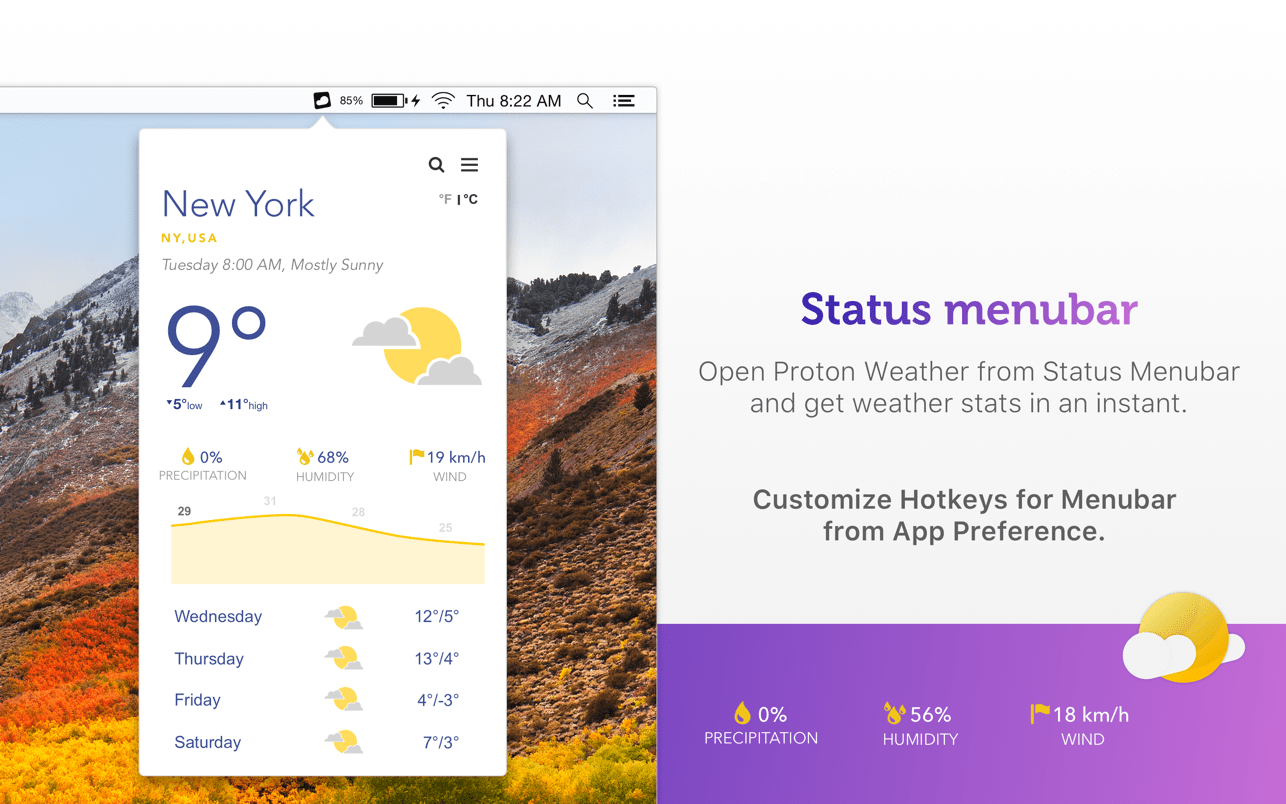
- Quick launch for Status Menubar with hotkey.
- Weather forecast for upcoming four days.
- Important weather stats along with Precipitation, Humidity and Wind speed.
- Current temperature with weather icon.
- Notification shows any changes to the current weather.
- See local temperature in both Celsius and Fahrenheit.
- Easy to search location and load up weather info.
- Open main weather window with keyboard hotkey.
- Open WeatherUpdate automatically at log in.
- Keep current weather icon on Dock instead of App icon or hide both.
- Choose from 5 additional themes.
Version 1.2
- Updated for Mojave.
- Some display issues fixed.
Frequently asked questions
How do I install the app?
Mount the image, drag the app into the "Applications" folder and launch it. If the system blocks the launch, allow it in "System Settings → Privacy & Security".
The app is damaged or won't launch
Reinstalling from a fresh image usually helps. Make sure your macOS version matches the one listed in the compatibility specs.
How do I update?
Download the new version from the site and install it over the current one — your settings will be preserved.
The download link doesn't work
Try a mirror or a download manager. For large files the browser often drops the connection.
How do I completely remove the app?
Use an uninstaller utility — it cleans up the service files that remain after moving the app to the trash.
VersionWeather Feel 1.2
DeveloperRaj Kumar Shaw
CompatibilityOS X 10.11 or later, 64-bit processor
LanguageEnglish
IncludesK'ed by HCiSO




Information
Visitors in the group Guests cannot leave comments on this publication.
Choose a download source
Weather Feel 1.2 · 6.47 MB