

Simple WebMonitor 1.6.1
Screenshots
Click to enlarge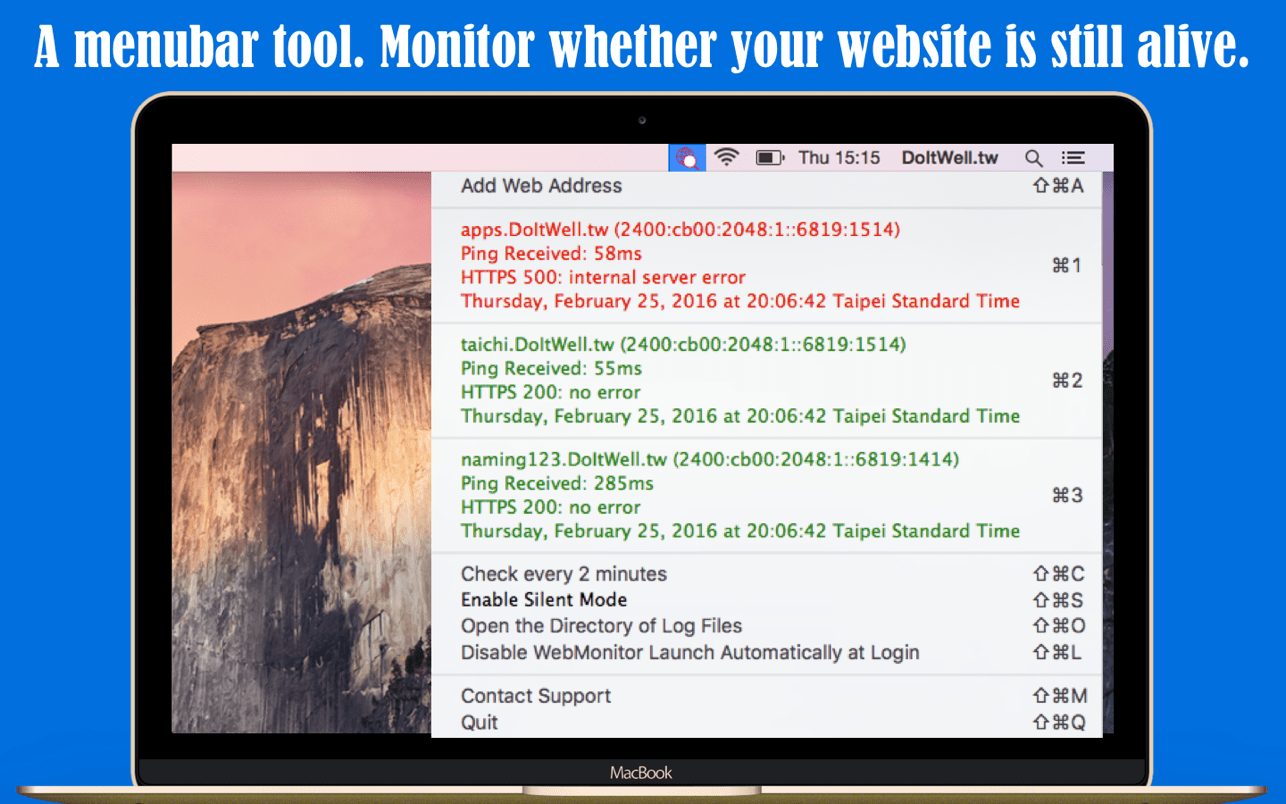
Simple WebMonitor - Monitor and watch whether your IPv4/IPv6 web sites are still alive
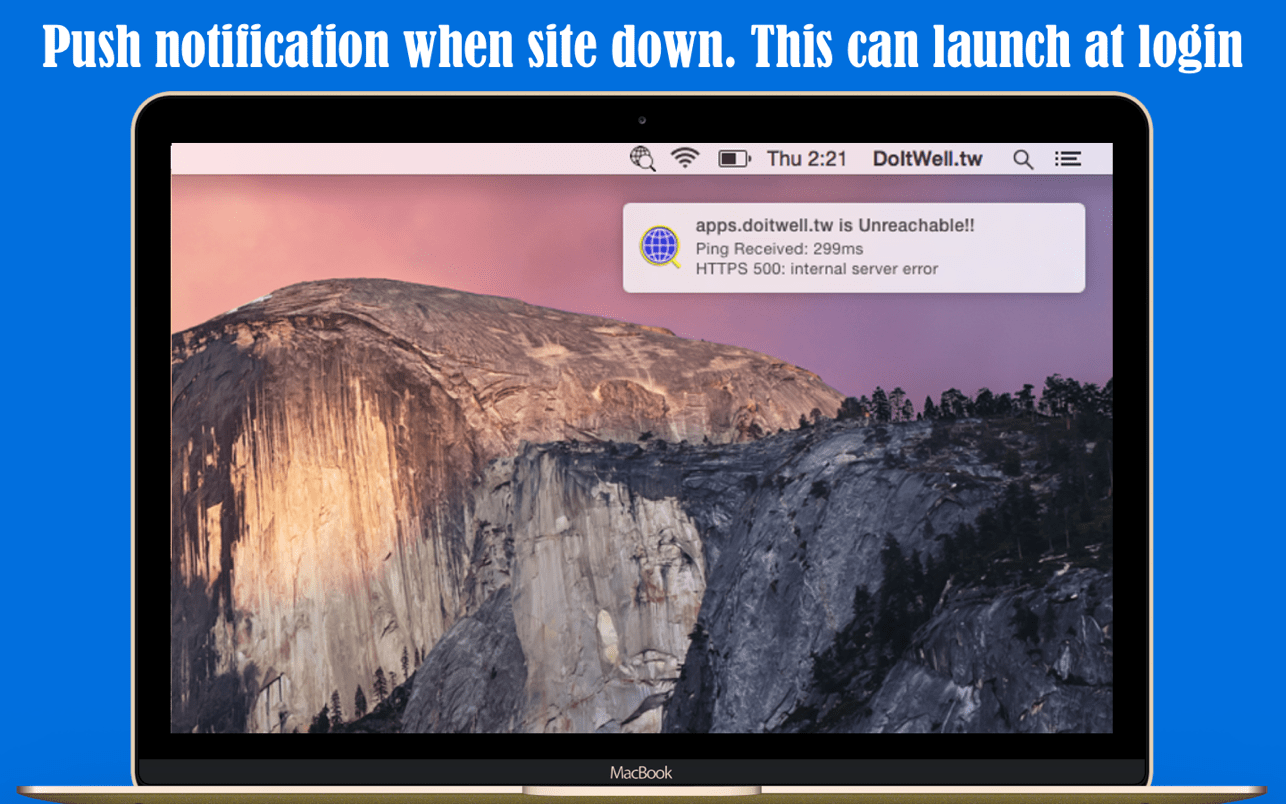
WebMonitor is a menubar tool to monitor whether your sites is still alive. WebMonitor will send PING6/PING/GET/POST requests to your target sites every two minutes. WebMonitor will push notification while something wrong is detected.
Major features
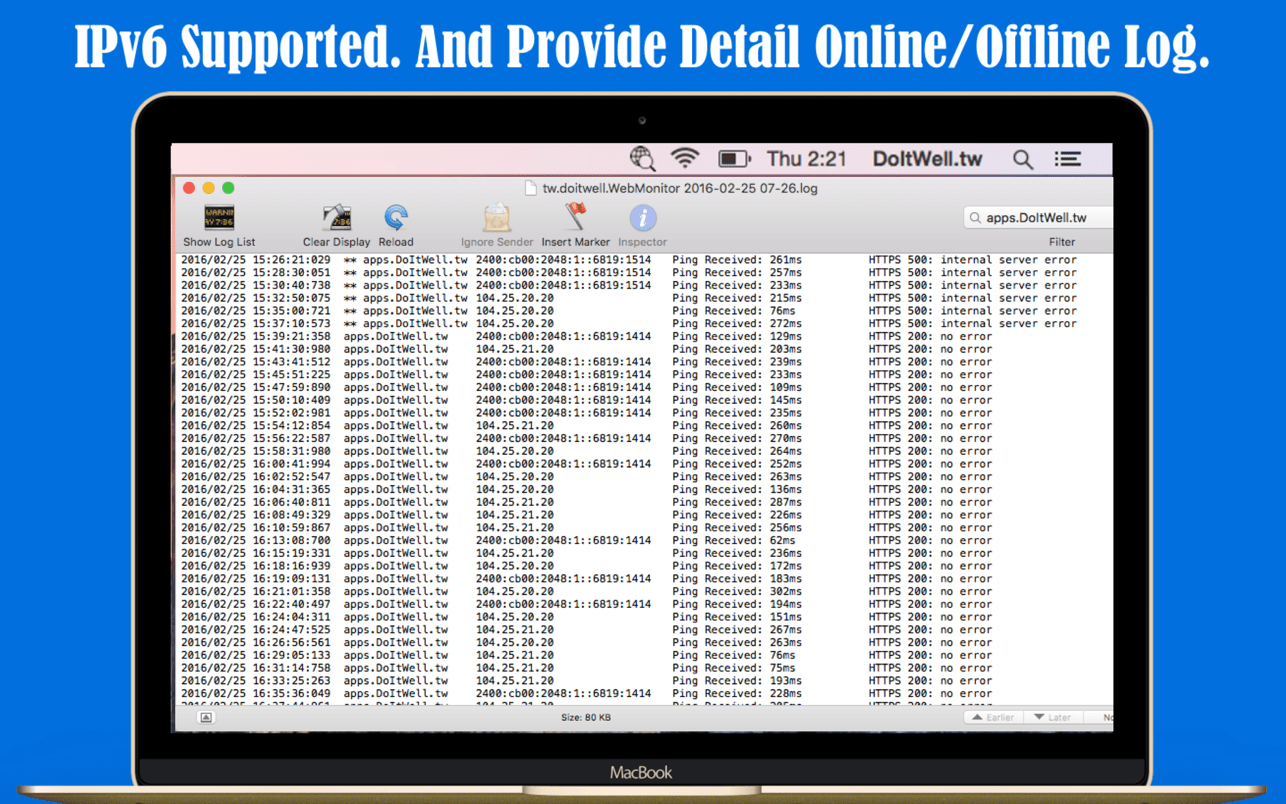
- IPv6 Supported
- Monitor your web sites every two minutes default. The checking frequency can be modified.
- Push notification supported.
- Silent Mode Supported: can disable notification for a period time.
- Can launch automatically at login.
- Logging supported. Easy review when was offline or online.
- The menubar icon will be red if any website offline.
- Two formats supported:
- Just domain name. (ex. www.myserver.com or apps.doitwell.tw, etc.)
- relative Url (ex. www.myserver.com/isalive.htm or apps.doitwell.tw/NextBus/)
Version 1.6.1
- Prevent multiple notifications in a short period of time.
Comments
No comments yet. Be the first.
Information
Visitors in the group Guests cannot leave comments on this publication.