
Importer for Contacts 1.6
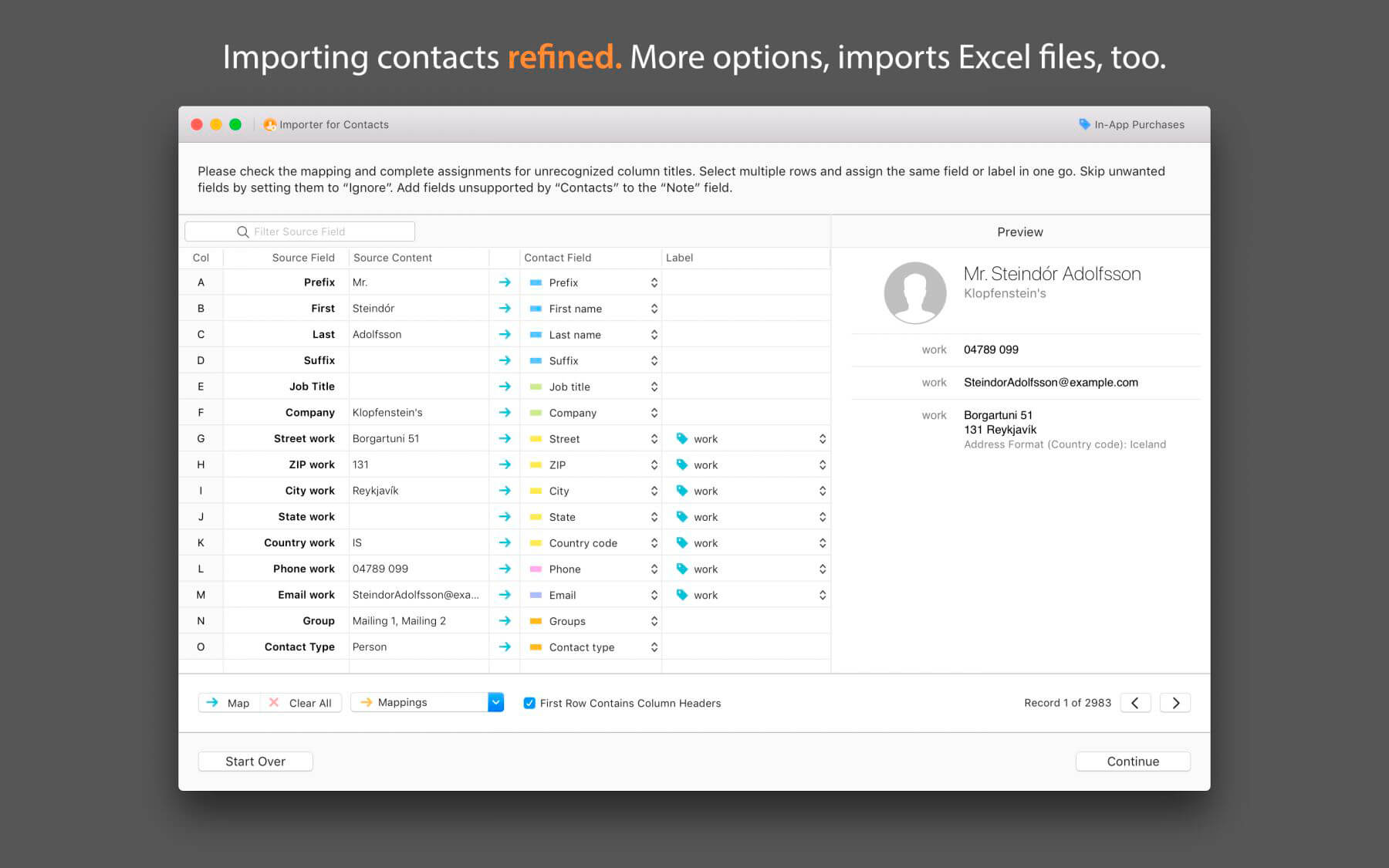

Importer for Contacts picks up where Apple Contacts left off by importing Excel files, CSV files, tab-delimited files, and vCards into "Contacts" with more options.
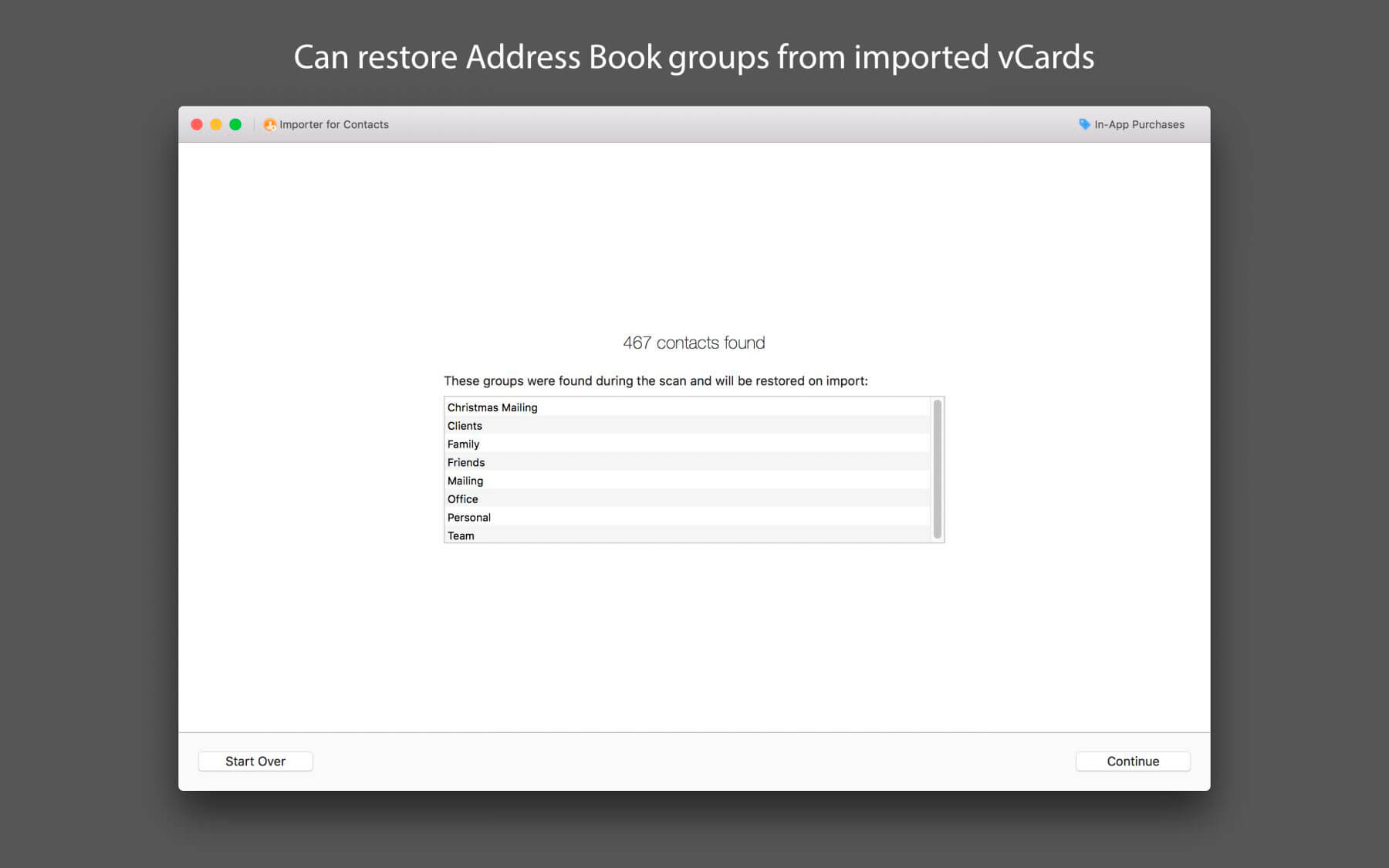
As a bonus, it can also convert CSV and Excel files to vCard files directly without the need to import them first. The app is also able to restore Address Book groups from vCards.
Features:
- Imports Excel files (.xlsx), including embedded pictures
- Imports vCards with automatic group restoration
- Maps fields automatically and remembers field mappings for future imports.
- Lets you save mappings to make repeated imports easier
- Supports custom labels
- Accepts CSV files that Apple’s Contacts app refuses to open
- Can perform automatic group assignment. Groups that do not already exist will be created. In your import file, simply add a column with a comma-separated list of group names that the contact should be a member of.
- Supports line breaks in CSV and tab-delimited text file fields (street addresses, notes, etc.) if the file is properly formatted
- Fields not supported by Contacts can be added to the "Note" field
- Comes with an interactive preview to make it easier to determine the character encoding of the import file - helpful if you don't know which encoding was used or if you have no idea what a character encoding is.
Version 1.6:
- Added support for macOS 11 Big Sur
- Added support for Macs with Apple Silicon processor
- Fields imported into notes can now be formatted with various options for better readability. These options can be set in the app’s preferences.
- When importing group names from a FileMaker repeating field, the individual values are now automatically recognized.
- Improved reliability when extracting labels from label/value lists.
- Fixes a bug that caused a crash that occurred when an Excel date field contained an invalid value.
Frequently asked questions
How do I install the app?
Mount the image, drag the app into the "Applications" folder and launch it. If the system blocks the launch, allow it in "System Settings → Privacy & Security".
The app is damaged or won't launch
Reinstalling from a fresh image usually helps. Make sure your macOS version matches the one listed in the compatibility specs.
How do I update?
Download the new version from the site and install it over the current one — your settings will be preserved.
The download link doesn't work
Try a mirror or a download manager. For large files the browser often drops the connection.
How do I completely remove the app?
Use an uninstaller utility — it cleans up the service files that remain after moving the app to the trash.
VersionImporter for Contacts 1.6
DeveloperStefan Keller
CompatibilityOS X 10.10 or later, 64-bit processor
LanguageEnglish
IncludesK'ed by TNT





Information
Visitors in the group Guests cannot leave comments on this publication.
Choose a download source
Importer for Contacts 1.6 · 9.99 MB