
NCH Zulu Maters 5.02

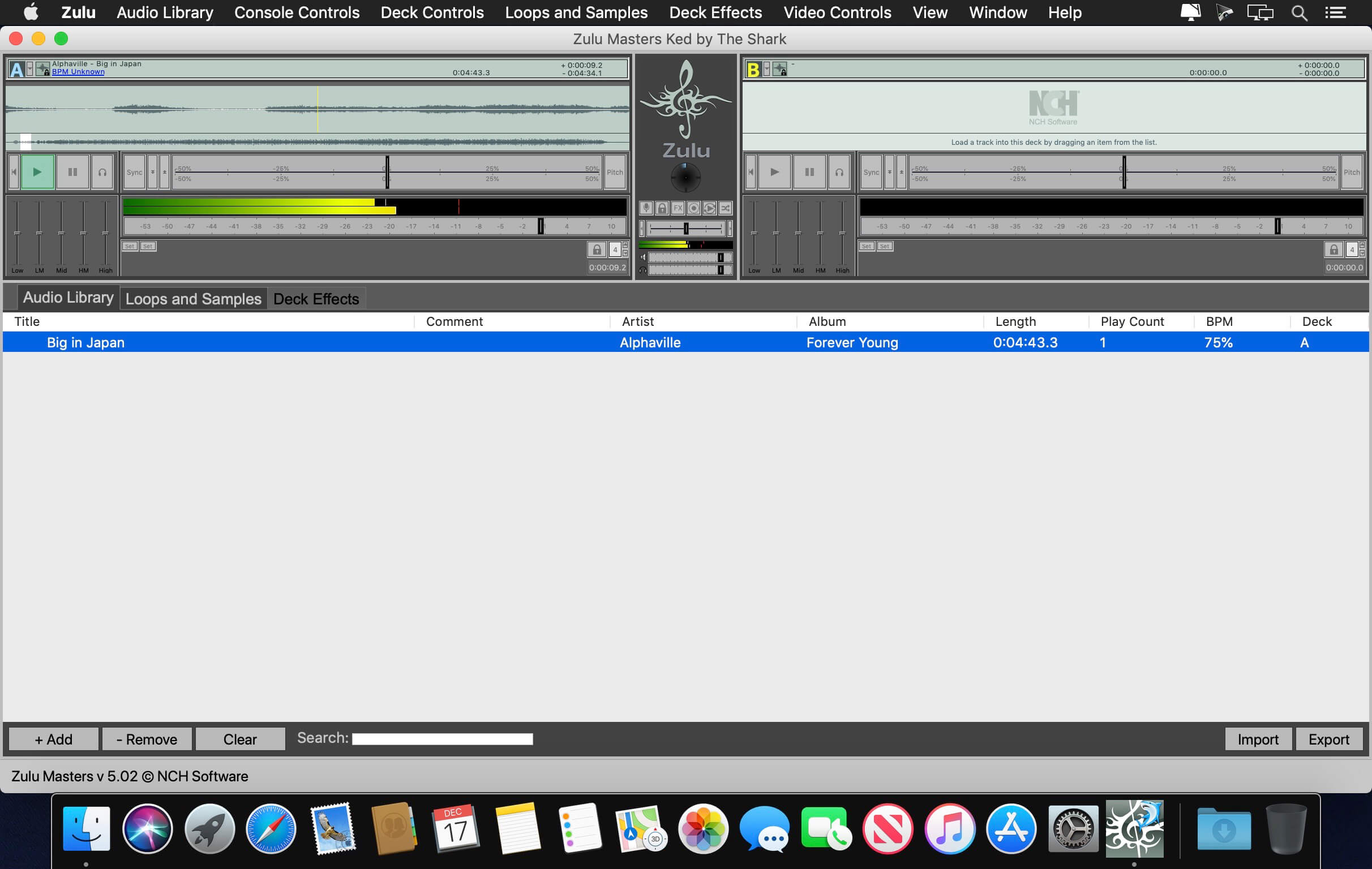

This DJ software is the complete DJ mixer solution. Powerful features unite in an easy-to-use interface making mixing your favorite tracks easy. Mix your music live while applying effects on the fly. The music will always stay on tempo with automatic beat detection. Load a track onto a deck and it automatically scans the file for a beat, assigns a beat per minute (BPM) and changes the tempo on the second deck for perfect synchronization. Drag and drop your music from anywhere and preview upcoming tracks before they play. Zulu DJ Software also supports all the latest audio file formats.
DJ Mixer Features:
- Easily crossfade between tracks
- Real-time pitch and tempo adjustment
- Auto-play mode for hands-free, seamless music mixing
- Supports mp3, wav and all other popular audio formats
- Automatic beat detection
- Beat synchronization between the decks
- Apply effects in real-time, includes all popular effects like distortion and reverb
- Record DJ mixes and save as an audio file
- Loop sections within a track and synchronize to the BPM
- Stream your mix in real-time on YouTube
- Compatible with MIDI controllers
- Preserve track pitch when adjusting speed
- Set playback markers for your tracks
- Add loops and samples to the sample bank
- Safe live mode prevents accidents for flawless shows
Version 5.02:
- Release notes were unavailable when this listing was updated.
Frequently asked questions
How do I install the app?
Mount the image, drag the app into the "Applications" folder and launch it. If the system blocks the launch, allow it in "System Settings → Privacy & Security".
The app is damaged or won't launch
Reinstalling from a fresh image usually helps. Make sure your macOS version matches the one listed in the compatibility specs.
How do I update?
Download the new version from the site and install it over the current one — your settings will be preserved.
The download link doesn't work
Try a mirror or a download manager. For large files the browser often drops the connection.
How do I completely remove the app?
Use an uninstaller utility — it cleans up the service files that remain after moving the app to the trash.
VersionNCH Zulu Maters 5.02
DeveloperNCH Software
CompatibilityOS X 10.5 or later
LanguageEnglish
IncludesK'ed by The Shark



Information
Visitors in the group Guests cannot leave comments on this publication.
Choose a download source
NCH Zulu Maters 5.02 · 6.12 MB