
Star Wars - Empire At War 1.05
Classic Star Wars game, it never lived up to Galactic Battlegrounds but this is as good as it gets without going back to OS 9!
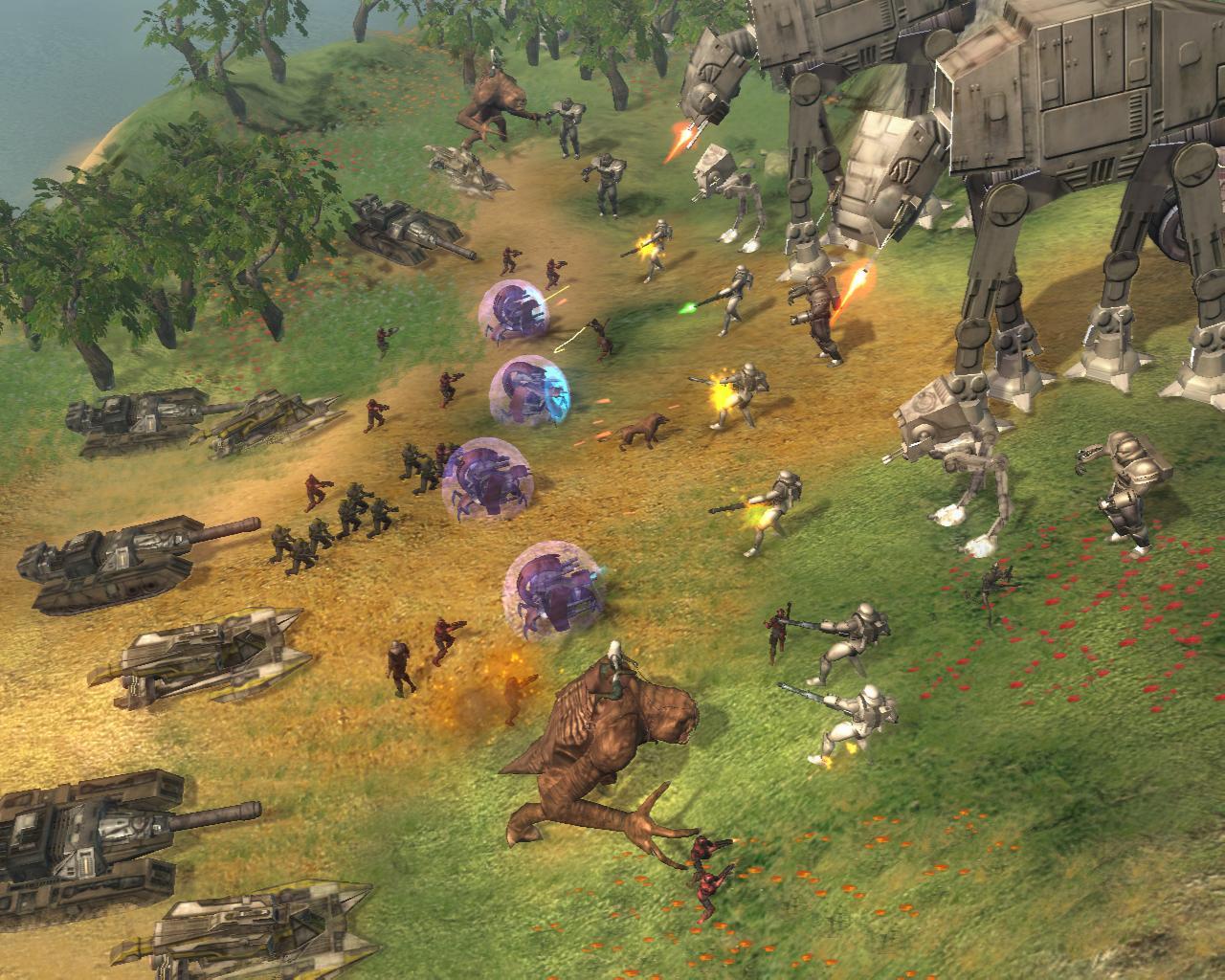
Command or corrupt an entire galaxy in the definitive Star Wars strategy collection. It is a time of galactic civil war. Will you take up the reins of the Rebellion, assume control of the Empire, or rule the Star Wars Underworld? From the lives of soldiers to the deaths of planets, you are the supreme galactic commander. It is a time of galactic civil war. Take up the reins of the Rebellion or assume control for the Empire. Whichever you choose, it will be up to YOU to steer your side to ultimate victory. Command everything from individual troops to starships and even the mighty Death Star as you execute campaigns on the ground, in space and across the galaxy. Forget tedious resource gathering – just jump straight into the heart of the action. You can even change Star Wars history! Every decision affects your next battle and every battle helps shape the fate of the galaxy.
- Conquer or liberate over 80 ground and space locations including Kashyyyk, Tatooine and Dagobah – each with its own strategic advantage.
- Command iconic Star Wars characters such as Obi-Wan Kenobi, Luke Skywalker, Darth Vader and Boba Fett.
- Pit X-wings against TIE fighters or command an entire fleet of Star Destroyers in space. Then send down land forces to secure the planet below.
Screenshots


Frequently asked questions
How do I install the app?
Mount the image, drag the app into the "Applications" folder and launch it. If the system blocks the launch, allow it in "System Settings → Privacy & Security".
The app is damaged or won't launch
Reinstalling from a fresh image usually helps. Make sure your macOS version matches the one listed in the compatibility specs.
How do I update?
Download the new version from the site and install it over the current one — your settings will be preserved.
The download link doesn't work
Try a mirror or a download manager. For large files the browser often drops the connection.
How do I completely remove the app?
Use an uninstaller utility — it cleans up the service files that remain after moving the app to the trash.
DeveloperPetroglyph
GenreStrategy
CompatibilityOS X 10.7.5 or later, 64-bit processor
LanguageEnglish
IncludesPre-K'ed
Related posts




Information
Visitors in the group Guests cannot leave comments on this publication.
Choose a download source
Star Wars - Empire At War 1.05 · 3.21 GB