
CValley Xtream Path 2.0.6
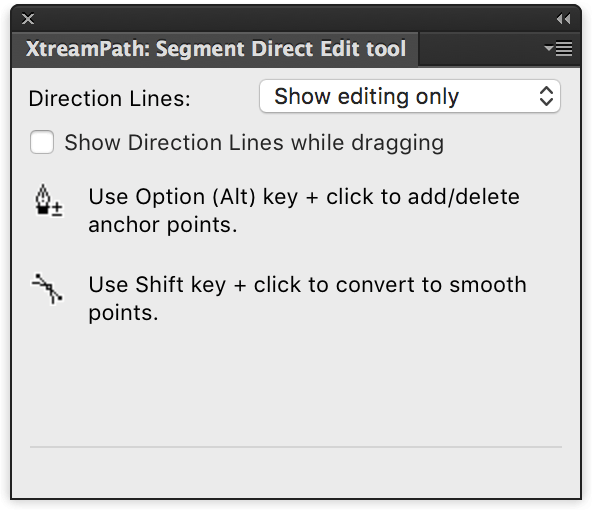
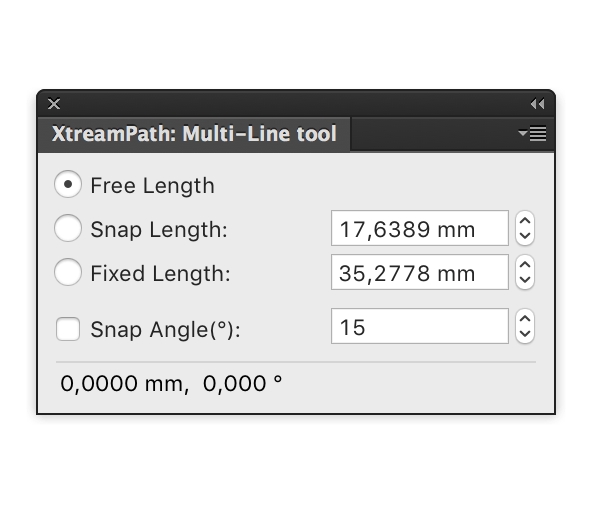
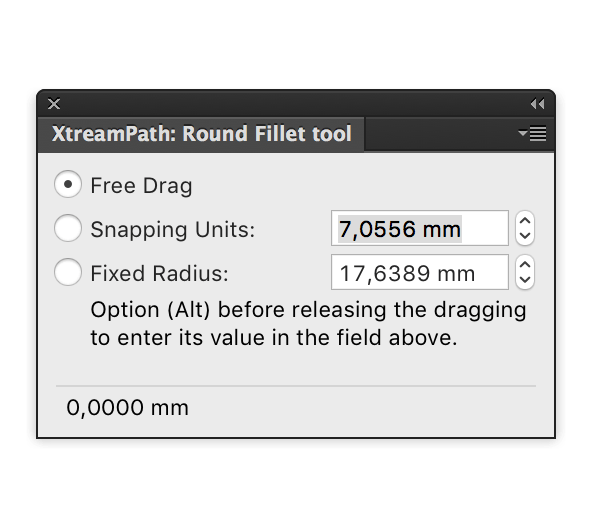
Xtream Path 2 is a plug-in software for Adobe Illustrator. Drag, stretch, push and pull… you can do a lot with paths using Xtream Path! You no longer have to be constrained to control points when editing paths. It allows you to drag anywhere on a path and edit only the exact location you want. Editing paths in Illustrator is much more flexible than ever before. There is no doubt you will have fun editing with Xtream Path. The latest version 2 is compatible with CC 2019.
Xtream Path 2
Blowing Effect:
Blowing Effect applies wind blows to the selected object (path or text or its group) an creates the deformation effect. You can express speeding, melting, and shaving with this effect.
Smart Rounding Effect/Filter:
Input increment value can be selected via Spin (stepper) or the up/down arrow key. It enables minute control over the round corner adjustment.
Smart Rounding can instantly round sharp corners with one click. If you apply the Smart Rounding effect to text, it is as if you have a new set of font. Your original, too! You don’t need to create outlines!! Smart Rounding can set convex and concave corners individually as well as maximum length. (There are settings for ‘Max. Length along Concave Angle’ and ‘Max. Length along Convex Angle’.) Also, even with large amount of text, it can process as a batch in a blink of an eye. Smart Rounding is the best tool to round off the corner of text.
Live Wallpaper (Crystalline Pattern):
The Live Wallpaper fills a designated area with copies of the selected artwork. The Xtream Path 2 panel offers 17 different patterns of wallpaper, based on the International Union of Crystallography (IUC) standards. The unit from a Wallpaper can be transferred to Illustrator’s ‘Pattern Editing Mode’ and save in the ‘Swatches’ panel.
Live Blurred Path:
Live Blurred Path blurs the edge of the selected object to blend into the background. The position and direction of the blurred area can be controlled from the filled area.
Live Rotate Mirror:
Live Rotate Mirror cuts off specified the area of the selected object and duplicates like mirrored image. It can also include the reflection symmetry based from the rotation axis.
Blowing Effect:
Blowing Effect applies wind blows to the selected object (path or text or its group) an creates the deformation effect. You can express speeding, melting, and shaving with this effect.
Smart Rounding Effect/Filter:
Input increment value can be selected via Spin (stepper) or the up/down arrow key. It enables minute control over the round corner adjustment.
Smart Rounding can instantly round sharp corners with one click. If you apply the Smart Rounding effect to text, it is as if you have a new set of font. Your original, too! You don’t need to create outlines!! Smart Rounding can set convex and concave corners individually as well as maximum length. (There are settings for ‘Max. Length along Concave Angle’ and ‘Max. Length along Convex Angle’.) Also, even with large amount of text, it can process as a batch in a blink of an eye. Smart Rounding is the best tool to round off the corner of text.
Live Wallpaper (Crystalline Pattern):
The Live Wallpaper fills a designated area with copies of the selected artwork. The Xtream Path 2 panel offers 17 different patterns of wallpaper, based on the International Union of Crystallography (IUC) standards. The unit from a Wallpaper can be transferred to Illustrator’s ‘Pattern Editing Mode’ and save in the ‘Swatches’ panel.
Live Blurred Path:
Live Blurred Path blurs the edge of the selected object to blend into the background. The position and direction of the blurred area can be controlled from the filled area.
Live Rotate Mirror:
Live Rotate Mirror cuts off specified the area of the selected object and duplicates like mirrored image. It can also include the reflection symmetry based from the rotation axis.
Frequently asked questions
How do I install the app?
Mount the image, drag the app into the "Applications" folder and launch it. If the system blocks the launch, allow it in "System Settings → Privacy & Security".
The app is damaged or won't launch
Reinstalling from a fresh image usually helps. Make sure your macOS version matches the one listed in the compatibility specs.
How do I update?
Download the new version from the site and install it over the current one — your settings will be preserved.
The download link doesn't work
Try a mirror or a download manager. For large files the browser often drops the connection.
How do I completely remove the app?
Use an uninstaller utility — it cleans up the service files that remain after moving the app to the trash.
VersionCValley Xtream Path 2.0.6
DeveloperCValley
CompatibilityAdobe Illustrator CC 2019
LanguageEnglish
IncludesPre-K'ed



Information
Visitors in the group Guests cannot leave comments on this publication.
Choose a download source
CValley Xtream Path 2.0.6 · 10.62 MB