yCal 1.6

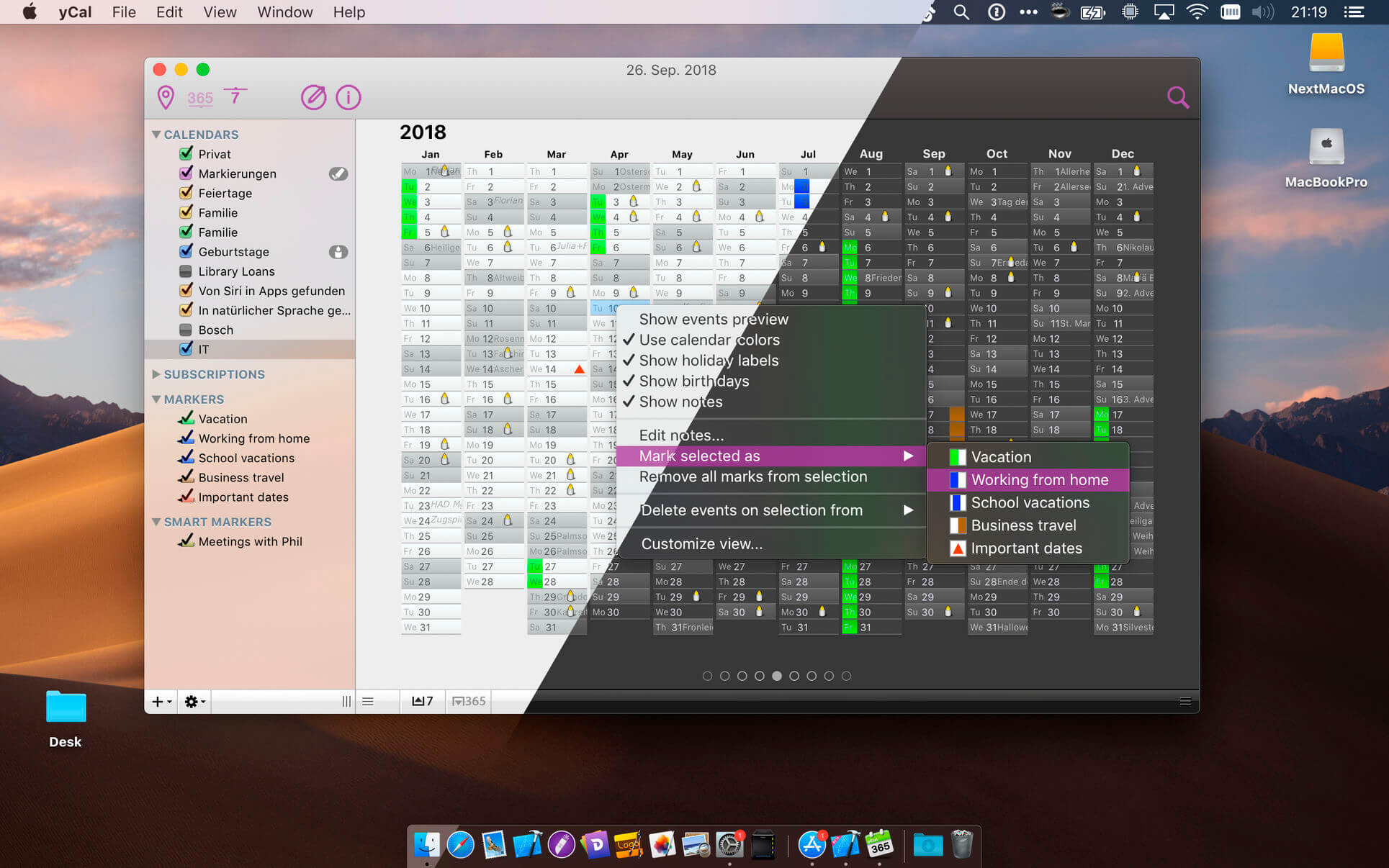
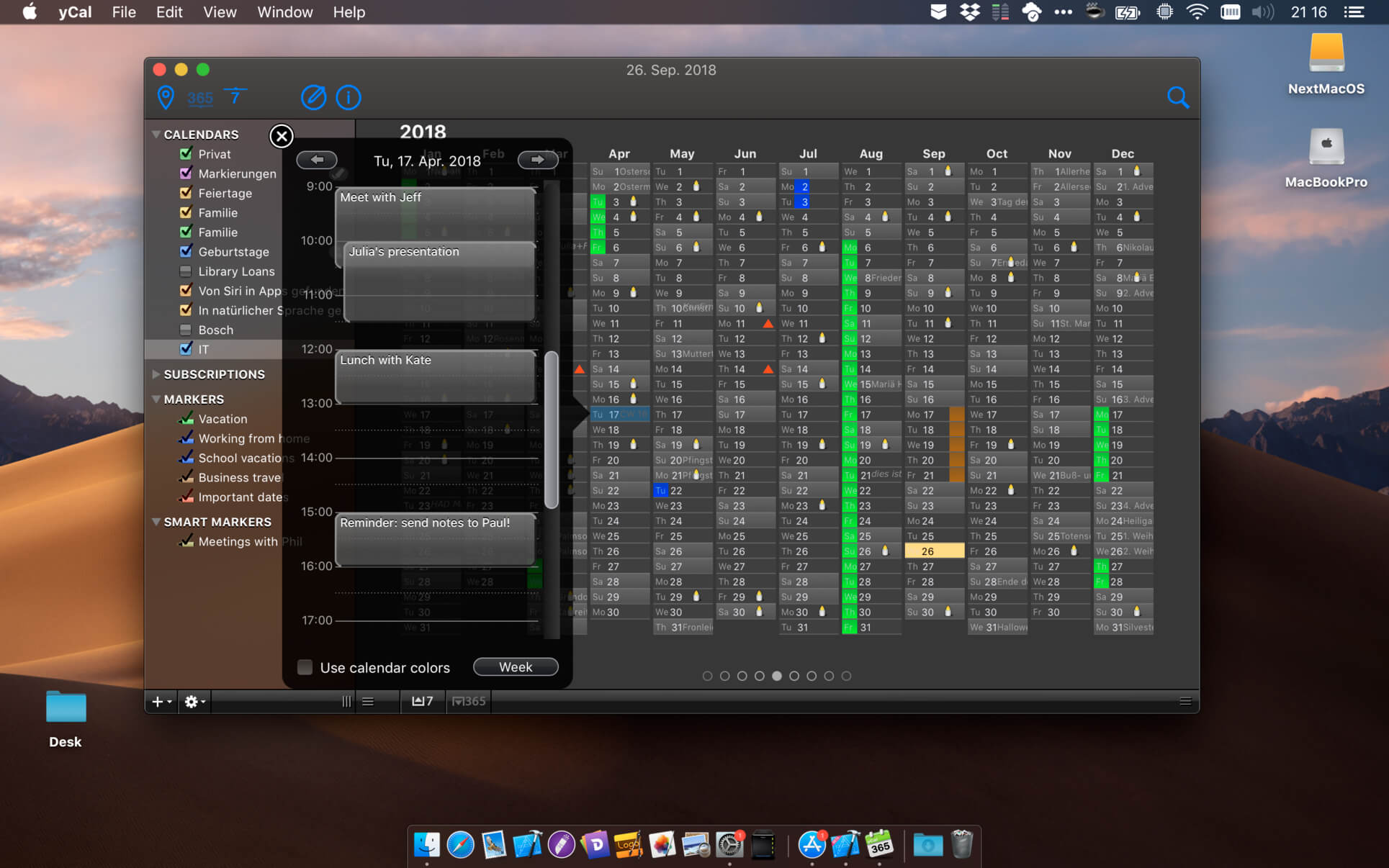
yCal is a calendaring app to help keep the overview on a whole year. It features a unique "months by column" year view in addition to the more conventional week views, provides ample marking and note taking options, and central holiday and birthday management.
yCal has been designed from the ground up to make a better desktop calendar. Its unique year view gives you the perfect overview in a fraction of a second. Days can be marked in different colors and styles to give you more information in one picture (e.g., to show days of vacation, times of travel etc.) just like on a normal paper calendar. The full year can be shown side-by-side with the week view, giving you more fine granular access to individual events.
Everything is optimized for giving you access to powerful features with minimum user interface overhead. For example, just hit space in the year view to quickly look at the details of a selected day. Or just start typing to add a note. Swipe left or right to scroll through years and weeks.
yCal seamlessly integrates with calendars set up in OS X there is no proprietary data store. Use your existing data from local calendars, CalDAV servers, iCloud, or from wherever else without the need for importing or copying. All your changes will be sync'ed to all your servers and devices by Apple's iCal or Calendar app.
Features
- unique "months by column" view
- events "heatmap" in year view
- quickview feature
- easy note taking
- lots of customization options
- split views to show year and week simultaneously
- customizable colored markers for labeling days
- statistics on markers
- central management of holidays
- central management of birthdays
- seamless integration with standard calendar stores
- sync all your calendars via iCal/Calendar
Frequently asked questions
How do I install the app?
Mount the image, drag the app into the "Applications" folder and launch it. If the system blocks the launch, allow it in "System Settings → Privacy & Security".
The app is damaged or won't launch
Reinstalling from a fresh image usually helps. Make sure your macOS version matches the one listed in the compatibility specs.
How do I update?
Download the new version from the site and install it over the current one — your settings will be preserved.
The download link doesn't work
Try a mirror or a download manager. For large files the browser often drops the connection.
How do I completely remove the app?
Use an uninstaller utility — it cleans up the service files that remain after moving the app to the trash.
VersionyCal 1.6
DeveloperLothar Baum
CompatibilitymacOS 10.12 or later, 64-bit processor
LanguageEnglish
IncludesK'ed by TNT



Information
Visitors in the group Guests cannot leave comments on this publication.
Choose a download source
yCal 1.6 · 9.8 MB