PDF Search 13.9
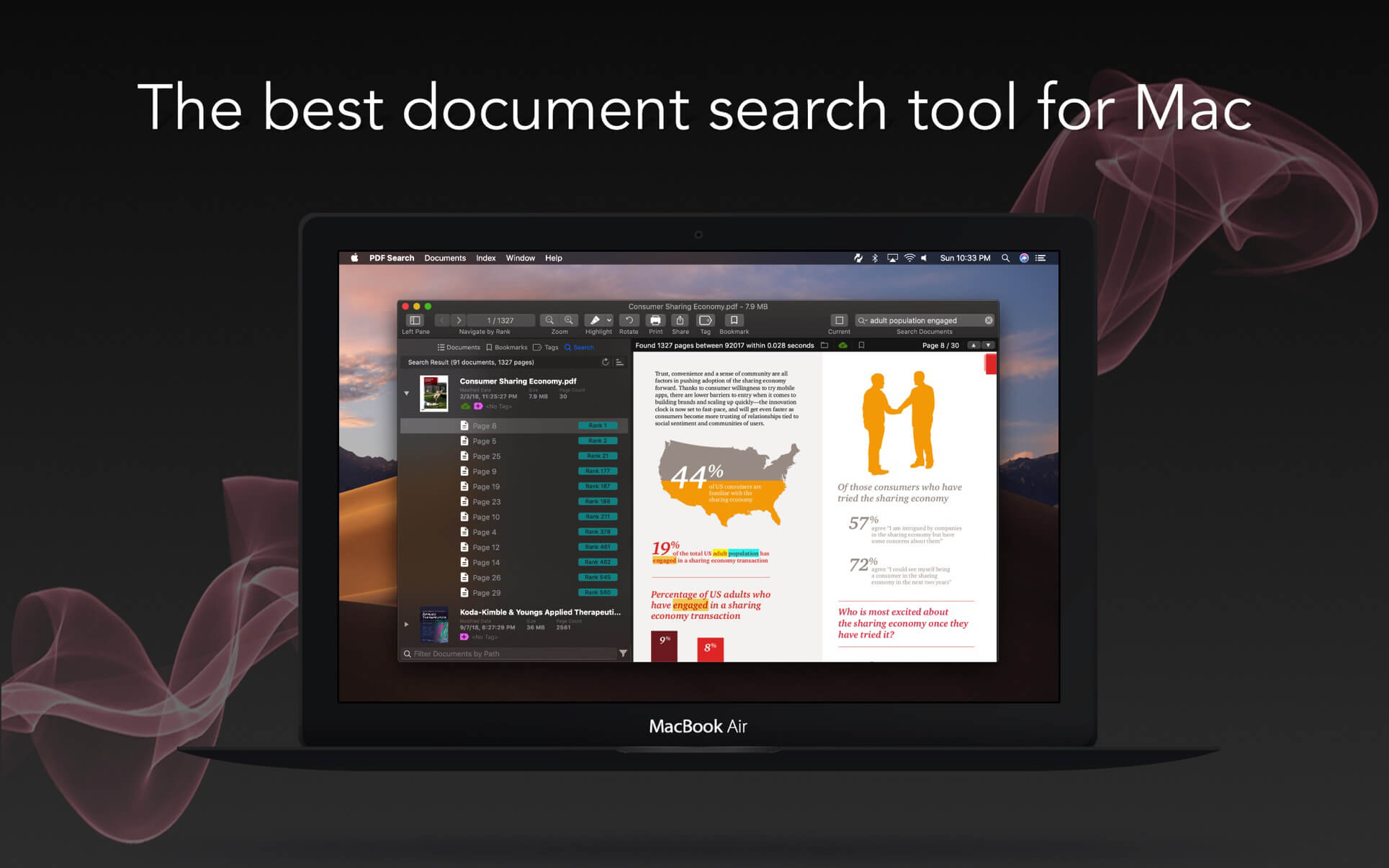
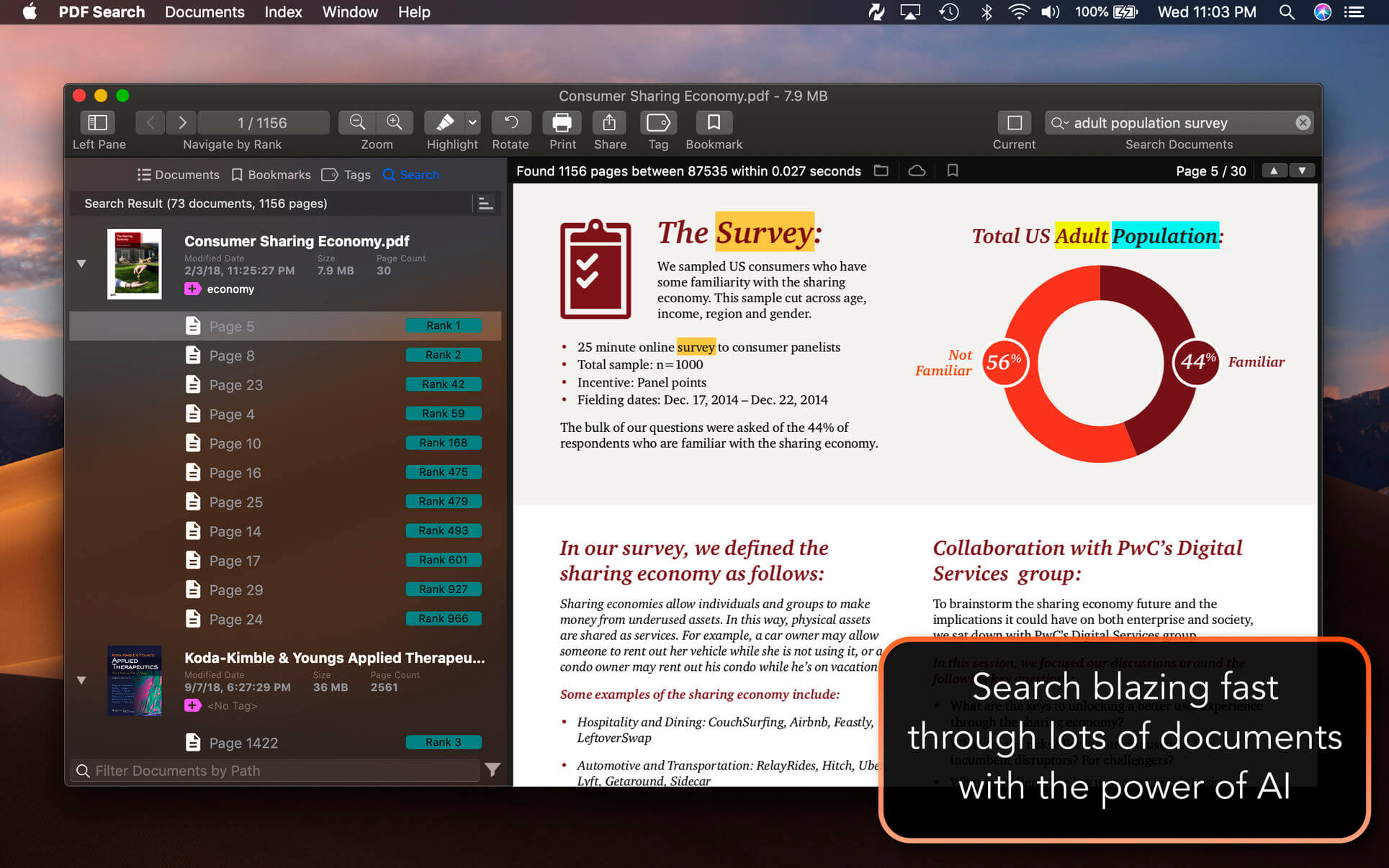
PDF Search is a utility which has a revolutionary search algorithm especially developed for PDF documents. The time to reach the information in your PDF documents will be minimum with it. It will make you able to find what you are looking for within thousands of documents instantly. It is system integrated. You can start a search directly from system menu bar like Spotlight.
Features
- Ultra-fast search
- Synchronization between iOS and macOS app.
- Page ranking system
- Word distance algorithm
- Keyword placement analyze
- Ability to understand what you mean when you mistype a keyword
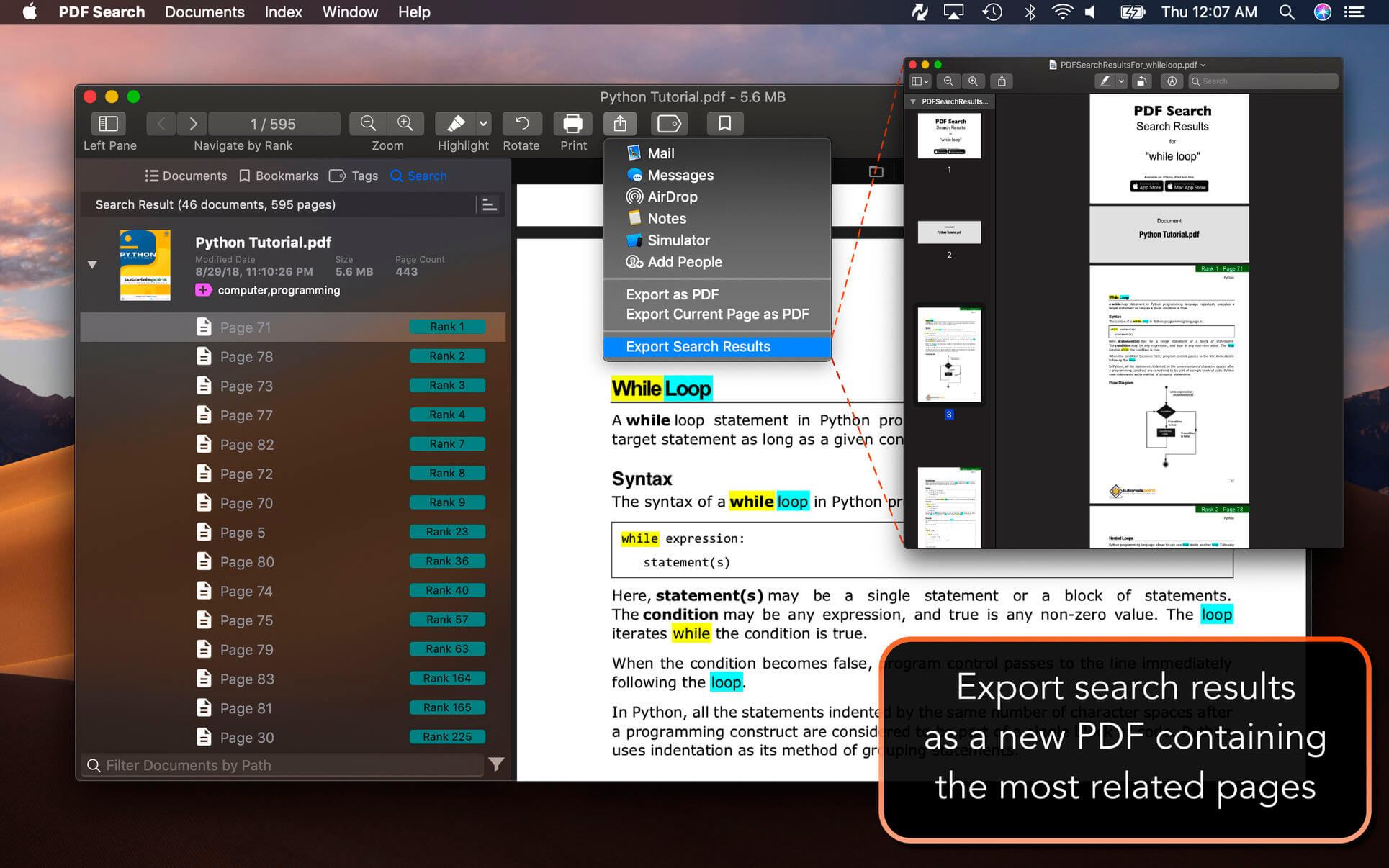
- Export search results as a new PDF document which is containing all best pages from most relevant documents. So you can share results as one document.
- Wild-char search ability to search words starting or ending with other words.
- Export current page as PDF easily to share with others
- Folder based navigation
- iCloud folder support
- Tag support
- Bookmark support
- Empower search with similar keywords
- Emphasize power ranking (Header, title, paragraph detection)
- PDF Converter : Convert office documents to PDF
- Export as PDF
- Support for Word, Powerpoint, Pages, Keynote and RTF documents with the integration of PDF Converter app.
- Ability to run as a window app or menu bar app.
- Search specific files
- Higher rank for up-to-date files
- Quick navigation between pages in different documents
- Highlighting keywords in animations
- Insert annotates to pages (Highlight, Underline, Strikethrough)
- Global shortcut key to search
- Backup index database
Version 13.0:
- UI improvements
- Stability improvements
Frequently asked questions
How do I install the app?
Mount the image, drag the app into the "Applications" folder and launch it. If the system blocks the launch, allow it in "System Settings → Privacy & Security".
The app is damaged or won't launch
Reinstalling from a fresh image usually helps. Make sure your macOS version matches the one listed in the compatibility specs.
How do I update?
Download the new version from the site and install it over the current one — your settings will be preserved.
The download link doesn't work
Try a mirror or a download manager. For large files the browser often drops the connection.
How do I completely remove the app?
Use an uninstaller utility — it cleans up the service files that remain after moving the app to the trash.




Choose a download source
PDF Search 13.9 · 11.5 MB
Previous versions
PDF Search 13.9
Previous versions are available to registered users.