
MetaImage 2.6.7
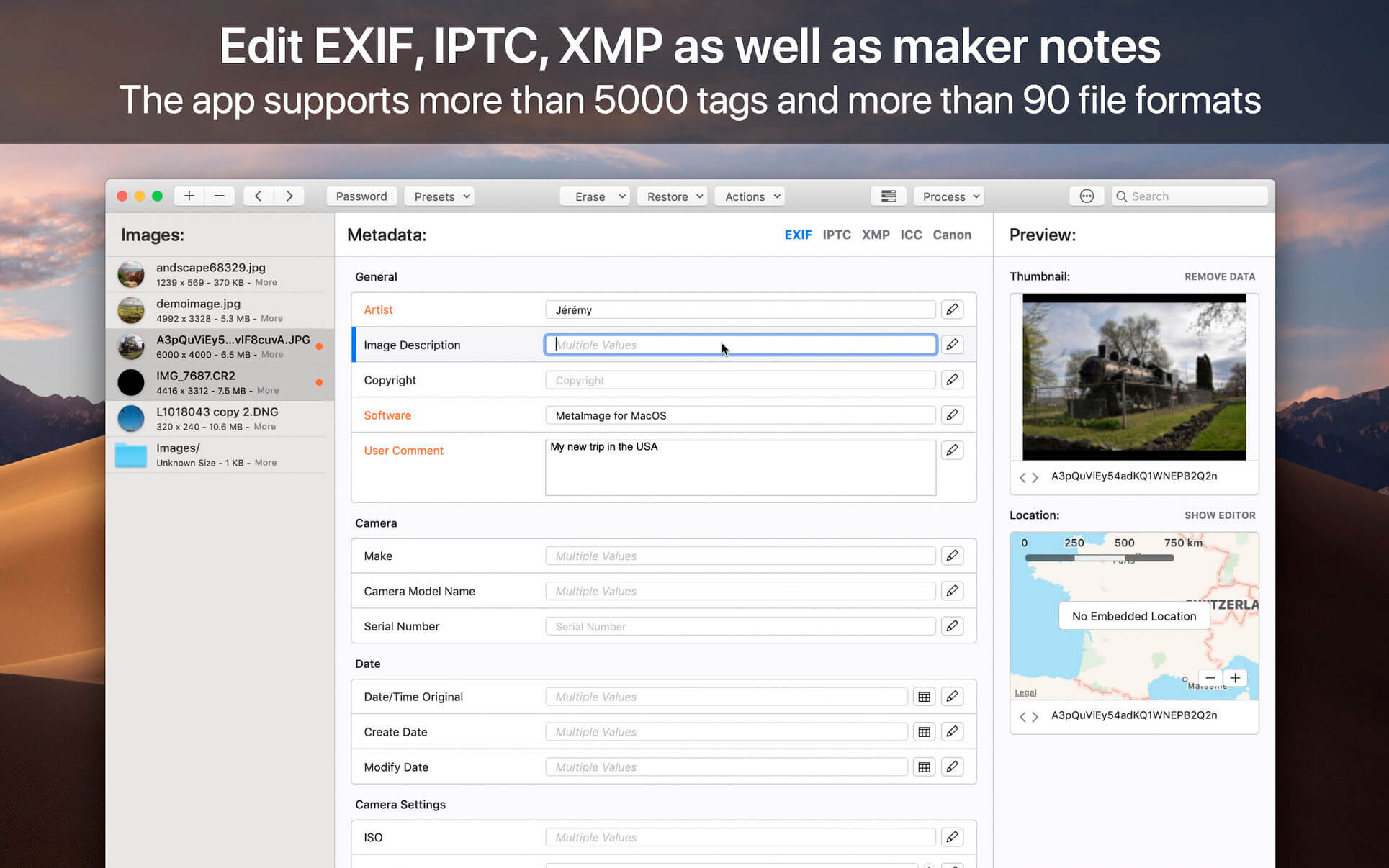
MetaImage is the ultimate tool to read, write and edit images metadata. This is first editor that allows you to edit EXIF, IPTC and XMP tags as well as MakerNotes in a beautiful and familiar interface.
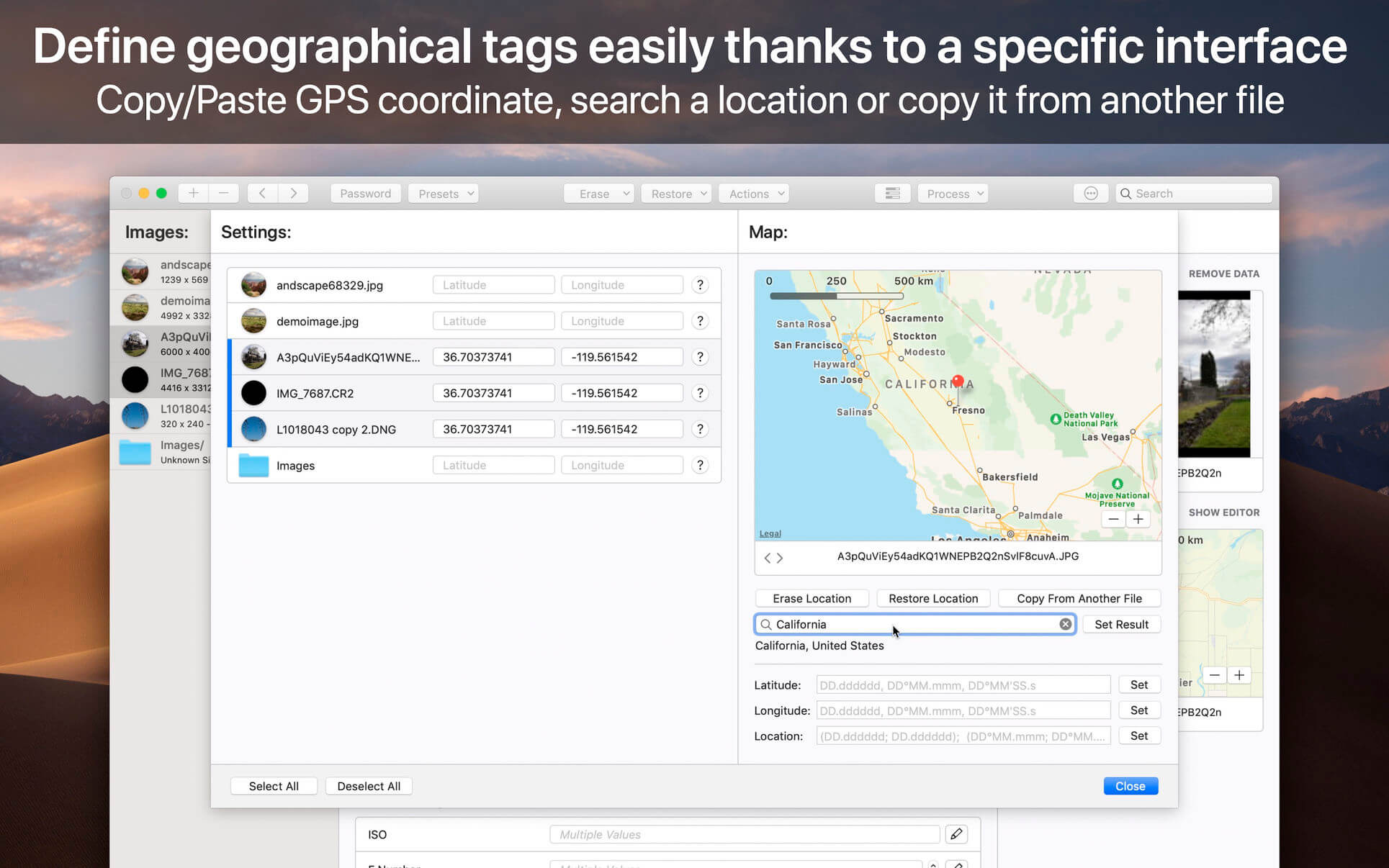
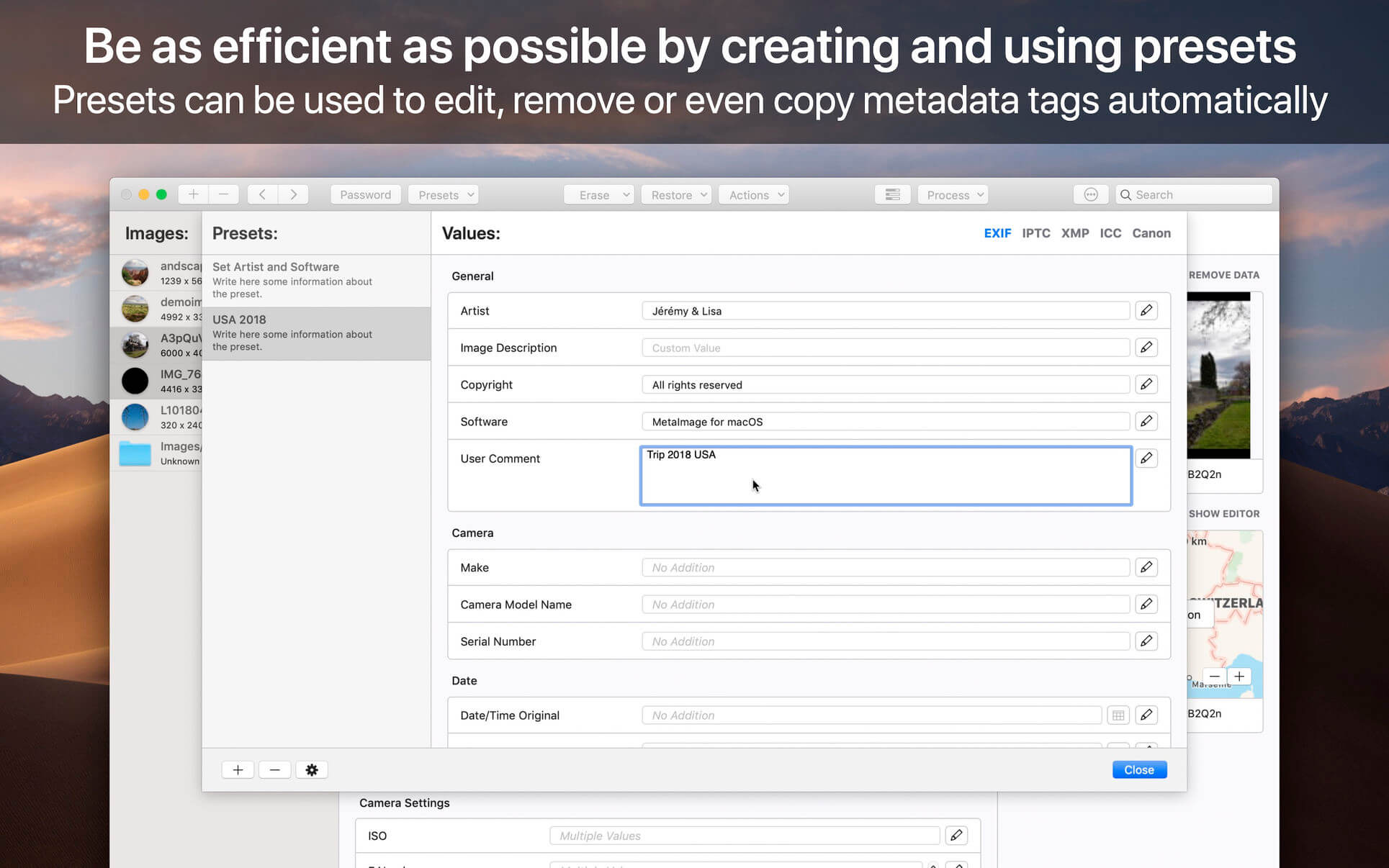
The application has been designed to improve your workflow. Users can create and manage presets. Moreover, a special support is provided for geographical and thumbnail data. In addition, displayed tags can be customized via the preferences. In this way, the application fits to your personal needs.
MetaImage is completely integrated to your mac ecosystem. The application even includes a Photos extension. In this way, you can directly inspect your photos from Photos.app.
Supported tags (>5000 tags):
- EXIF
- IPTC
- XMP
- ICC Profile
- Canon
- Leica
- FujiFilm
- Nikon
- Olympus
- Panasonic
- Pentax
- SigmaRaw
- Sony
- and much more
The application is designed for professional needs. More than 90 image formats are supported (HEIC, MOS, CR2, DNG, NEF, NRW, JPEG, PNG, TIFF, RAW, and much more). MakerNotes tags may be edited but not created or deleted. This avoids many potential problems with OEM software.
Additional features:
- Export tags to CSV and JSON
- Export embedded thumbnails
- Export embedded jpeg from raw
- Copy/Paste multiple tags
- Support password-protected images
- Support notifications and touch bar
- Support folder processing (* except HEIC files *)
This version has been optimized for macOS High Sierra and later. Moreover the application is available in 7 languages (English, French, German, Spanish, Italian, Japanese and Chinese).
Feedbacks can be sent directly from the application. In this way, you can contact us for any kind of suggestions and improvements in few clics.
MetaImage is accompanied by other applications.
- SnapMotion: extract still images from videos with precision.
- GlueMotion: edit, deflicker and assemble images into time lapse.
Version 2.6.7
- New Features: Introducing a new action in the GPS menu bar called « Resolve Missing Data ». This action scans all imported files and identifies the file lacking GPS information. It then uses the location of the nearest Exif:DateTimeOriginal file to complete the data.
- Bug Fixes: Resolved an issue causing crashes when searching text through metadata.
- Bug Fixes: Several minor issues have been addressed, improving overall stability and performance.
Frequently asked questions
How do I install the app?
Mount the image, drag the app into the "Applications" folder and launch it. If the system blocks the launch, allow it in "System Settings → Privacy & Security".
The app is damaged or won't launch
Reinstalling from a fresh image usually helps. Make sure your macOS version matches the one listed in the compatibility specs.
How do I update?
Download the new version from the site and install it over the current one — your settings will be preserved.
The download link doesn't work
Try a mirror or a download manager. For large files the browser often drops the connection.
How do I completely remove the app?
Use an uninstaller utility — it cleans up the service files that remain after moving the app to the trash.





Choose a download source
MetaImage 2.6.7 · 49.98 MB
Previous versions
MetaImage 2.6.7
Previous versions are available to registered users.