

Turnover 1.63
Screenshots
Click to enlarge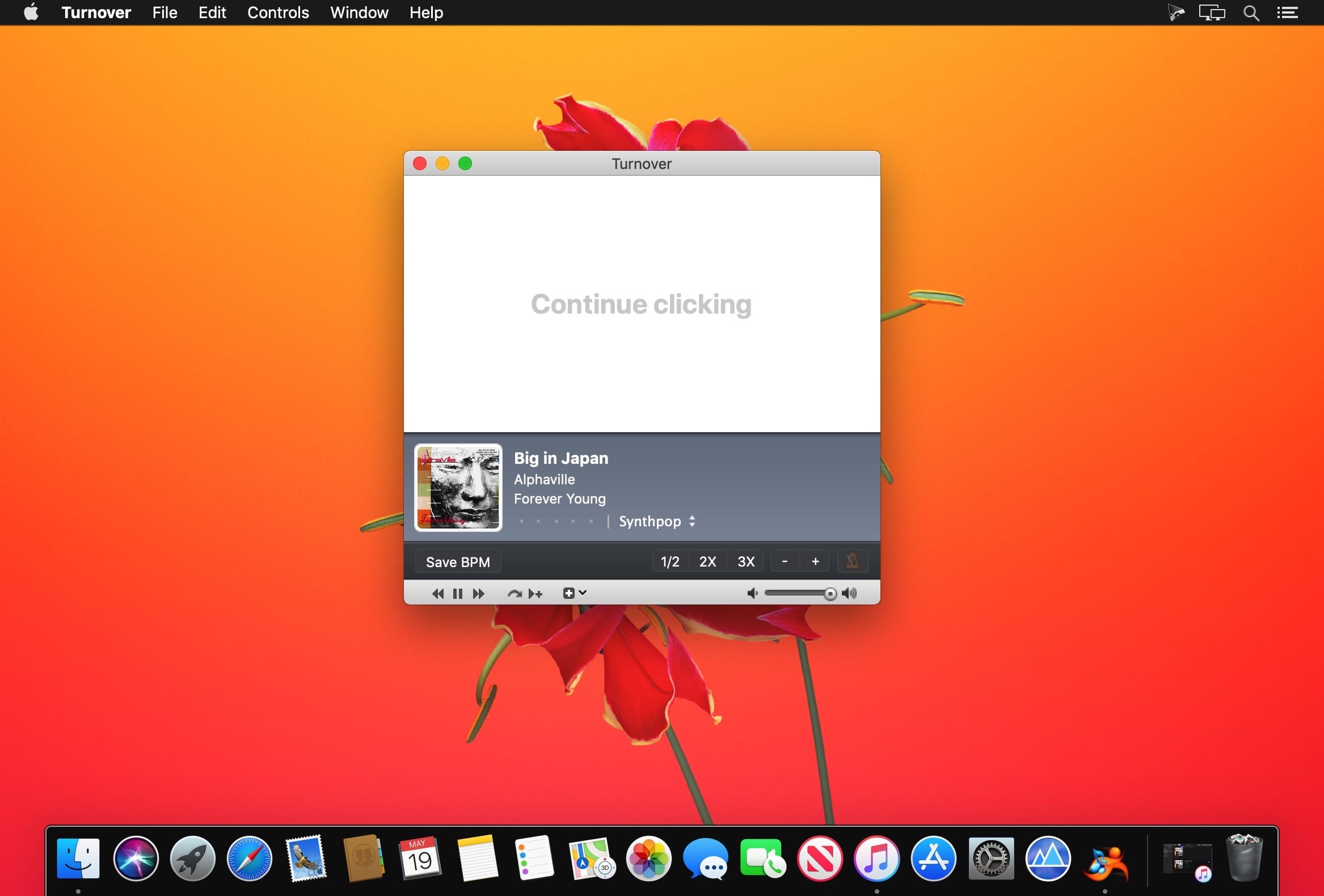


Turnover is a full-featured BPM tapper. Work your way through your entire iTunes music library with astonishing speed, or tap out songs as they come up with minimal disruption to your workflow. Let Turnover help generate playlists in specific BPM ranges for fixed-tempo workouts, including 180 steps-per-minute playlists for efficient running.
Features
- Optionally ignore BPM values guesstimated by beat analysis software
- Rules to manage playlists
- Various notification mechanisms, including Growl
- Customizable keyboard shortcuts for mouse-free operation
- Immediate detection of tapping errors, never a need to wait or "reset" tapping
- Several musical instrument "tap" sounds to choose from
Version 1.60:
- Support for adjusting ratings by dragging
- Improved support for Retina displays
- Fixed several UI glitchesRemoved Growl support
- Fixed incompatibility with certain iTunes versions
Comments
No comments yet. Be the first.
Information
Visitors in the group Guests cannot leave comments on this publication.