
XMind 8 Pro 3.7.8
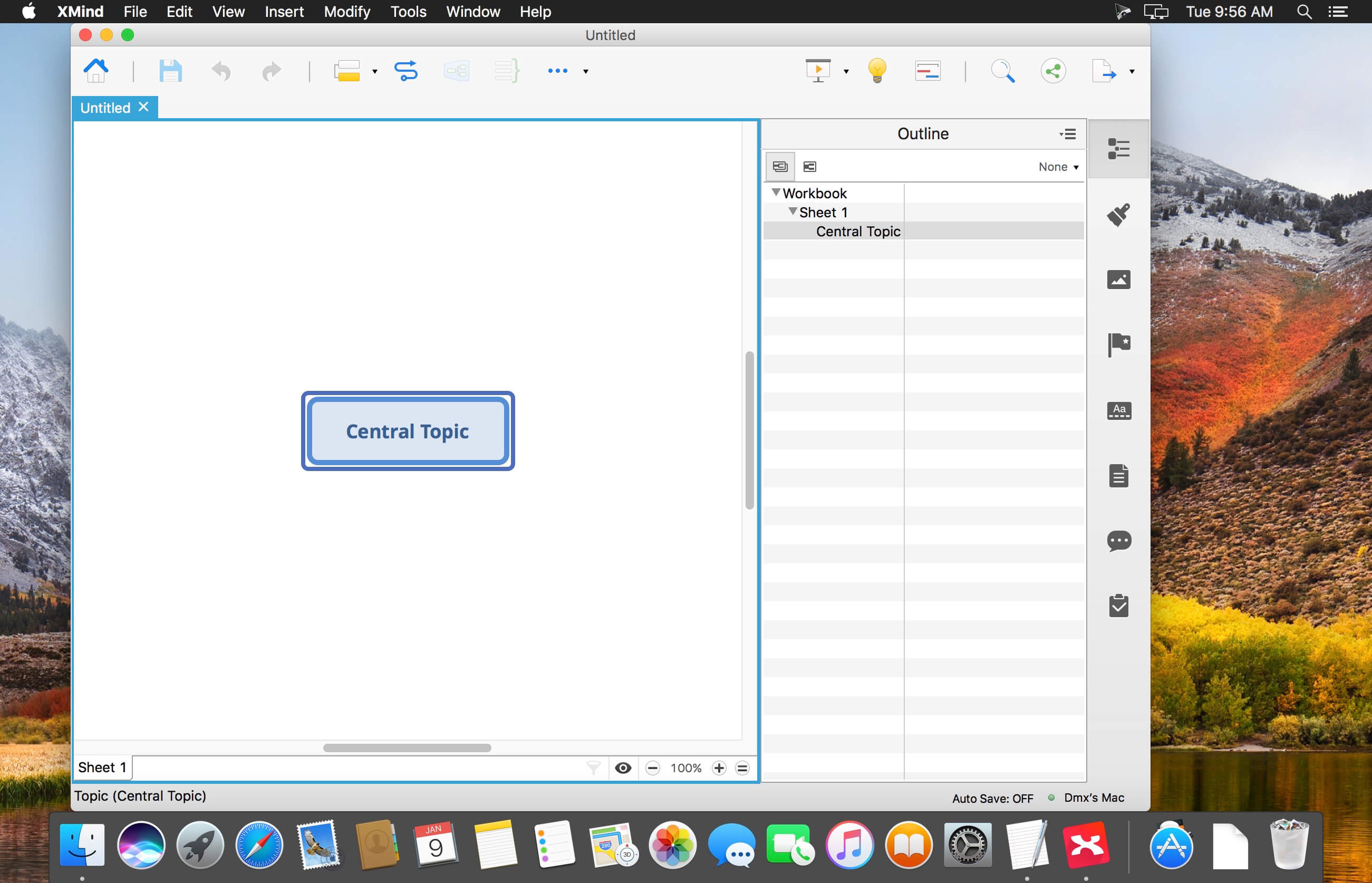
XMind Pro claims to be the most popular mind-mapping tool on the planet. You can use it to work through an individual brainstorming session and it will record and collect inspirations as you go. It can display as a mind-map or in a Gantt chart, and it works well with Office and can export in a number of ways to facilitate making reports. Version 8 has a refreshed look and a new slide-based presentation mode and the popular Walk Through presentation mode is still available.
XMind is an open source project, which means it's free to download and free to use forever as a version that allows you to make all kinds of diagrams. The price shown here is for Xmind Pro which includes all of the following features:
- Customizable Theme
- Export to PDF/SVG
- Export to Word/Excel/PPT
- Clip Art
- Brainstorming Mode
- Presentation Mode*
- Gantt Chart
- Audio Notes
- Encrypt with Password
- 60,000+ Icons
Version 8:
- Release notes were unavailable when this listing was updated.
Frequently asked questions
How do I install the app?
Mount the image, drag the app into the "Applications" folder and launch it. If the system blocks the launch, allow it in "System Settings → Privacy & Security".
The app is damaged or won't launch
Reinstalling from a fresh image usually helps. Make sure your macOS version matches the one listed in the compatibility specs.
How do I update?
Download the new version from the site and install it over the current one — your settings will be preserved.
The download link doesn't work
Try a mirror or a download manager. For large files the browser often drops the connection.
How do I completely remove the app?
Use an uninstaller utility — it cleans up the service files that remain after moving the app to the trash.
VersionXMind 8 Pro 3.7.8
DeveloperXMind Ltd.
CompatibilityOS X 10.7 or later, 64-bit processor
LanguageEnglish
IncludesK





Information
Visitors in the group Guests cannot leave comments on this publication.
Choose a download source
XMind 8 Pro 3.7.8 · 181.67 MB
Previous versions
XMind 8 Pro 3.7.8
Previous versions are available to registered users.