
AnyMP4 Video 2 GIF Maker 1.0.17

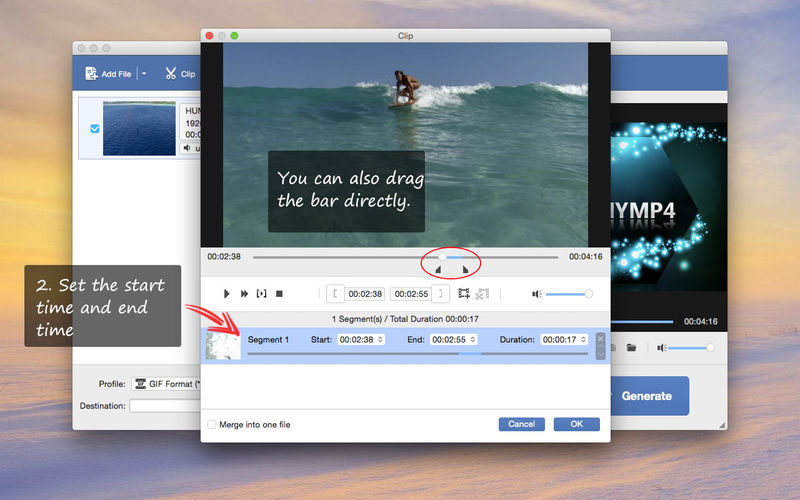
Are you looking for a way to easily share interesting moments in a video with your friends? Congrats! Now you have found it.
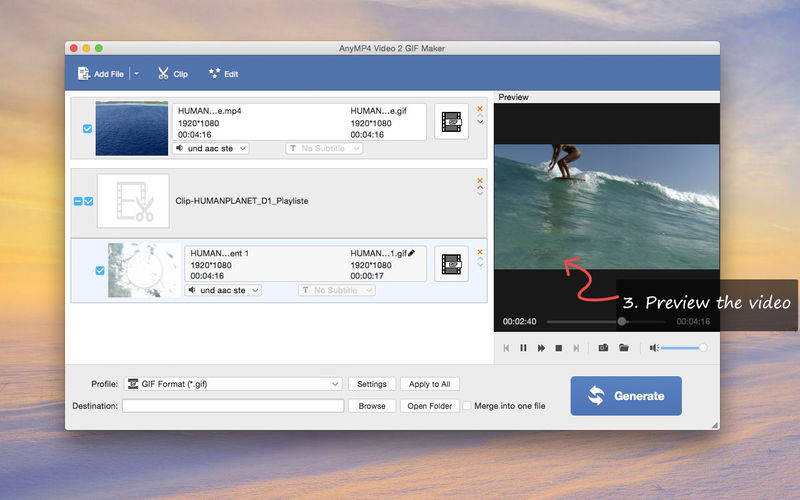
AnyMP4 Video to GIF Maker should be the easiest GIF maker program you can find. It supports turning any format video into a GIF, which is smaller and easier to be shared. Besides video to GIF converting, it also has video editing, previewing and other features.
Key functions:
1. Convert video to GIF
This is the main function. It is compatible with almost any video format, including MP4, MOV, SWF, M4V, WMV, FLV, VOB, AVI, etc. and even HD and 4K videos. Therefore, no matter you downloaded your video from online sites like Youtube, or recorded it with your iPhone, you can easily make it into a GIF.
2. Edit the video before converting it to GIF
It has several video editing options. If you are not satisfied with the visual effect, or you want to make it more interesting, you can try these. For example, you are allows to adjust the video brightness, saturation, hue and add text or image watermark.
3. Batch conversion
You can convert more than one videos to GIFs simultaneously. This will save you much time.
Version 1.0.17
- Improved the speed when making gif from MP4 videos.
- The latest version is fully compatible with 64-bit Mac system.
Frequently asked questions
How do I install the app?
Mount the image, drag the app into the "Applications" folder and launch it. If the system blocks the launch, allow it in "System Settings → Privacy & Security".
The app is damaged or won't launch
Reinstalling from a fresh image usually helps. Make sure your macOS version matches the one listed in the compatibility specs.
How do I update?
Download the new version from the site and install it over the current one — your settings will be preserved.
The download link doesn't work
Try a mirror or a download manager. For large files the browser often drops the connection.
How do I completely remove the app?
Use an uninstaller utility — it cleans up the service files that remain after moving the app to the trash.
VersionAnyMP4 Video 2 GIF Maker 1.0.17
DeveloperAnyMP4 Studio
CompatibilityOS X 10.7 or later, 64-bit processor
LanguageEnglish
IncludesK'ed by TNT




Information
Visitors in the group Guests cannot leave comments on this publication.
Choose a download source
AnyMP4 Video 2 GIF Maker 1.0.17 · 49.62 MB