iPastels 2.13.1
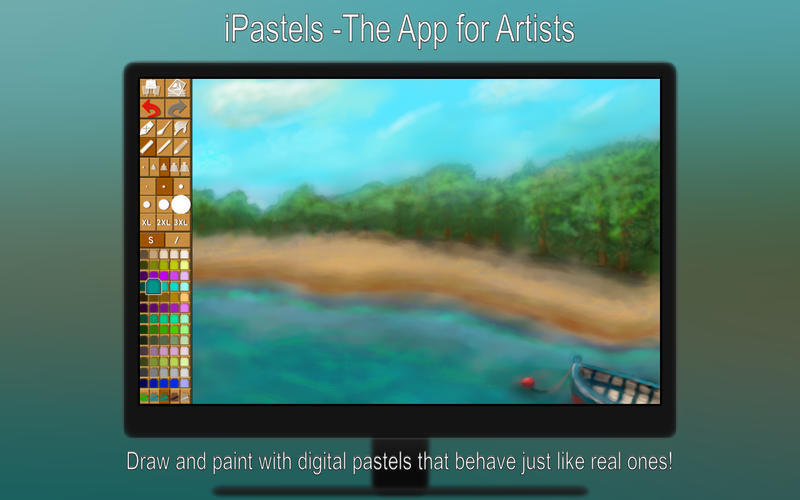
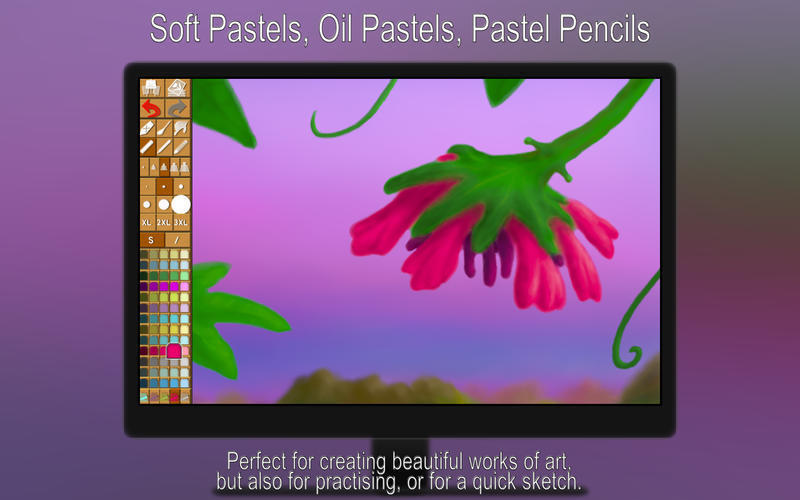

iPastels Pro simulates soft (chalk) pastels, oil pastels, and color blending as realistically as possible.
The pastel medium has been around for several centuries, with roots as old as mankind. An ever-increasing number of artists have since discovered the rich colors and expressiveness of pastel painting.
This app will let you create beautiful digital works of art, especially if you're a talented artist. If you're not, iPastels will keep you entertained until you become one through practice and experience! Simulating soft (chalk) pastels, oil pastels and color blending, the iPastels app tries to be as realistic as possible.
Version 2.13.1:
- [Bug Fix] Some common actions, such as adding a new layer, or changing the background color, could cause the app to crash.
Frequently asked questions
How do I install the app?
Mount the image, drag the app into the "Applications" folder and launch it. If the system blocks the launch, allow it in "System Settings → Privacy & Security".
The app is damaged or won't launch
Reinstalling from a fresh image usually helps. Make sure your macOS version matches the one listed in the compatibility specs.
How do I update?
Download the new version from the site and install it over the current one — your settings will be preserved.
The download link doesn't work
Try a mirror or a download manager. For large files the browser often drops the connection.
How do I completely remove the app?
Use an uninstaller utility — it cleans up the service files that remain after moving the app to the trash.
VersioniPastels 2.13.1
DeveloperNorbyte
CompatibilityOS X 10.11 or later, 64-bit processor
LanguageEnglish
IncludesK'ed by TNT




Information
Visitors in the group Guests cannot leave comments on this publication.
Choose a download source
iPastels 2.13.1 · 5.96 MB