
Find Any File (FAF) 2.6.1
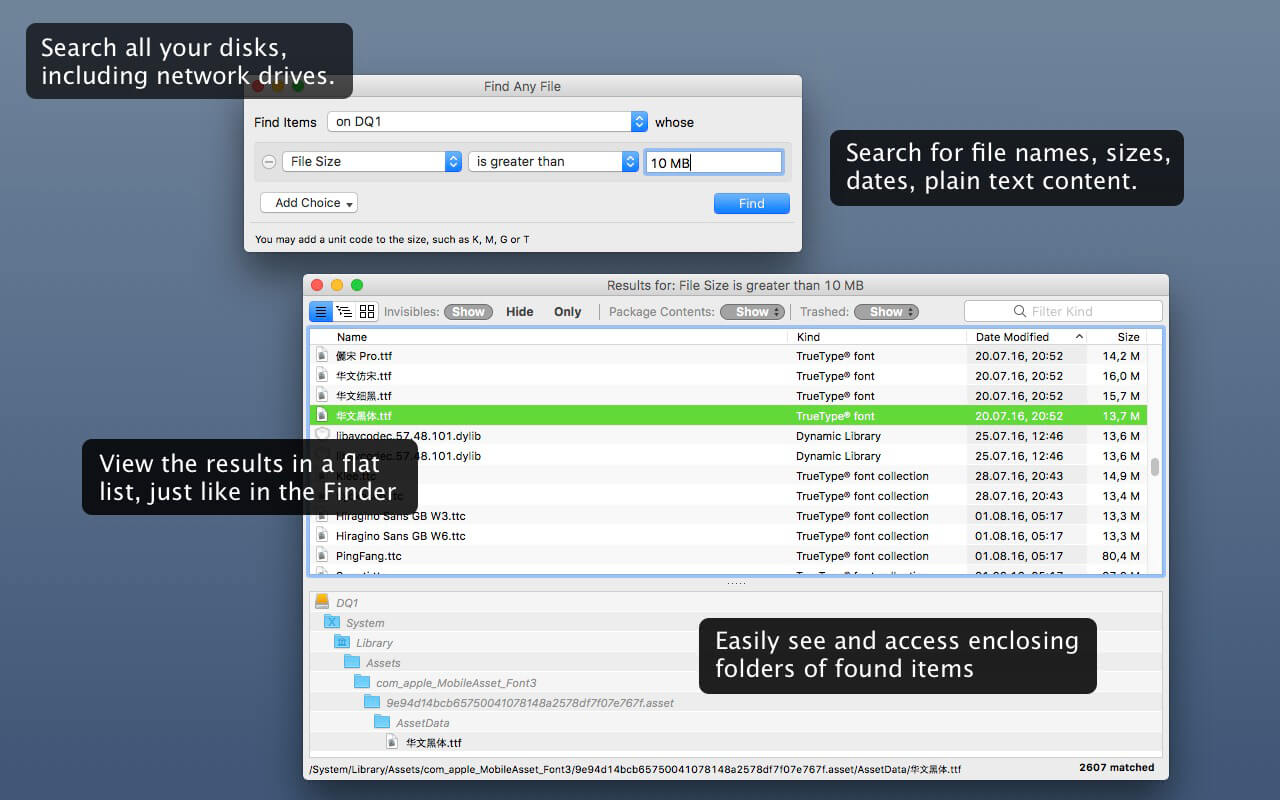
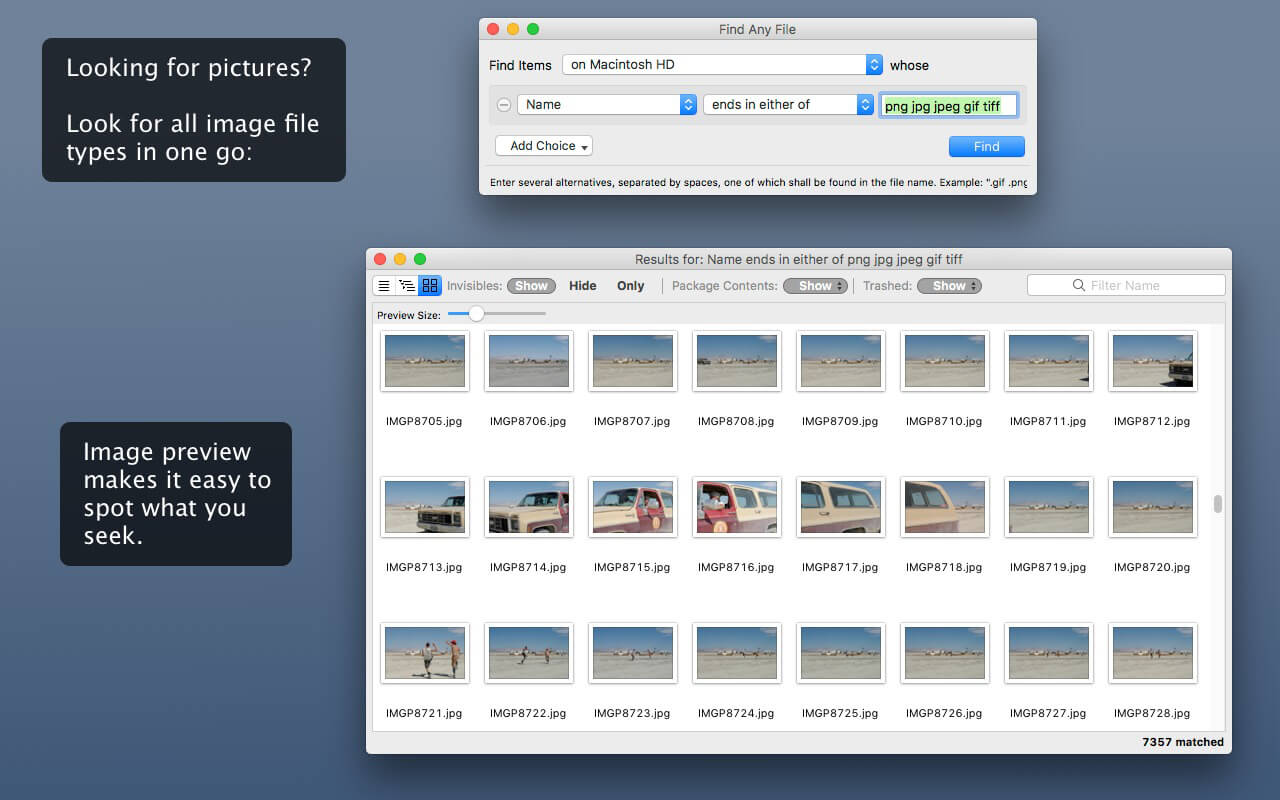
Find Any File searches your local disks for files by name, creation or modification date, size, or type and creator code (not by content, though).
As there are other tools with a similar search operation, here are the special features unique to Find Any File:
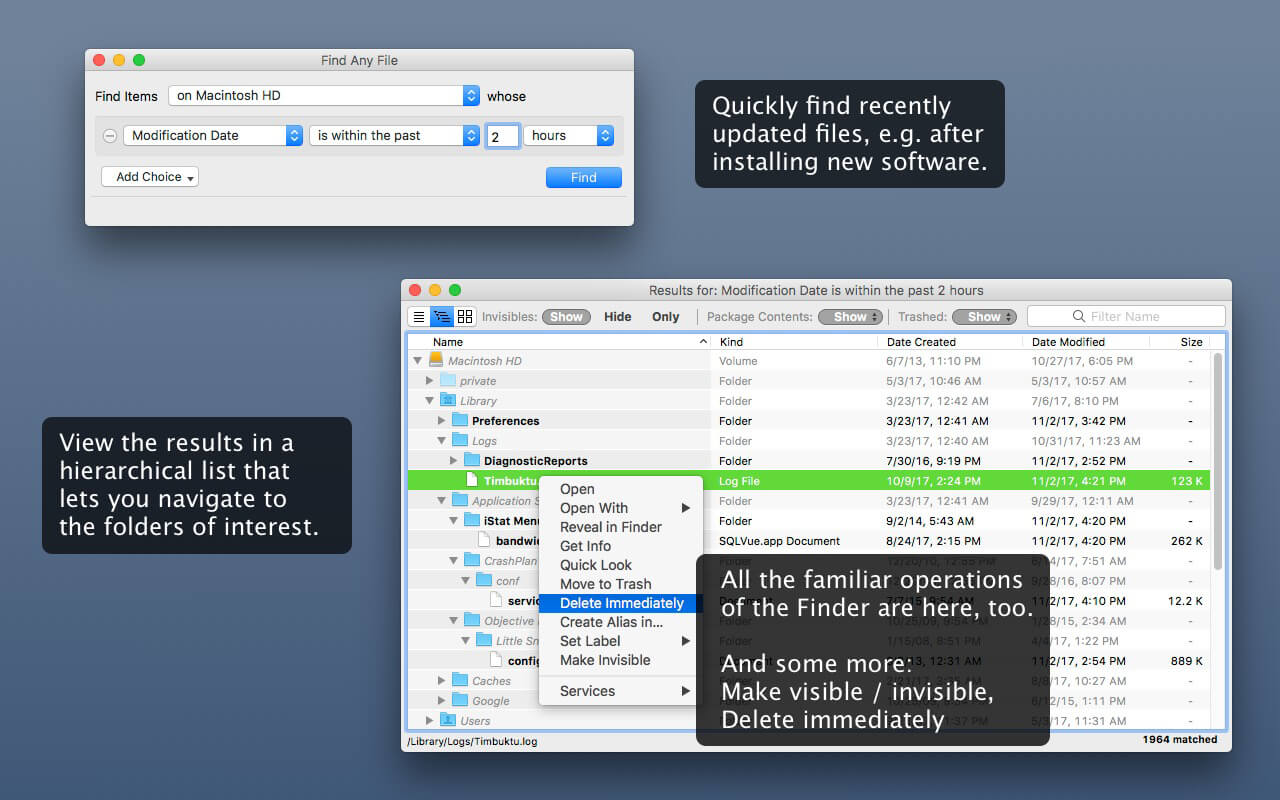
- Has a new hierarchical view of the found items, making it much easier to browse 100s of items (see the screenshot).
- Can run as root user, finding really any file on your disk, even those that are hidden from normal users.
- Can save queries and run them again later.
Unlike Spotlight (i.e., the Finder's Find command), it does not access a pre-built database but searches the chosen volume directly. This allows you to find any file, even those inside packages and others excluded from Spotlight search. Hence it is great for finding system files, for example.
On the other hand, it may take a little longer than Spotlight, and it is only fast on HFS(+) volumes. But even on mounted network volumes of a Mac OS X server it can still be surprisingly fast.
Hence, this is not an entire replacement for Spotlight but it can come handy in certain, if not many, situations.
Version 2.6.0
- The location popup menu now offers "home folder" as a search destination.
- Adds more columns to the results: Comments, Hidden state, Trashed state, Container (shows the name of the app or bundle for items inside).
- Finding Comments has been fixed so that it works on external and remote volumes as well, seeing exactly what the Finder sees (FAF now parses the .DS_Store file to accomplish that).
- Non-empty Comments and Tags can now be found by using "matches pattern *".
- The Preferences window now has an option to silence the warning about skipping offline (dataless) files that are not downloaded to the Mac but are only available in the cloud.
- The local iCloud folder can now be conveniently excluded in the Special Folders window.
- The Show/Hide switches that are at the top of the Results window are now also present in the View menu.
- If FAF doesn't have Full Disk Access, it will now present a helping window with instructions in macOS 13 and later.
- If Default Folder X is installed, its Favorites menu in FAF's Find window now offers an "All" choice for using all favorite folders as search locations. And if there are multiple Folder Sets configured, each set's favorites and recent folders can be accessed now from the "where" pop-up menu.
- Scripts can now launch (shell) commands with root permissions.
- Scripts can now perform their own search and provide the found items to the other rules for filtering.
- Adds basic AppleScript support (mostly read-only access, but you can modify a search via its JSON property).
- Fixes the number of found items shown in the Find window - it was sometimes too high when items were also found by Spotlight.
- Fixes a bug where the Services command "FAF: Search folder(s)" picked the wrong location if a file instead of a folder was selected.
- Fixes a bug introduced in 2.5.7 that caused FAF to often lock up (freeze).
Frequently asked questions
How do I install the app?
Mount the image, drag the app into the "Applications" folder and launch it. If the system blocks the launch, allow it in "System Settings → Privacy & Security".
The app is damaged or won't launch
Reinstalling from a fresh image usually helps. Make sure your macOS version matches the one listed in the compatibility specs.
How do I update?
Download the new version from the site and install it over the current one — your settings will be preserved.
The download link doesn't work
Try a mirror or a download manager. For large files the browser often drops the connection.
How do I completely remove the app?
Use an uninstaller utility — it cleans up the service files that remain after moving the app to the trash.





Choose a download source
Find Any File (FAF) 2.6.1 · 15.46 MB
Previous versions
Find Any File (FAF) 2.6.1
Previous versions are available to registered users.