
Snapper 3.0.5
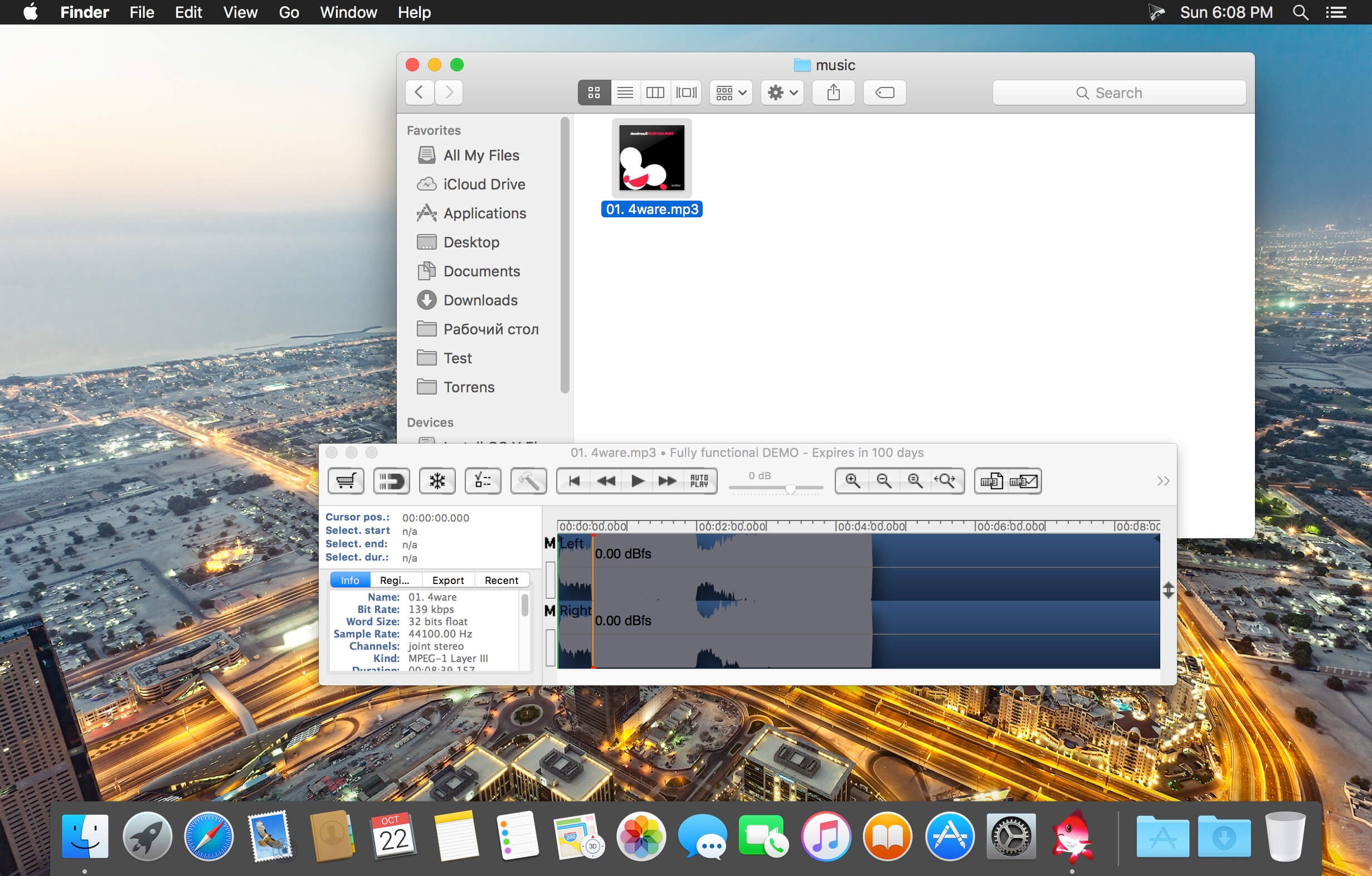
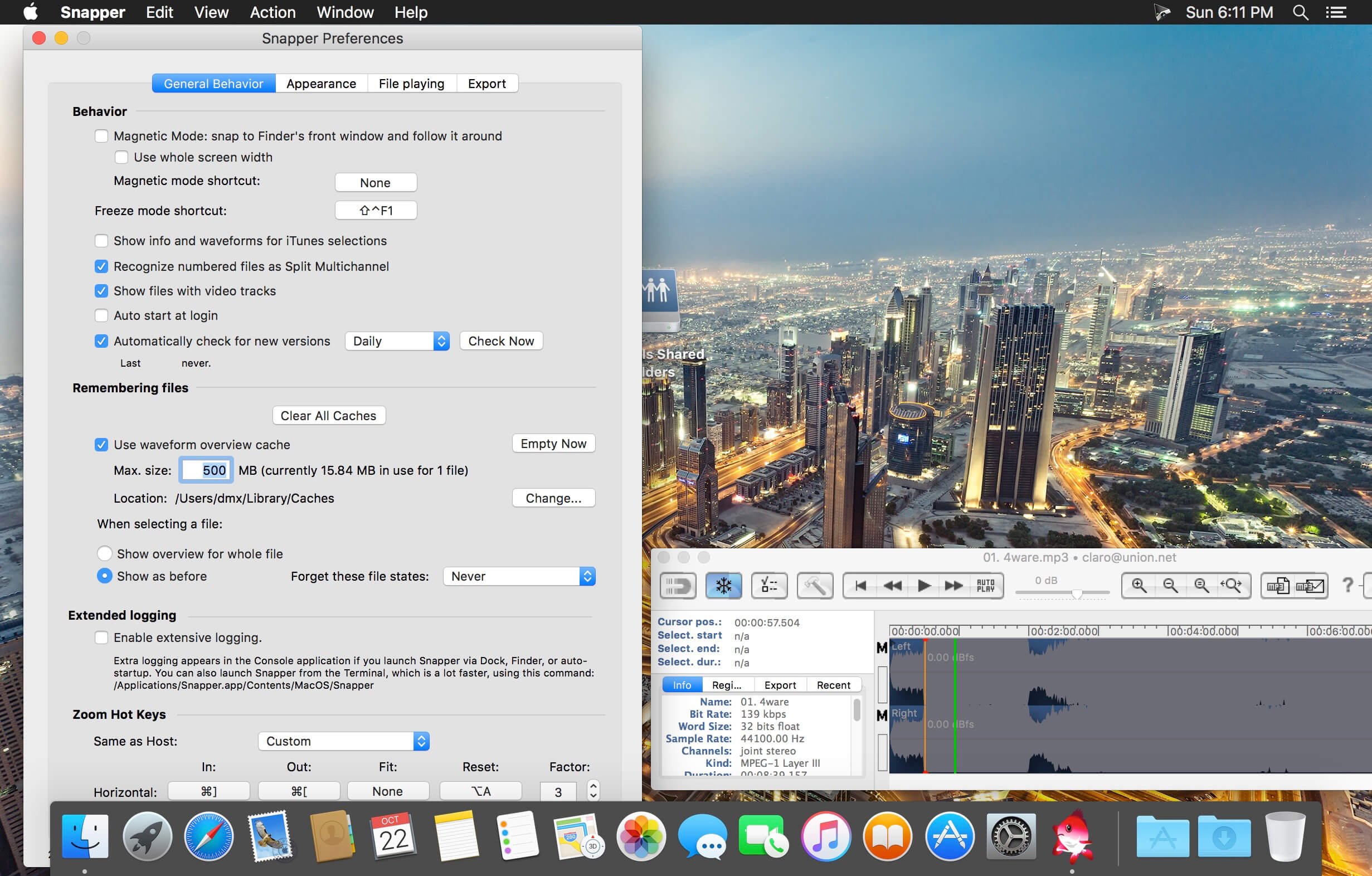
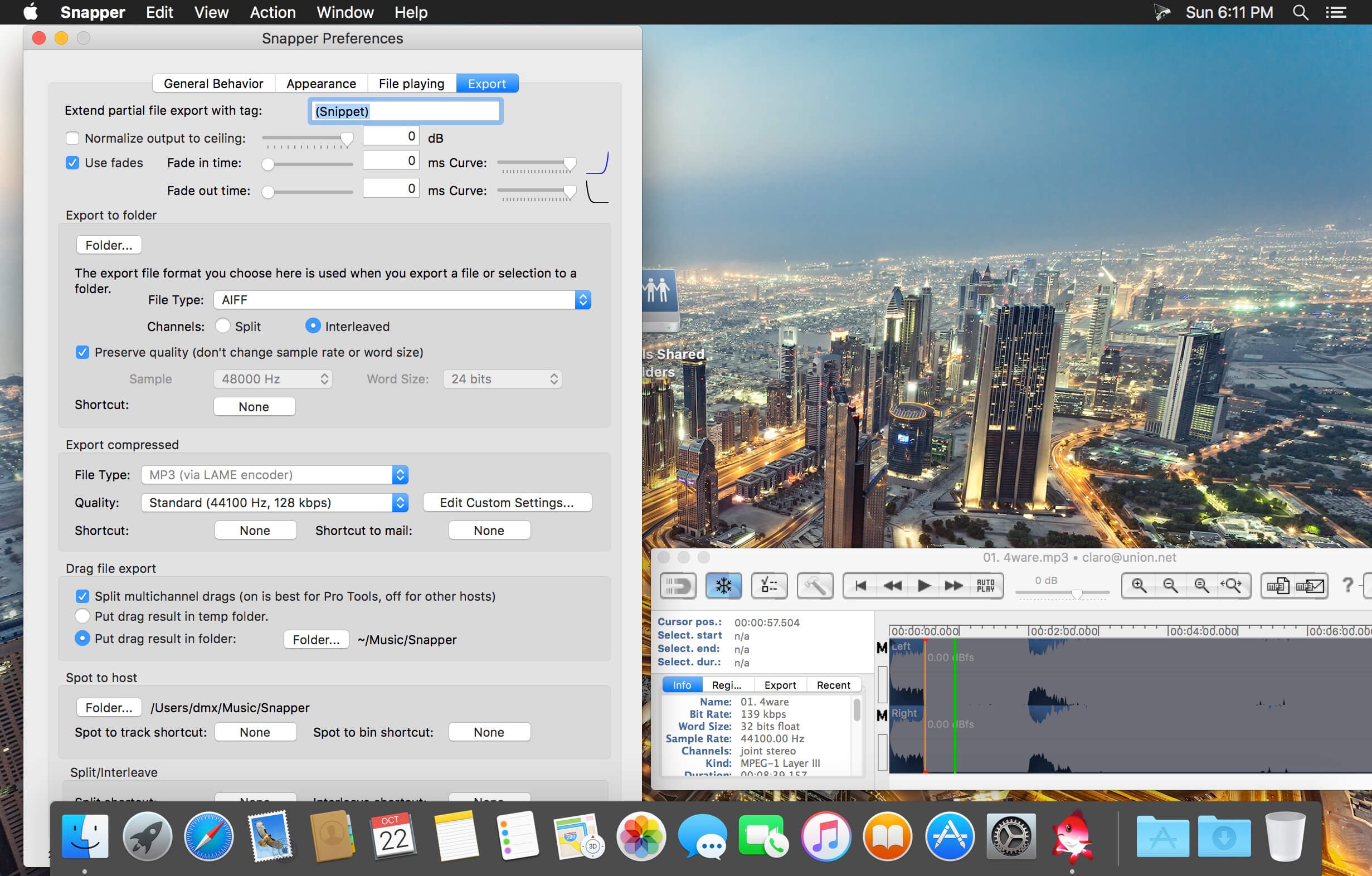
When you select an audio file in the Mac Finder, Snapper immediately appears right beneath the current window, showing you the wave form.
Play
Hit the space bar or double-click in the wave form to play. Or use auto-play to start playing the moment you select the file. Vari-speed is available too.
- Drag, Drop and Convert
- In the Snapper wave form you can select a part of the sound file and:
- drag it out, to create a new file.
- drag it to any sequencer or audio editor (new in version 2…)
- turn the selection into an mp3 file. (or ogg, mp4 flac)
- split stereo files into separate .L and .R files or vise versa
- convert to mp4 and attach it to an email in one go.
- export to AIFF, WAV, BWF, mp3, or m4a.
All of them.
Snapper opens over 50 sound file formats. That includes compressed files, split stereo, 192 kHz, 5.1 surround files, red book audio, cds and movies containing audio. It shows loops, markers, timestamps, regions, BWF annotations, even album covers. You name it, Snapper can handle it. For some formats you need to install external components, here's more on that.
Finder
Snapper follows your file selection in the Finder. It shows a wave form as soon as you select an audio file.
Pro Tools, Nuendo, Logic, Cubase, Live
You can drag (selections from) files directly to the cursor of your sequencer or audio editor.
Version 3.0.5
- Release notes were unavailable when this listing was updated.
Frequently asked questions
How do I install the app?
Mount the image, drag the app into the "Applications" folder and launch it. If the system blocks the launch, allow it in "System Settings → Privacy & Security".
The app is damaged or won't launch
Reinstalling from a fresh image usually helps. Make sure your macOS version matches the one listed in the compatibility specs.
How do I update?
Download the new version from the site and install it over the current one — your settings will be preserved.
The download link doesn't work
Try a mirror or a download manager. For large files the browser often drops the connection.
How do I completely remove the app?
Use an uninstaller utility — it cleans up the service files that remain after moving the app to the trash.
VersionSnapper 3.0.5
DeveloperAudio Ease B.V.
CompatibilitymacOS 10.12 or later, 64-bit processor
LanguageEnglish
IncludesSerial




Information
Visitors in the group Guests cannot leave comments on this publication.
Choose a download source
Snapper 3.0.5 · 3.57 MB
Previous versions
Snapper 3.0.5
Previous versions are available to registered users.