Education Templates by Nobody 2.1.1
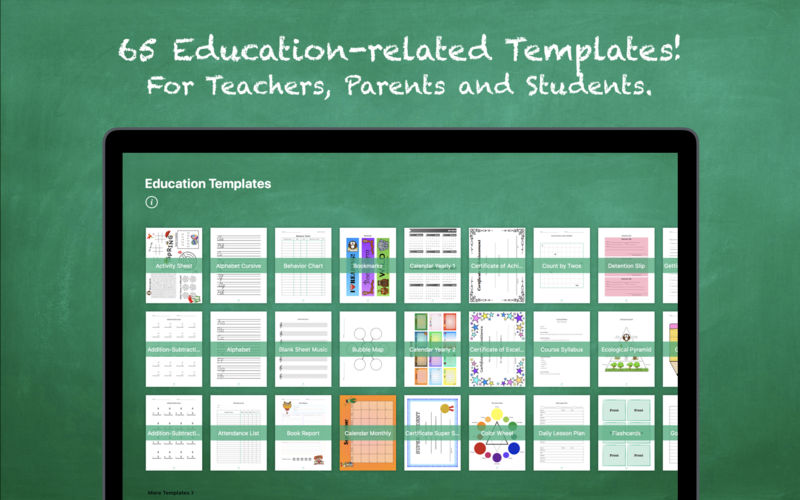
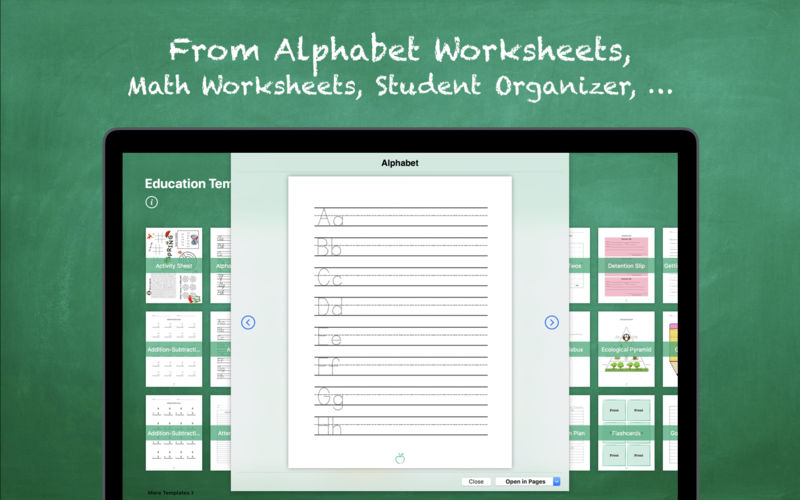

65 EDUCATION-RELATED TEMPLATES
Education Templates by Nobody is a valuable add-on for Apple's Pages app and provides 65 useful education-related templates.
CONTENT
- Activity Sheet
- 2x Addition-Subtraction Worksheet
- Alphabet Worksheet
- Alphabet Cursive Worksheet
- Attendance List
- Behavior Chart
- Blank Sheet Music
- Book Report
- Bookmarks
- Bubble Map
- Calendars: Monthly + 2x Yearly
- 3x Certificates
- Color Wheel
- Count By Twos - Even/Odd Numbers
- Course Syllabus
- Daily Lesson Plan
- Detention Slip
- Ecological Pyramid
- Flashcards
- "Getting to know you" Sheet
- Goal Setting Sheet
- Gold Star Chart
- Homework Record
- Index Cards
- Journal Entry
- Midterm Progress Report
- Multiplication-Division Worksheet
- Multiplication Table
- 2 x Name Tags
- Numbers Worksheet
- Paper Types: 2x Graph Paper + 2x Ruled Paper
- Parts of Speech
- Periodic Table of the Elements
- Permission Slip
- 2x School Newsletter
- School Calendar
- Scroll Paper
- Sign In Sheet
- Sign Up Sheet
- Solar System
- Student Organizer
- Student Welcome Letter
- Test
- 2x Thank You Cards
- Think Web
- Timeline
- Timetable
- US States Map
- 2x Venn Diagram
- Weekly Lesson Plan
- Weekly Planning Guide
- What Time Is It?
- World Map
DIFFERENT PAPER SIZES
All templates are available in US Letter and A4.
EASILY CUSTOMIZABLE
Once opened in Pages you can apply your own content, colors, fonts, pictures, etc.
REQUEST TEMPLATES
Let us know what templates you would like to see in the next update.
IMPORTANT: PAGES REQUIRED!!!
Make sure you own Pages - Apple's word processor. In order to open any of the templates, you need to have Pages installed on your computer. You can download Pages from the Mac App Store. The only reason why you would not be able to open a template is if you did not have Pages installed on your computer!
***Pages version 5.3 or higher required.
Version 2.1.1
- We fixed some compatibility issues with macOS High Sierra.
- We updated the calendars to the current school year.
Frequently asked questions
How do I install the app?
Mount the image, drag the app into the "Applications" folder and launch it. If the system blocks the launch, allow it in "System Settings → Privacy & Security".
The app is damaged or won't launch
Reinstalling from a fresh image usually helps. Make sure your macOS version matches the one listed in the compatibility specs.
How do I update?
Download the new version from the site and install it over the current one — your settings will be preserved.
The download link doesn't work
Try a mirror or a download manager. For large files the browser often drops the connection.
How do I completely remove the app?
Use an uninstaller utility — it cleans up the service files that remain after moving the app to the trash.
VersionEducation Templates by Nobody 2.1.1
Developertill konitzer © 2016, Nobody LLC
CompatibilityOS X 10.11 or later, 64-bit processor
LanguageEnglish
IncludesK'ed by TNT

Information
Visitors in the group Guests cannot leave comments on this publication.
Choose a download source
Education Templates by Nobody 2.1.1 · 84.39 MB