
Cardhop 2.4.8
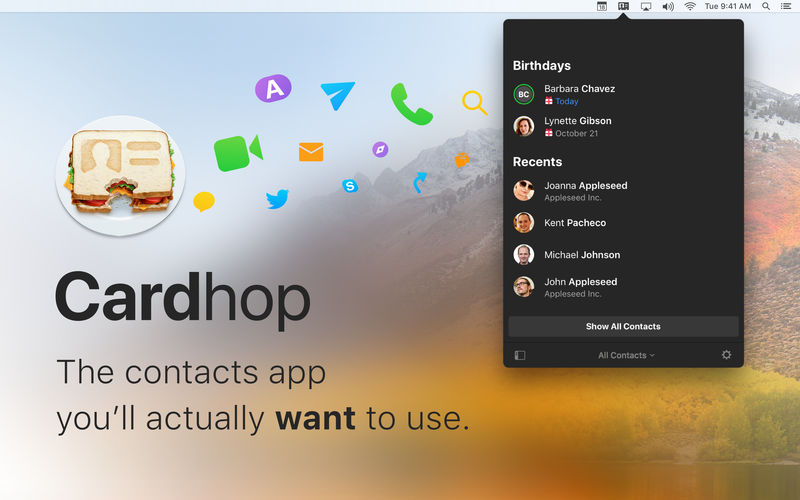

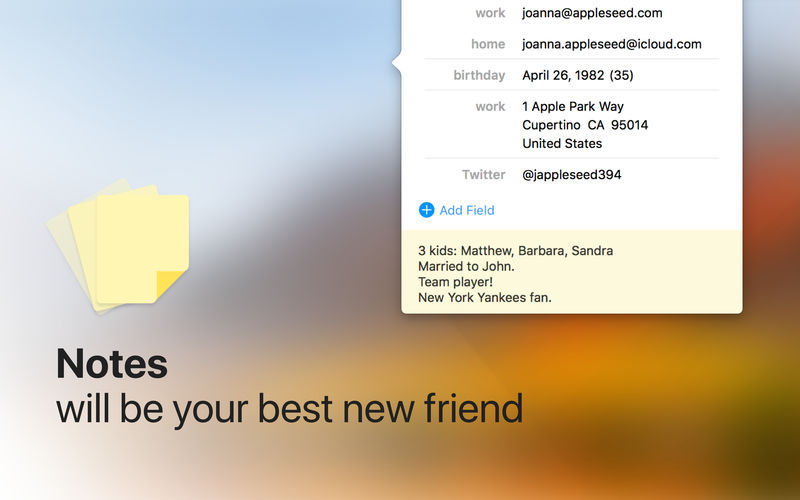
Until now, managing and interacting with your contacts has been a real frustration. Cardhop's magical parsing engine is incredibly intuitive, letting you search, add, edit, and interact with your contacts using a simple sentence!
FEATURES
- A beautiful and simple menu bar app, designed exclusively for macOS
- Instantly works with your existing macOS contacts, nothing to configure
- Groups: quickly toggle contact groups with a click
- Notes: a convenient and powerful way to add notes to your contacts, helping you to strengthen your relationships
- Recents: quickly interact with your recent contacts
- Birthdays: instantly see upcoming birthdays and easily send a wish on their special day
- iPhone and Bluetooth dialing
- macOS Action Extension
- Dark and light themes
- And much, much more!
POWERFUL ACTIONS
- Quickly interact with your contacts with the following actions: Call, Copy, Directions, Email, FaceTime, FaceTime Audio, Large Type, Message, Skype, Telegram, Twitter, URL, and VoIP
- Simply enter an action or abbreviation (which you'll find in the Help Book by entering "?" or "help") followed by your contact's name and Cardhop will handle the rest
- Even better, some actions are flexible. For example, you can add a subject to an email by entering "email Kent Lunch tomorrow?" and the email including the subject will instantly appear, ready to go!
- Customizable quick actions are also available per contact, allowing for single-click actions
Version 2.4.8:
- Release notes were unavailable when this listing was updated.
Frequently asked questions
How do I install the app?
Mount the image, drag the app into the "Applications" folder and launch it. If the system blocks the launch, allow it in "System Settings → Privacy & Security".
The app is damaged or won't launch
Reinstalling from a fresh image usually helps. Make sure your macOS version matches the one listed in the compatibility specs.
How do I update?
Download the new version from the site and install it over the current one — your settings will be preserved.
The download link doesn't work
Try a mirror or a download manager. For large files the browser often drops the connection.
How do I completely remove the app?
Use an uninstaller utility — it cleans up the service files that remain after moving the app to the trash.





Choose a download source
Cardhop 2.4.8 · 31.93 MB
Previous versions
Cardhop 2.4.8
Previous versions are available to registered users.